Live classes
Online chess class software
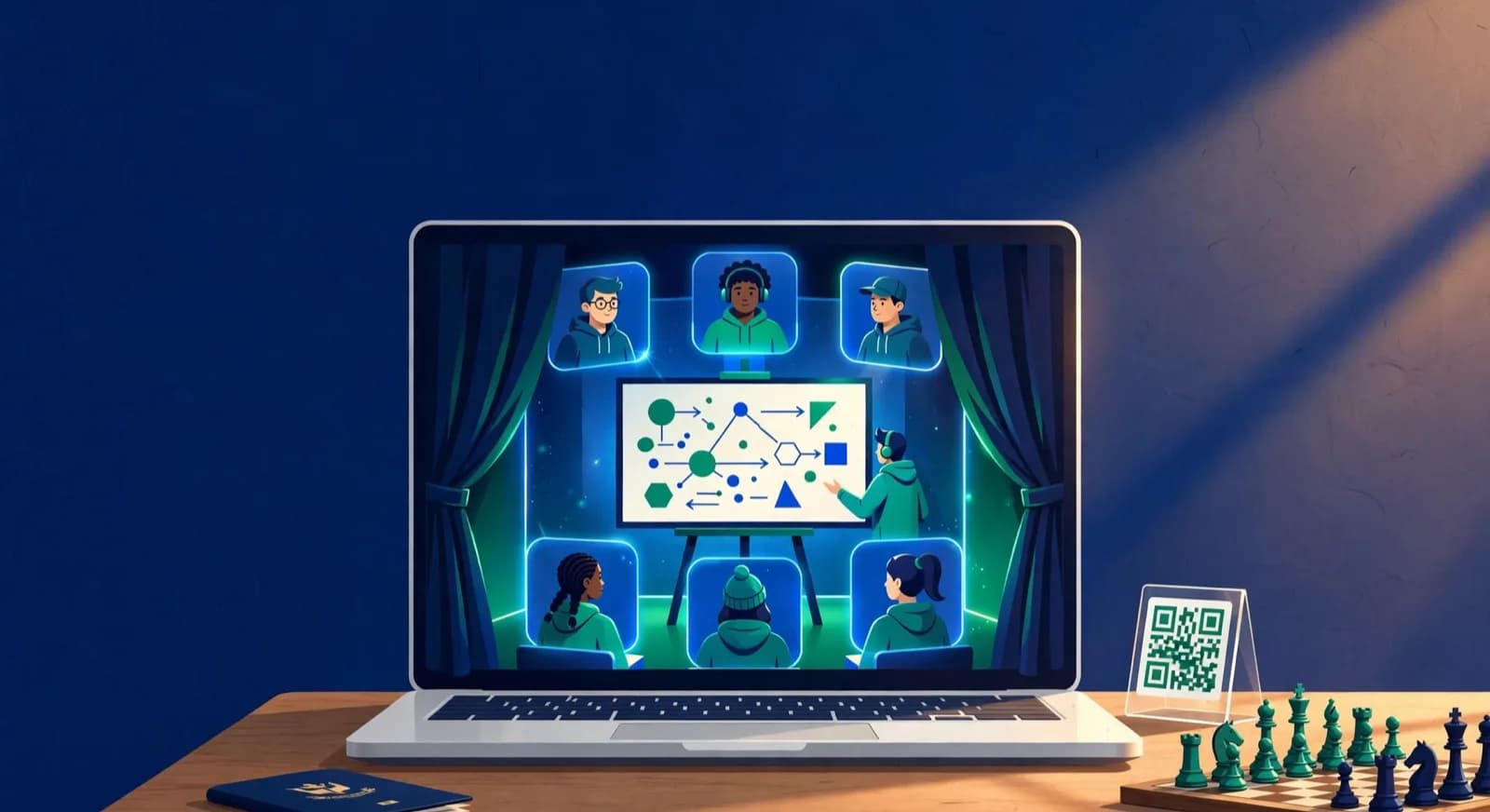
ChessCore has a live classroom built in. Video and audio, a shared board the coach drives, screen sharing and a whiteboard sit in one window, with coach controls to lock boards, mute students and manage cameras, and a waiting room before the class starts.
Run live polls and quizzes, watch your students' games as they play, and record the class with consent. Attendance is taken from the class, and the AI drafts a class recap for the coach to approve before families see it.
See a live class on ChessCoreHow it works
One class, from waiting room to recap
Intermediate B at Knight’s Gate, a made-up academy, studies the pin.
Open the class from the timetable
The batch class has a live room. Students wait in the waiting room until the coach admits them.
Teach on the shared board
The coach drives one board on every screen, then shares a screen, draws on the whiteboard or runs a poll.
Watch the games
Students play each other. The coach watches each board live and opens one to comment.
Recording, register, recap
The recording is saved with consent, attendance comes from the class and the AI recap waits for the coach.
The classroom
Teach a live class from one window
Switch tools along the bottom, lock the boards, mute the room and admit the two students in the waiting room.
Elena drives the board. Every student sees Bb5 pin the c6 knight to the king as she moves.
Video, audio and a board the coach drives
Built-in video and audio. The coach and students see and hear each other inside ChessCore. There is no separate meeting link to send and no other app to install.
A shared board. The coach drives one board and it moves on every student's screen at once. Switch between legal moves and a free position to set up a study, and let students try a move when you unlock their boards.
Planning the lesson itself? The guide on how to run online chess classes covers class format, pacing and keeping quiet students involved.
Screen sharing and a whiteboard
Screen sharing. Share a slide, a study or a game database with the class while the video stays on beside it.
Whiteboard. Draw lines, arrows and notes on the whiteboard to explain an idea, in colours the class can tell apart.
Coach controls and a waiting room
The coach locks every student board while explaining, or one board, and unlocks them when it is time to play. The coach mutes the room or one student and manages cameras, so a class of children stays on the lesson.
Students who arrive early wait in the waiting room and move into the class when the coach admits them, so the class starts on time with the right students in it. The batch and its timetable are on batch scheduling.
Live polls, quizzes and watching games live
Polls and quizzes. Ask the class a question, show a position and collect answers in the class. Results show when the poll closes, and quiz scores go to each student's record.
Watching games. When students play each other, the coach watches every board live, opens one game to comment and brings a position back to the shared board. Later review is on game analysis.
Recording, attendance and an AI class recap
Recording with consent. A class is recorded when families have given consent. Staff, parents and students play it back later from their own login.
Attendance from the class. ChessCore fills in the register from who joined and when. The coach confirms it, and it lands in attendance with the batch, the same record the parent portal shows families.
AI class recap. After a recorded class, the AI drafts a recap. The coach edits it and approves it, and only then do families see it.
Everything in live classes
The full list of what ChessCore does in a live class, including live polls.
AI class recaps
After a recorded class, AI drafts a recap that the coach edits and publishes for students and parents.
Attendance from live classes
Students who join the live class are marked present automatically, and the coach confirms the register.
Class recording and playback
Record live classes with consent and let staff, parents and students watch them again later.
Screen sharing
Coaches share their screen in the built-in live classroom to show slides, a video or an analysis board.
Shared board the coach drives
The coach moves pieces on one shared board and every student's screen updates live during class.
Built-in video and audio
Live classes have built-in video and audio for coach and students, with no outside meeting app needed.
Classroom whiteboard
Draw arrows, highlight squares and sketch ideas on a whiteboard over the board during a live class.
Legal and free teaching modes
Switch the class board between legal moves only and free setup, to demonstrate any position.
Class controls for coaches
The coach can lock student boards, mute microphones and turn off cameras during a live class.
Live game monitoring
Coaches watch students' games as they are played and add notes on the moves in real time.
Class waiting room
Students wait in a lobby before class starts, and the coach admits them into the right session.
Live polls and class quizzes
Run polls, quick quizzes, word clouds and leaderboards during a live class to keep every student involved.
At a glance
What a live class on ChessCore includes
1 window
Video, board, screen and whiteboard
Built-in video and audio next to the shared board, screen sharing and the whiteboard.
3
Coach controls
Lock boards, mute students and manage cameras, for the class or one student.
Live
Polls and games
Polls and quizzes in the class, and every student game watched as it is played.
Consent
Before a recording
Classes are recorded with consent and played back from each family’s login.
Coach
Approves the AI recap
The AI drafts the recap, and the coach edits and approves it before families see it.
FAQ
Frequently asked questions
Do we need a separate video app for online classes?
No. Video and audio are built into ChessCore. The coach and students join the class from the timetable, and the shared board, screen sharing, whiteboard and polls sit in the same window.
Can the coach stop students moving pieces during the explanation?
Yes. The coach locks every student board, or one board, while explaining, and unlocks them when it is time to try a move. The coach can also mute students and manage their cameras.
Are live classes recorded?
Yes, with consent. A class can be recorded when the families have given consent, and staff, parents and students play the recording back later from their own login.
How is attendance taken in an online class?
ChessCore takes it from the class itself: who joined, and when. The coach sees the register filled in from the class, confirms it, and it lands in attendance with the batch.
Does the AI write the class recap?
The AI drafts a recap from the class, and the coach edits it and approves it before families see it. A recap draft never reaches families on its own.
Can coaches watch students' games during class?
Yes. When students play each other, the coach watches every board live from the class, opens one game to comment and brings a position back to the shared board for everyone.
Related features
Works with the rest of the academy
- Batches and attendanceRecurring batches, a single class moved without touching the rest, attendance and make-up credits.
- Fees and UPI AutoPayOne invoice per fee, part payments kept as part payments, fixed reminder templates, Razorpay and Stripe.
- Parent portalFamilies check attendance, homework, reports and invoices with their own login, nothing to install.
- White label and your brandYour name, logo and colours on portals, emails and certificates, your own domain and your own app.
- Stockfish game reviewStockfish flags the mistakes, the AI drafts an explanation and the coach approves it.
- Student trainingPuzzle sets and homework from 6,095,563 rated puzzles, with completion and accuracy per assignment.
- Progress trackingMonthly reports built from attendance, games, ratings and coach notes, reviewed before AI text reaches a family.
- TournamentsSwiss, round robin, knockout, arena, team and simul events with live standings and FIDE reports.
Written by Abhishek Tiwari. See our editorial standards.