
On this page9 sections, 19 min read
- What does an AI guardrail actually mean in software?
- Which six guardrails should coaching software have?
- How does an approval queue work for AI drafts?
- What should happen when nobody reviews an item?
- How do you verify each one before buying?
- Why do guardrails matter more with minors?
- What should happen when a child or parent is in distress?
- What happens without them?
- How does this map to formal AI risk frameworks?
- Frequently asked questions
Bottom line
AI guardrails in coaching software are enforced controls that limit what the AI can do on its own: an approval queue that holds AI-written report text and risky actions for a person, figures shown from records, engine-only evaluation, personal-detail masking, an audit trail, and a plain admission when data is thin. Verify each on a sales call, including which messages skip the queue.
TL;DR
- A guardrail is something the software cannot do, enforced in the product; a policy is something the vendor promises not to do, enforced by nothing.
- Six guardrails cover coaching software: an approval queue, figures from records, engine-only evaluation, personal-detail masking, an audit trail, and graceful degradation.
- Every guardrail maps to a specific failure it prevents, and every one can be verified on screen before you buy.
- Guardrails matter more for coaching software than for most business tools because the data describes minors and the messages reach their parents.
- An approval queue is only as safe as its timeout: an unreviewed parent-facing draft should hold or be rejected, never approve itself.
Key facts
- The NIST AI Risk Management Framework organises AI risk controls into four functions, govern, map, measure, and manage, and names human oversight of automated outputs among its core controls.[1]
- Stockfish is an open-source chess engine whose evaluations are checkable: rerun a position at a similar depth and you get the same verdict within a small margin, which is why a language model should never be the thing evaluating positions.[2]
- Lichess publishes a free public API for games and ratings, so rating figures in a report can be taken from synced records and verified against the source platform.[3]
- Parent updates from academies commonly travel over WhatsApp Business, which means an unguarded AI failure lands directly in a family's personal chat history.[4]
- In ChessCore, report narratives and personal AI message drafts stay drafts until a person approves them, and high-stakes copilot actions need a second approver. Class reminders, fee reminders and enabled monthly report emails use fixed templates without AI-written text.
- In ChessCore, attendance and rating figures come from records and sit in their own panels beside the AI narrative, and the reviewer must tick 'Numbers verified' before a report can be approved and sent.
- AWS's Well-Architected agentic AI guidance recommends timeout policies for every approval mechanism, with a safe fallback, typically blocking the operation, when no reviewer responds in the defined window.[6]
What does an AI guardrail actually mean in software?
An AI guardrail is a control enforced by the software itself that limits what the AI can do without a human, regardless of how the model behaves on any given day. It is structural, not behavioural: the system is built so that a class of failure cannot reach a parent, rather than trained so that it usually does not. The buying test follows from that: ask what the system is designed to do, who sees the data, and where human oversight sits, which is what the six product controls below make checkable.
The distinction that matters when buying is guardrail versus policy. A policy is a sentence on a website: 'our AI is carefully tested for accuracy.' A guardrail is a property of the product you can watch operate: a draft that physically cannot send until a named human approves it, a report figure that comes from the attendance and rating records and sits in its own card instead of inside the model's prose. Policies depend on the vendor's diligence staying constant through every model update and every growth quarter. Guardrails do not depend on diligence at all, which is the point.
Which six guardrails should coaching software have?
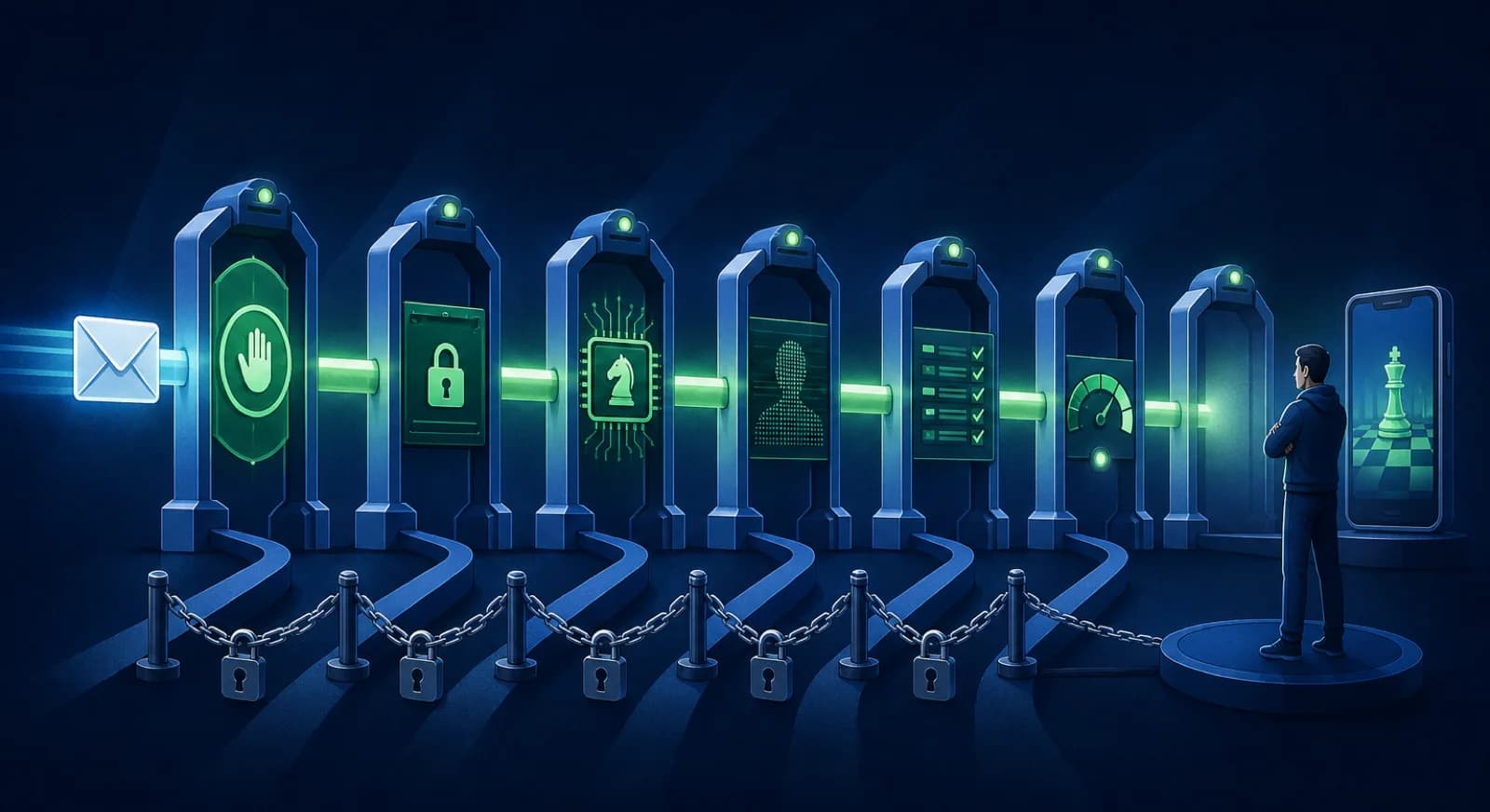
Coaching software needs six guardrails: human approval before an AI-drafted message reaches a parent, figures taken from records, engine-only position evaluation, personal-detail masking before prompts, an audit trail of approvals, and graceful degradation on thin data. Each one exists because a specific, predictable failure happens without it.
| Guardrail | What it enforces | The failure it prevents |
|---|---|---|
| 1. Human approval | No AI-drafted personal message or report narrative reaches a parent until a person approves it; any exception is a named, opt-in setting | A fluent, confidently wrong message landing in a family's WhatsApp chat with nobody accountable |
| 2. Figures from records | Ratings and attendance come from records and sit in their own cards; numbers the narrative cites are checked against them and the reviewer confirms them | A report congratulating a student on attendance they did not have |
| 3. Engine-only evaluation | Stockfish evaluates positions; the language model only explains | Plausible-sounding chess analysis that an engine, or a strong parent, can refute |
| 4. Personal-detail masking | Names, contact details and dates are masked before text reaches the model, and the vendor can name the flows that are exceptions | A child's contact details and history flowing into model inputs that never needed them |
| 5. Audit trail | Every approval is recorded: who approved what, and when | Disputes about what was sent becoming memory against memory, with no record |
| 6. Graceful degradation | On thin data the AI should say 'not enough data' and flag the gap | An invented narrative about a student the system barely knows |
Guardrail 1 is the foundation, so the next section covers the approval queue in full: what it holds, which numbers the model must never control, what review costs in coach time, and what should happen when nobody reviews an item. It is still one of six, because a queue alone does not protect you if the numbers inside the draft are fiction the reviewer cannot easily check.

October progress report · Lucas M.
1 of 14 drafts for Batch B2
Lucas attended 4 of 5 classes this period and played 18 rated games, moving from 1310 to 1342.
His endgame conversion improved clearly. Next month the focus is back-rank defense, based on the mistakes tagged in his last three games.
Highlighted numbers come from your attendance and rating records. The AI cannot change them.
Goes to the Müller family after approval
How does an approval queue work for AI drafts?
An approval queue holds AI drafts and proposed actions until a person reviews them, which keeps the coach as the author of record: the AI proposes, the human decides. In ChessCore, report narratives and personal message drafts wait for staff review, and high-stakes copilot actions, such as sending parent messages through the copilot or marking an invoice paid, need approval from someone other than the person who asked for them.
A buyer should know where the queue's edges are, because not everything that reaches a family is AI-drafted and not every action waits for a second person. The table shows how ChessCore treats each case. Ask any vendor for the same list, with the setting that controls each item.
| Action or message | Default in ChessCore | What changes it |
|---|---|---|
| Copilot creates an invoice or reschedules a class | Asks for one click from the staff member first | Staff can switch the copilot to auto mode or allowlist the tool, and then it runs with no click |
| Copilot marks an invoice paid, handles a refund, or prepares a payroll run | Waits for an owner, admin or finance user other than the person who asked | Approval decisions never auto-run. A payroll run pays coaches out only after a person approves it |
| AI report narrative | A draft only. Approve and send stays disabled until Narrative reviewed, Numbers verified and Ready to send are all ticked | No AI narrative is generated without active data-collection consent, and delivery needs a guardian email and parent-communication consent |
| Personal message draft | The drafter produces a draft and never sends | Sending guardian message drafts through the copilot needs a second approver and is blocked unless a legacy guardian-communications setting is on |
| Class reminders, fee reminders, monthly report emails | Fixed templates sent automatically once the academy enables them. Class reminders go 24 hours and 2 hours before class. Monthly emails carry no AI-written text | The academy's settings, plus guardian consent and quiet-hours rules |
| Class summary | A coach publishes it | The academy can opt in to auto-publish, which applies only when the coach notes behind the summary pass a completeness check |
Review matters because a language model's failures are not random. The first shape is the confident number: a rating change or attendance count stated precisely and wrongly, which a parent can check in ten seconds against a public Lichess profile [3]. The second is the misplaced register: warm congratulations after the month a student lost every rated game, which tells the family no one read the draft. The third is the silent omission: the draft never mentions the focus issue the coach promised to watch. Spell-check catches none of these, and the coach who knows the child catches all three, which is the whole argument for making the coach the gate.
| Content a parent receives | Where it should come from | Why |
|---|---|---|
| Attendance counts | Database records | Parents know exactly how many classes their child attended |
| Fee amounts and receipts | Payment records | Money errors are the fastest way to lose a family's trust |
| Rating numbers and changes | Synced game platforms | A parent can verify them against the public profile [3] |
| Move evaluations | Stockfish analysis | Use the saved analysis and its engine settings, never a model's opinion [2] |
| Narrative and coaching advice | AI draft, approved by a person | Judgment and tone are the coach's responsibility |
In ChessCore, attendance and rating figures sit in their own cards beside the narrative, drawn from records. Numbers cited in a generated narrative are checked against the report statistics, and Approve and send stays disabled until the reviewer ticks Numbers verified. That does not make the figures infallible, and the check cannot see a wrong record. Example: an absence is recorded against the wrong student, so a draft says a student missed a class they attended. The card matches the record and the narrative matches the card, and both are wrong. Correct the attendance record first, then review the draft again. Approving over a known record error only sends the error.
Review rarely cancels the time saving, but measure it rather than assume it. For an illustrative batch of fourteen students, twenty minutes of writing per report totals 280 minutes, while two minutes of reading per draft totals 28 minutes before corrections. Those are planning assumptions, not measured times. Time a trial batch with your own coaches, count reading, corrections and approval together, keep record-fixing separate, and keep a short list of the edits coaches make most often, such as praise that overstates a result, so the next batch is reviewed faster.
What should happen when nobody reviews an item?
An unreviewed parent-facing draft should stay unsent. Ask whether the queue times out into a hold, an auto-reject, or an auto-approve, and after how long. AWS's Well-Architected guidance for agentic AI (AGENTSEC04-BP02) recommends timeout policies and escalation paths for each approval mechanism, with a safe fallback, typically blocking the operation, when no reviewer responds in the defined window [6]. For progress reports and fee messages, a timeout that auto-approves is a delayed send, not a safety control.
The same AWS guidance names two anti-patterns worth testing on a demo: routing all agent actions through review regardless of risk, which produces rubber-stamp approvals, and showing reviewers the proposed action without the reasoning, data sources, or consequences behind it [6]. A queue that holds a draft forever without a reminder fails too, because the draft dies quietly and the family never hears from the academy.
- Timeout action: hold, auto-reject, or auto-approve, named per message type.
- Reminder: who is notified, and on which channel, before any timeout fires.
- Exclusions: fee and guardian messages that can never send without a person.
- Approval history: who approved, who skipped, and which items aged out unsent.
How do you verify each one before buying?
Verify each guardrail by asking the vendor to demonstrate it live, not to describe it. Every one of the six produces visible behaviour on screen, so a sales call is enough; you do not need a security audit or a technical background, only the discipline to keep asking until you have seen the thing operate rather than heard it explained.
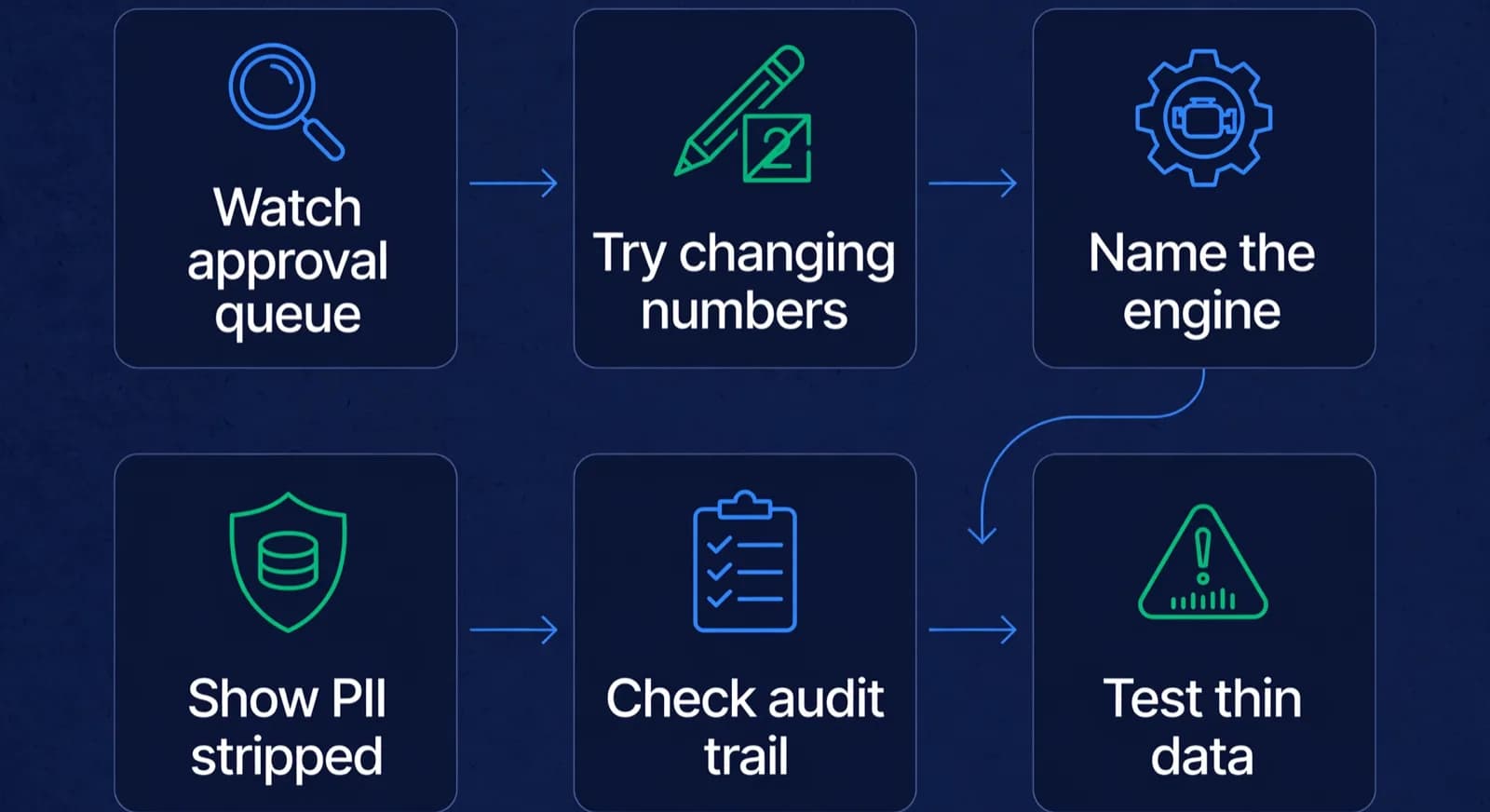
For guardrail 1, ask one question and watch the screen: 'show me the path by which this draft reaches a parent.' The answer you want is a queue where the draft sits until someone clicks approve. Then ask the sharper question: 'which AI-generated message types can send or publish without that click, and who can switch that on?' An honest vendor names them and shows the setting. ChessCore's answer, for example: class summaries can auto-publish if the academy opts in and the coach notes pass a completeness check, while report narratives and personal message drafts always wait for staff review. A vendor who cannot list its exceptions has not mapped its own sending paths, and an unmapped path is where a fluent error escapes.
For guardrail 2, ask to see a draft with its data sources visible. In a well-built product the rating and attendance figures sit in their own cards, traceable to a synced platform record [3] or an attendance record, and the reviewer must confirm them before sending. Then ask how a number written into the narrative is checked against those cards. In ChessCore, numbers cited in a generated narrative are validated against the report statistics, and the Numbers verified tick gates the send. Do not accept 'the model cannot change numbers' as an answer: a prompt cannot prove that, and coaxing a model into a different number on a call proves nothing either way. Ask instead what happens when the record itself is wrong and who corrects it before approval. For guardrail 3, ask what produced a specific evaluation in a game review. The answer you want is a named engine, Stockfish [2], with depth and line available on request; the red flag is 'our AI analysed it'. Engine output is checkable, because a rerun at similar depth gives the same verdict within a small margin; model opinion about a position is not.
For guardrail 4, ask what personal data leaves the system when a draft is generated, and which flows are exceptions. In ChessCore, a copilot question is masked for emails, phone numbers, ID numbers, dates and roster names before the model sees it, and a report draft sees the student as first name plus last initial with contact details masked. Two exceptions matter: the selected-text rewrite helper sends the selected text as it is, and recorded class audio goes to a speech-to-text provider before any text masking applies. A vendor that can name its exceptions has mapped its flows. One that says everything is anonymised has not. Data minimisation in general is a question for every vendor; no guide can promise it for a product. For guardrail 5, perform an action during the call, approve a demo draft, then ask to see the audit entry for it: who, what, when. For guardrail 6, ask for a draft about a student with two synced games and patchy attendance. The honest product produces a short draft that says the record is thin and recommends syncing more games; the dishonest one produces three confident paragraphs. That single test, on thin data, is the fastest way to learn a vendor's real attitude to truth.
Lucas M. vs. Hana K.
Rapid · synced from Lichess · Tue 7:42 PM
14...Qe6? drops the knight
Eval swings +2.1 · the move to review first
Missed fork on move 23
Same pattern as last Tuesday · drill it
Endgame conversion was clean
Won vs. 1410 · French Defense
- Ask to watch a draft travel from generation to parent, and ask which AI message types can skip the approval click.
- Ask where each figure in a draft comes from, and what happens when the record behind it is wrong.
- Ask which engine produced an evaluation, and ask to see its line.
- Ask what personal data enters the prompt, what is masked first, and which flows are exceptions.
- Approve something during the call, then ask to see its audit trail entry.
- Ask for a draft about a student with almost no data, and read what comes back.
- Leave a test draft unreviewed and ask what happens when its timeout fires.
- Ask whether a coach can edit a draft before approving, and whether the edited version is kept.
Why do guardrails matter more with minors?
Guardrails matter more in coaching software because the data subjects are children and the recipients are their parents. Most business software failures cost money or time; a coaching software failure misdescribes a child to their own family, in writing, over a channel like WhatsApp that the family keeps and rereads [4].

Three things compound the stakes. First, the data is unusually intimate for a B2B tool: attendance patterns, performance trajectories, a coach's candid notes, the family's payment history. Masking and minimisation, guardrail 4, exist because that data deserves a smaller blast radius than a CRM record. Second, the power asymmetry is real: a parent reading an authoritative-looking report about their child has little ability to audit it, which is exactly why the numbers must come from records and the narrative must pass a human who knows the student. Third, trust between an academy and its families is the academy's core asset, and it discounts instantly: one invented detail about someone's child does damage that no later accuracy repairs.
What should happen when a child or parent is in distress?
When a message from a child or a parent shows distress, the software should stop drafting, put the conversation in front of a named adult at the academy, and never let an automated reply go out in its place. Chess academy software is not counselling software, but it carries messages about minors, so the safeguarding question applies to it as much as to any school system. This section lists requirements to put to a vendor; it does not describe a ChessCore feature.
Ask the vendor to state in writing what the system is designed to do and what it is not designed to do. A product that drafts parent updates about lessons and fees should say plainly that it does not give emotional, medical or safeguarding advice, and that any message touching those subjects is routed to a person. NIST's AI Risk Management Framework is voluntary, but it asks organisations to consider trustworthiness in how an AI system is used and evaluated, not only in how it is built, and an escalation path is part of how it is used [1].
Then make the procedure concrete for your own academy. Name the person who receives the flag, the person who contacts the family, and the time within which they do it. Decide what the coach says in the meantime, and make sure an AI draft on the same thread is held, not sent. Ask the vendor to show you that hold in a demo, using a test message, rather than describing it.
- Ask what the system is designed to do, and what it is not designed to do.
- Ask what happens when a message suggests a child or parent is in distress, who is alerted, and how the thread is handed to a person.
- Ask whether AI drafts on a flagged thread are held automatically until a person releases them.
- Ask whether conversation data trains models, and whether you can opt out.
What happens without them?
Without guardrails, you get the predictable failure modes of a probabilistic writer wired directly to your families: confidently wrong numbers, invented progress, plausible but refutable chess analysis, and no record of who let any of it through. None of this requires a bad model; it only requires an ordinary model and the absence of structure around it.

This is also the honest reading of most 'AI-powered' marketing. The phrase tells you a language model is present; it tells you nothing about what stands between that model and a parent's phone. When none of the six guardrails is demonstrable, 'AI-powered' describes a text generator with your academy's name on its output. The questions in our buyer's checklist, and the verification scripts above, exist precisely to separate the two cases in under an hour. Our pillar guide to chess academy management software places the AI layer in the context of everything else the software must do; our overview of AI for chess coaches covers what the technology is genuinely good at when the structure is right, and the comparison of engine analysis and AI explanation draws the line between the two kinds of output.
The failure that hurts most is the quiet one. A wrong rating in one report is caught and corrected. A system that routinely sends ungated AI prose teaches parents, over months, that the academy's messages are generated rather than meant, and the messages slowly stop being read. Guardrails do not just prevent the dramatic error; they keep human judgment visibly in the loop, which is what makes the communication worth receiving at all. Our piece on AI-drafted progress reports shows what that looks like when it works.
How does this map to formal AI risk frameworks?
The six guardrails are our own interpretation of the NIST AI Risk Management Framework, a voluntary framework that organises AI risk work into four functions: govern, map, measure, and manage [1]. NIST does not mandate six controls, and this mapping is neither a certification nor an endorsement. It shows the guardrails are not a vendor's marketing invention, because each answers a question the reference framework asks.
| NIST AI RMF function | What it asks | Guardrails that answer it |
|---|---|---|
| Govern | Who is accountable for AI outcomes, and is oversight structural? | 1. Human approval, 5. Audit trail |
| Map | Where can the system cause harm, and to whom? | 4. Personal-detail masking, and the minors context that raises every stake |
| Measure | Are outputs grounded in verifiable, reproducible sources? | 2. Figures from records, 3. Engine-only evaluation |
| Manage | How does the system behave when conditions degrade? | 6. Graceful degradation |
The mapping is also a useful tiebreaker between vendors. A vendor who can walk this table with you, function by function, has done risk thinking; a vendor who has never heard of the framework but demonstrates all six guardrails has done the engineering, which is what you actually buy. The one to avoid is the vendor with neither: fluent about AI, silent about controls. How ChessCore implements each guardrail is documented on our AI page, and the data handling underneath guardrail 4 is covered on the security page; both are written to be checked against a live demo rather than believed.
Frequently asked questions
What are AI guardrails in coaching software?
AI guardrails are controls enforced by the software that limit what the AI can do without a human: an approval queue for AI-written report text and high-stakes actions, figures taken from records and checked before sending, engine-only evaluation of chess positions, personal-detail masking before prompts, an audit trail of approvals, and graceful degradation when data is thin. They differ from policies because they are properties of the product you can watch operate, not promises in marketing copy.
What is an AI approval queue?
An approval queue holds AI drafts or proposed actions until a person reviews them. In ChessCore, staff review report narratives and personal message drafts before they send, high-stakes copilot actions need a second approver, and no AI report narrative is generated without active data-collection consent. Fixed-template reminders and opt-in class-summary publishing follow their own rules, so ask any vendor which messages skip the queue and who controls that setting.
How do you test for bias in coaching AI?
Ask the vendor where bias testing sits and what evidence they can show, rather than accepting a slogan that the model is carefully tested. A useful answer names the test, the last date it ran, what it checks (for example, whether drafts describe students differently by name or gender when the records are the same), and who reviews failures. A weak answer is reassurance without artefacts.
Does ChessCore's AI ever evaluate chess positions?
No. Stockfish produces every engine evaluation in ChessCore, and the language model's role is limited to explaining the engine's findings in plain language and drafting the surrounding narrative. Engine output is checkable: rerun the position at a similar depth and you get the same verdict within a small margin. A language model's opinion of a position offers no such check, which is why guardrail 3 keeps the two jobs strictly separated.
Is conversation data used to train models, and can I opt out?
Ask the vendor whether conversations or student records train models, which model providers are involved, and whether you can opt out. Get the answer in writing, including the rules for retention and deletion, before sharing student or family information. A vendor that cannot name its model providers cannot tell you where your data goes.
Can I verify AI guardrails without a technical background?
Yes. All six produce visible behaviour on an ordinary sales call: watch a draft travel to a parent and look for the approval step, ask where each figure in a draft comes from, ask which engine produced an evaluation, ask what personal data enters a prompt and which flows are exceptions, ask to see the audit entry for an action performed during the call, and request a draft for a student with almost no data. No test in that list requires anything beyond persistence.
Sources
- [1]NIST AI Risk Management Framework · accessed 2026-10-16
- [2]Stockfish: open-source chess engine · accessed 2026-06-10
- [3]Lichess.org API documentation · accessed 2026-06-10
- [4]WhatsApp Business · accessed 2026-06-10
- [5]Razorpay Subscriptions documentation · accessed 2026-06-10
- [6]AGENTSEC04-BP02 Human-in-the-loop for critical decisions (AWS Well-Architected Agentic AI Lens) · accessed 2026-10-16
Written by Abhishek Tiwari
ChessCore
Drafted with AI, fact-checked and approved by a human before publishing, the same guardrail our product applies to every report it sends. Read our editorial standards.
Verify all six guardrails on a live demo
Bring the verification scripts from this article and run them against ChessCore on screen: the approval queue, figures from records, Stockfish lines, the audit trail, and a thin-data draft.
- Roster import from the spreadsheets you already keep
- Lichess and Chess.com connections, batches, and fee plans
- First reports in week one, after your approval
- Free plan, no credit card required