On this page5 sections, 9 min read
Bottom line
A chess academy has outgrown spreadsheets when records or follow-ups start to fail: a make-up credit nobody can settle, a payment nobody can match to a family, a reminder sent twice or not at all, or access wider than the task needs. Log your admin tasks and corrections for two weeks to find the cause before you decide whether software would help.
TL;DR
- A spreadsheet has failed when something observable goes wrong: a missed or duplicate follow-up, a disputed make-up credit, an unreconciled payment, or access wider than the task needs.
- A second editor or a third batch is a reason to test your workflow, not proof that the sheet has failed.
- Log each admin task for two weeks, with how often it happens, the minutes it takes, the correction minutes and the outcome that was missed, then divide total minutes by 60.
- The move itself, including what a roster import does and does not carry, is covered on the spreadsheets versus software comparison page; this post stays on diagnosis.
Key facts
- Google's help page for protected sheets and ranges says protection should not be used as a security measure, so a protected range does not keep a family's fees private from a coach.[3]
- Google Apps Script can fetch web resources over HTTP and HTTPS, so a script or add-on can pull data from an API into a sheet; a plain workbook without scripts does not do this on its own.[4]
- Lichess publishes a public API that software can use to fetch a student's games automatically instead of a coach pasting links by hand.[2]
- ChessCore's student import reads CSV and Excel files and maps six fields: student name, guardian name, guardian email, guardian phone, batch and date of birth. It does not import attendance or fee history, and a saved import can be undone within 24 hours.
- The WhatsApp Business Platform is built for structured business-to-customer messaging, the channel where most Indian academies already talk to parents.[1]
When is a spreadsheet still the right tool?
A spreadsheet is still the right tool while nothing parent-facing is slipping and the admin fits in the time you have. It costs nothing, it bends to whatever workflow you invent on a Tuesday night, and every coach and parent volunteer already knows it. Software earns a subscription only by removing a failure you can name, so start from the failures rather than from a student count.
A second editor or a third batch is a reason to run the task log below, not proof that the sheet has failed. Plenty of two-coach academies run cleanly on a well-built workbook, and plenty of single-coach ones lose track of make-ups. Count what actually goes wrong.
A small-academy workbook can be three tabs. Messages then go out over WhatsApp, where Indian parents already are; the WhatsApp Business Platform exists because business-to-customer conversation happens there [1]. The layout below is a planning sheet for your own use, not an import format for any software.
| Tab | Columns to keep | Question it answers |
|---|---|---|
| Roster | Student, guardian, phone, batch, join date | Who is enrolled and who do I call? |
| Attendance | One row per student per session: date, batch, present, absent or informed, make-up owed | Who came, and who is owed a make-up? |
| Fee follow-up | Student, month, amount due, paid date, last reminder date, reply | Who has been chased, when, and what did they say? |
What are the signs a chess academy has outgrown spreadsheets?
The signs are observable failures in five places: make-up credits, fee follow-ups, game links, progress reports and access. Each has a symptom you can spot before it becomes a parent-facing problem, and each comes from what a grid of cells stores badly: state, history and permissions. Check your own last month against each one.
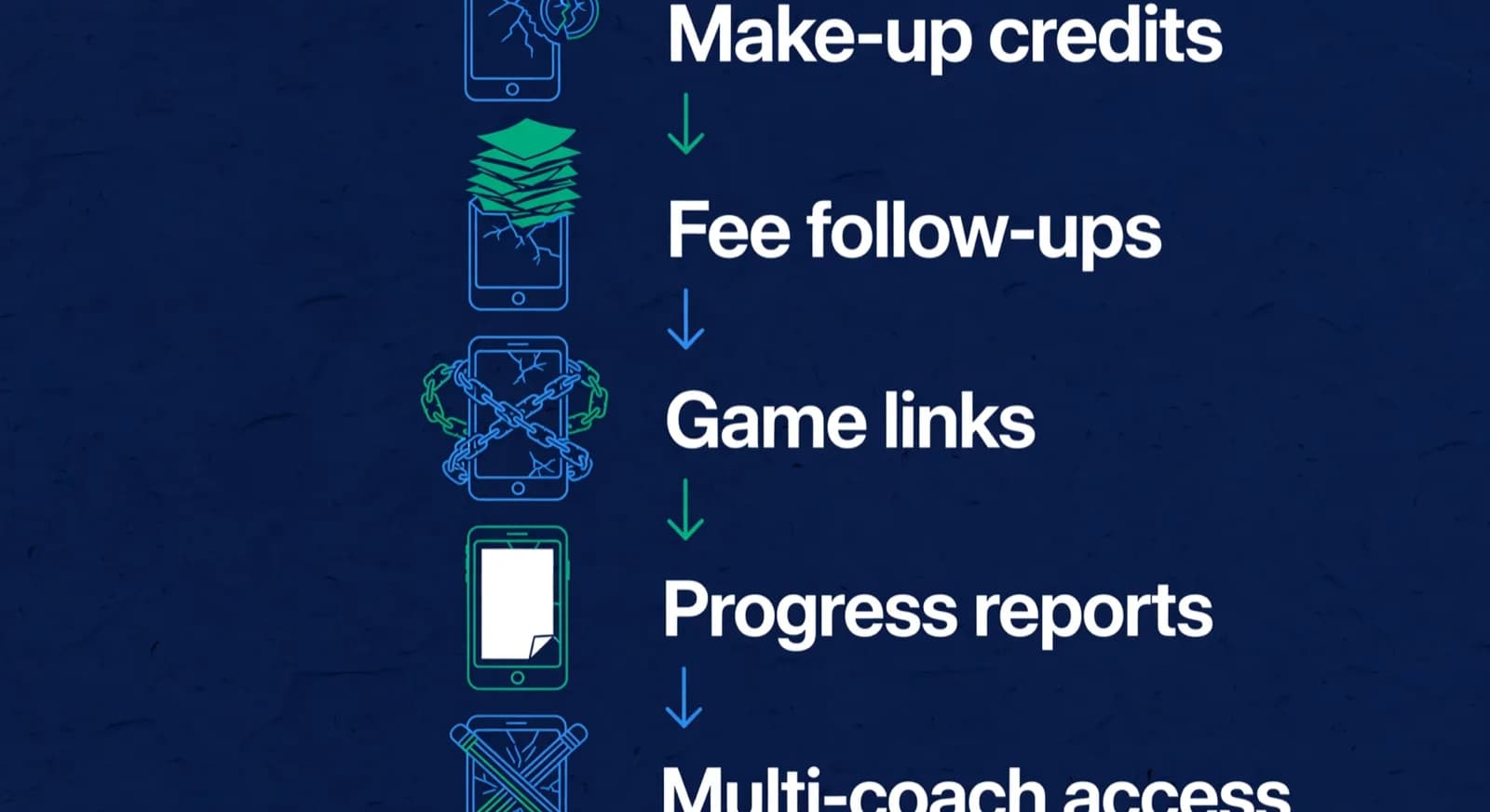
Make-up credits fail when the policy lives in formulas. A missed Tuesday class entitles a student to one make-up within the month, unless it was an unannounced absence, unless the parent told you the night before, unless the batch is already full. Encoding that produces nested IF statements pointing at a hidden tab and a credits column nobody fully trusts. The test is simple: can you answer how many make-ups a given student is owed within ten seconds, and show why? Our glossary entry on make-up credit defines the ledger a policy needs.

Week of 12 October · all batches
0 conflictsMake-up credit · Mia G. · Sat 4:30 PM
Absent Thursday with notice · booked by Noor
Class reminders sent to 148 families
Timing changes update everyone at once
Fee follow-ups fail when the history is not in the sheet. The fee tab shows who has a blank cell for the month; it does not show who was reminded, when, on which number, and what they replied unless you type that in. If that history lives in personal WhatsApp chats [1], follow-up depends on one person's memory and a parent can get two reminders in a day. A missing reply column is the symptom.
Game links fail because a plain workbook without scripts does not fetch games on its own. Lichess publishes a public API [2], and Google Apps Script can fetch web resources over HTTP [4], so a script or add-on can pull games into a sheet. Someone then has to write it, run it and fix it when it breaks. Without that, a coach pastes URLs by hand. Check how many of your students' games from last week are in the sheet.
Progress reports fail by not being written. A report needs attendance, results, rating movement and a paragraph of narrative per student, and a workbook usually stores those in different tabs or files. Count the reports that were due last term and the number that went out. If the gap is large, the cause is probably assembly time, and that is a task you can log.
Access fails when a file has to serve different readers. Shared Google Sheets let several people edit at once, and Sheets keeps a version history you can restore [6], so overwritten cells are recoverable if someone notices. The harder problem is permissions: Drive sharing sets whether a person can open, comment or edit the file [5], and Google says protected ranges should not be used as a security measure [3].
Edge case: a part-time coach needs to mark attendance for one batch, and the parent fee tab lives in the same file. Giving the coach editor access shows them every family's fees. A protected range does not fix that. Two fixes work: move fees to a separate file shared only with the person who chases payments, or use a system that gives each role its own view. Pick one and write down who holds the fee file.
How do you find out what is breaking with a task log?
Keep a task log for two weeks and let your own numbers show where the sheet fails. For each admin task, write how many times it happened, how many minutes each time took, how many minutes you spent correcting mistakes, which outcome was missed, and who owns the task. Then add it up: total minutes divided by 60 is your weekly admin hours.
| Task | Times a week | Minutes each time | Correction minutes | Outcome missed | Owner |
|---|---|---|---|---|---|
| Settle a make-up credit | ___ | ___ | ___ | ___ | ___ |
| Chase an unpaid fee | ___ | ___ | ___ | ___ | ___ |
| Add a student's recent games | ___ | ___ | ___ | ___ | ___ |
| Assemble a progress report | ___ | ___ | ___ | ___ | ___ |
| Fix a mistaken edit or lost row | ___ | ___ | ___ | ___ | ___ |
The formula: for each row, times a week multiplied by minutes each time, plus correction minutes. Add the rows, then divide by 60. Leave a row blank if you do not do that task, and add rows for anything else that eats your week. This page gives no typical-week figures because nobody has measured them across academies; the log is your measurement.
Read the log by missed outcomes first and minutes second. A report that never went out matters more than a task that takes an hour. Software helps the rows where the failure is state, history or permissions. It does not help a task that is slow because the policy is unclear, and it does not save every minute you log.
Worked case, with illustrative numbers: a parent says their child missed two Thursday classes in October and is owed two make-ups, and the sheet shows one. Pull that student's attendance rows, compare them with the parent's messages, decide using your written policy, and record the decision with the date and who made it. If that takes ten minutes and the record is clear, the sheet is coping. If it takes an evening and ends in an argument, that row is your strongest case for a system that keeps the ledger. Whatever you find, compare free tools before paying, because some of the work may not need a subscription.
What should you carry across if you do switch?
Carry the roster across and keep everything else in the old workbook as an archive. ChessCore, which we build, imports students from CSV or Excel files and maps six fields: student name, guardian name, guardian email, guardian phone, batch and date of birth. It does not read attendance or fee history, likely duplicate names are flagged for you to check, and a saved import can be undone within 24 hours. Fee plans, invoices and opening balances are entered by hand.
Keep the old workbook read-only after the switch, so nobody quietly writes new records into the old place. The step-by-step plan, with the order and the checks, is on the page to map and verify a move from spreadsheets. This page stays on diagnosis so that the two do not repeat each other.
Fees · October · all batches
136 of 148 paidCollected · this term
92%Lucas M. · October · $180
Card AutoPay · receipt sent to Müller family
Mia G. · October · $180
Payment link opened in WhatsApp
Batch B2 · 12 of 14 paid
No bank-transfer screenshots needed
AutoPay mandates · 41 active
Renew monthly without reminders
What should stay in spreadsheets even after switching?
Spreadsheets remain the best tool for one-off, unstructured, private work: annual budgeting, equipment inventory, tournament travel planning, a one-time parent survey, and modelling next year's fees before you announce them. Recurring, multi-person, parent-facing workflows belong in a system; one-off private analysis belongs in a sheet.
If your stack is creaking and you are weighing categories rather than tools, read the comparison of generic class apps and chess-specific software, then the questions to ask before buying academy software. The wider operating picture is in our guide on how to run a chess academy.
Frequently asked questions
Is Excel good enough for running a chess academy?
Yes, while the failures above are not happening. Excel or Google Sheets handles a roster, an attendance grid and a fee tab well, and costs nothing. It stops being enough when you cannot settle a make-up credit from the records, when fee follow-up depends on one person's memory, or when different people need different views of one file.
When should an academy switch from spreadsheets to software?
Switch when your task log shows repeated missed outcomes or corrections that a system with history and permissions would remove, such as unsent reports, double reminders or credit disputes. A second editor or a third batch is a reason to run the log, not a verdict. Decide from your own two weeks of numbers, not a student count.
Can a spreadsheet pull games from Lichess automatically?
Will we lose data when we move off spreadsheets?
Not if you keep the originals. A ChessCore roster import carries six student fields, not attendance or fee history, so the old workbook remains your archive for those. Keep it read-only and avoid two writable sources of truth. The move plan is on the spreadsheets versus software comparison page.
Sources
- [1]WhatsApp Business Platform · accessed 2026-06-10
- [2]Lichess.org API documentation · accessed 2026-06-10
- [3]Protect, hide and edit sheets (Google Docs Editors Help) · accessed 2026-10-16
- [4]UrlFetchApp (Google Apps Script reference) · accessed 2026-10-16
- [5]Share files from Google Drive (Google Docs Editors Help) · accessed 2026-10-16
- [6]Collaborate in Sheets (Google Docs Editors Help) · accessed 2026-10-16
Written by Abhishek Tiwari
ChessCore
Drafted with AI, fact-checked and approved by a human before publishing, the same guardrail our product applies to every report it sends. Read our editorial standards.
See your roster inside ChessCore
Bring your actual spreadsheet to a demo. We show how the roster import maps your columns and what stays in the old workbook, and you decide from your own task log.
- Roster import from the spreadsheets you already keep
- Lichess and Chess.com connections, batches, and fee plans
- First reports in week one, after your approval
- Free plan, no credit card required