
Bottom line
The best chess homework app for a coach who needs free assignable work is Lichess Class: it posts studies and homework on a class bulletin board and shows each student's game and puzzle activity. Other tools split by job: live teaching rooms, player practice apps, and academy or coach platforms such as ChessPlay.io, Chessido, Chess Nexus, ERPLI and Chess.Run that record assignment results.
TL;DR
- Homework that gets done is short, personal, and checked at the next lesson; the app only carries the assignment, it does not create the habit.
- Lichess Class posts studies and homework on a free class bulletin board and shows games and puzzle activity, with no ads and no student email required for teacher-made accounts.
- Tools split by job: Chessable for spaced-repetition courses, Chess.com and Chessable Classroom for live teaching rooms, ChessKid for kids practice, and ChessPlay.io, Chessido, Chess Nexus, ERPLI and Chess.Run for assignment results; Chess Nexus is free for up to 30 students.
- Pick the tool by the assignment result you must inspect (attempt, errors, follow-up), and buy a second tool only after a real assignment shows the free path failing.
- ChessCore, which we build, also assigns homework: coaches set puzzle sets, quizzes and guess-the-move tasks with due dates for one student or a whole batch, next to attendance and parent reports.
Key facts
- Lichess Class is free, posts news, studies, and homework to a shared class bulletin board, lets teachers monitor students' progress in games and puzzles, and requires teacher 2FA.[1]
- Lichess studies are free shared chapter-based analysis boards that coaches use as private puzzle sets and lesson files.[2]
- Chessable Classroom is a free live teaching room on Chessable with a shared board, video, audio, chat, and solvable exercises.[3]
- Chess.com Classroom is available from the Train menu; Basic accounts may create a room with up to one participant, while Premium unlocks unlimited participants.[4]
- ChessPlay.io lists Homework as a feature on its flat academy plan, $99 USD per month billed monthly, with unlimited students, coaches, and branches.[9]
- Chessido is free to start with no credit card, and coaches can assign puzzles by theme and difficulty while tracking completion, accuracy, time, and streaks.[7]
- Chess Nexus states free forever coaching for up to 30 students with all seven assignment types, attendance, fee tracking and parent progress reports at $0; its paid plans raise the cap to 70 or 150 students.[8]
- Chess.Run's homework-progress page describes assigning a study, viewing mistakes and hints, and marking the solve passed, good, or excellent.[11]
What makes chess homework actually get done?
The best chess homework app for a coach who needs free assignable work is Lichess Class: it posts studies and homework on a class bulletin board, tracks games and puzzles, and can create student accounts without a student email [1]. Chess homework still only gets done when the set is short enough for fifteen minutes, the positions feel personal, and someone checks the work in the first minutes of the next lesson. An app can host the assignment and show a completion rate. It cannot replace those three design choices.
Personal beats generic for kids and club adults alike. A Lichess study built from the student's own blunders outperforms a faceless tactics streak because the position still carries the sting of the lost game. That pipeline (mistake to drill to next review) is the subject of our guide to chess homework from games; this page answers a different question: which tools can actually assign and track that work between lessons.
- Cap each week at three items or about fifteen minutes a day, not a weekend marathon.
- Tie every item to a lesson theme or a mistake category, not to a random rating climb.
- Open the next session by reviewing the one or two items most students missed.
- Track accuracy where the tool allows it; completion alone hides guessing.
What is the best chess homework app for a coach?
Lichess Class is the best first pick for a coach who needs free assignable homework: the Class page describes bulletin homework, studies, game and puzzle progress, two-factor authentication for the teacher, and student accounts that do not need a student email [1]. Paid tools win only when you need a gradebook, a daily puzzle engine, or academy-wide assignment reports that Class does not provide.
- Free and assigned by link: Lichess Class with studies, our first pick for most coaches [1].
- Free, with assignment results: Chess Nexus, free forever up to 30 students with seven assignment types, as listed on 16 October 2026 [8]; Chessido, free to start with auto-graded puzzle assignments [7].
- Assignment review on a study: Chess.Run, where the coach sees progress, mistakes and hints and marks the work passed, good, or excellent [11].
- Daily puzzle sets graded automatically: ERPLI [12].
- Paid academy platform with Homework included: ChessPlay.io, $99 USD per month, billed monthly, cancel anytime [9].
- ChessCore, which we build: due-dated puzzle sets, quizzes and guess-the-move tasks for one student or a whole batch, beside attendance and parent reports; it is priced in flat capacity tiers, see /pricing.
That list is by job, not a brand ranking. If your students already live on Chess.com, Classroom is the live room, not an assignment tracker [4]. If parents want a kids-only brand, ChessKid is the walled garden, not the Class bulletin. The free-versus-paid split and the comparison table further down put each mechanism next to its price, so you can judge both together.
What does Chess.Run homework tracking include?
Chess.Run homework tracking lets a coach assign a study, then watch the student solve or play the position, see mistakes and hints, and mark the work passed, good, or excellent. That is how Chess.Run's homework-progress feature page describes it as of 16 October 2026 [11].
- Assign a study as the homework item [11].
- The student solves the position or plays it out [11].
- The coach can see mistakes and hints used [11].
- The coach marks the item passed, good, or excellent [11].
As of 16 October 2026, the same page offers a 14-day trial of the full plan [11]. Check Chess.Run's current paid tariff on its own site before you budget for it, because trial terms and plan prices change. Chess.Run calls itself a coach platform with a workspace for students, lessons, schedule and homework, so read it as a coaching tool with assignment review. Its homework page does not describe fee collection.
What does ERPLI automate for daily puzzles?
ERPLI automates themed daily puzzle homework with real-time move validation, and its Daily Tactical Puzzles page says the platform grades submissions and flags students who have not completed their practice. That is how the page described it on 16 October 2026 [12].
That page describes features rather than prices, so we do not quote an ERPLI monthly fee, a student cap, or a time-saved figure. ERPLI sells academy software for several subjects, with a chess module, so its homework sits beside admin tools such as attendance and fees. If you need daily tactics with automatic grading and Lichess Class's bulletin is not enough, read ERPLI's current plan names on its site before you promise parents a workflow [12].
ERPLI and Chess.Run are both built for homework, yet neither replaces the free Class bulletin for a coach who only needs to post a study and check it next lesson [1][11][12]. Add them to the shortlist when the stuck job is a daily puzzle engine or a pass/good/excellent mark on a study, not when the stuck job is still "students ignore a pasted puzzle link."
What can you assign with free tools?
With free tools you can assign studies, themed puzzles, class bulletin homework, and live Classroom exercises without paying, if you accept lighter automated reporting. Lichess Class and Lichess studies are the strongest free path for most academies. Chess.com Basic still lets a coach create a Classroom with up to one participant [4] and point students at free lessons, limited puzzles, and drills. Chessable Classroom is free for live shared-board teaching with quizzes. Chess Nexus and Chessido both advertise free-to-start coach plans with structured assignment tracking [1][2][3][4][7][8].

Lichess Class is purpose-built for teachers. On lichess.org/class and the Class documentation page, Lichess states you can generate safe usernames and passwords for students without a student email, add existing accounts, monitor progress in games and puzzles, and post news, studies, and homework to a shared class bulletin board with student notifications. Access requires the teacher to enable two-factor authentication. The page describes progress monitoring for games and puzzles and a bulletin for homework; it does not describe per-assignment completion or accuracy reports [1]. Pair that with Lichess studies for chapter-based repertoires, mistake files, and private puzzle chapters students open with a link [2].
Chessable Classroom, introduced on Chessable's official blog, is a free remote teaching room with video, audio, chat, and an interactive board. Coaches can load positions from Chessable courses or custom setups, run group or 1-on-1 play, present solvable exercises with a quiz format, and set tournaments inside the room. The launch post stresses free access without downloads [3]. Separately, Chessable's core product is MoveTrainer courses (its homepage advertises 1000+ courses and free sign-up) [14], which coaches often assign as chapter homework when the student owns or has access to the course. Classroom and course assignment are related jobs on one brand, not the same mechanism.
Chess.com free Basic membership includes Classroom creation with a one-participant cap, unlimited play, three puzzles per day, one full game review per day, one Coach game per month, limited drills, and free access to the New to Chess lesson path plus one extra lesson per day, per Chess.com's membership help article [4][5]. That is enough to run private 1-on-1 board work and light homework pointers. It is not enough for a group in one Classroom room without Premium. The help page does not say whether the teacher counts toward the one-participant limit, so test it before you promise a lesson. For kids-only free practice, ChessKid has a free Basic membership with limits, such as 3 puzzles a day and beginner lesson levels only [13]; its teachers page describes club and classroom tools, a 30-week classroom planner and curriculum resources, and a teacher quote on that page mentions monitoring progress and making assignments [6].
Which paid platforms handle assignment and tracking?
Paid platforms earn their fee when you need batch assignment reports, kids Gold unlocks, course libraries, or live group rooms beyond free caps. ChessPlay.io, Chessido's paid growth path, Chess Nexus paid coach plans, Chess.com Premium, ChessKid Gold, and Chessable course purchases each solve a different slice of that problem. Read them as mechanisms, not as interchangeable "homework apps" [4][5][6][7][8][9].
ChessPlay.io is academy software with Homework listed among included features on its pricing page: one flat $99 USD per month for unlimited students, coaches, and branches, billed monthly and cancellable anytime. The same feature list includes quizzes, courses, classrooms, PGN library, attendance, and fee collection [9]. That is a paid all-in-one bet: homework sits next to operations tools rather than next to a pure player training brand.
Chessido positions itself as chess academy management software with live classrooms and assignments. Its official site states it is free to start with no credit card, coaches can create puzzle assignments from a large database, assign them to individuals or batches, and track completion rates, scores, and streaks, with auto-generated reports covering score, accuracy, time, and weak topics [7]. Treat published paid tier numbers as whatever the product shows at signup on the day you buy; this page only asserts the free-start and assignment claims verified on chessido.com.
Chess Nexus publishes an unusually explicit free coach plan: free forever for up to 30 students, no card, including all seven assignment types (puzzle topics, whole study, study chapter, timed Puzzle Rush, arena tournaments, play-vs-Stockfish positions, and custom tasks), with solve rate and accuracy recorded per student, plus courses, schedule, attendance, fee tracking, parent progress reports, and a capped live classroom (one class per day, up to 40 minutes, up to four students plus coach). Paid plans exist for more students and larger live rooms [8]. That free-under-30 claim is stated on the official free coaching software page at chessnexus.in, which also says its paid plans raise the student cap to 70 or 150 [8].
Chess.com Premium is the path to group Classroom rooms and higher training volume on that platform. The Classroom help page says Basic rooms allow up to one participant while Premium members get unlimited participants [4]. The membership page adds that Gold enables open enrollment and unlimited puzzles and lessons that coaches commonly set as homework targets [5]. ChessKid Gold unlocks unlimited puzzles, all lesson levels, all videos, all workouts and an unlimited game archive, per ChessKid's help page [13]; check live Gold prices on chesskid.com/membership, because this page quotes no ChessKid price. Chessable remains the paid course library: free Classroom teaching, paid courses (and optional PRO bundling) when you want spaced-repetition homework from authored content [3].
ChessBooker is a different adjacent product: a coach booking platform at chessbooker.com that lists homework tracking, where students track and mark homework complete in a student hub, along with recaps and calendar bookings with Google Meet or manual meeting links. Its site describes a free pilot, so check current terms [10]. Include it when your pain is private-lesson logistics plus light homework tracking, not multi-batch academy assignment libraries. It is not a substitute for Lichess Class or ChessPlay-style batch homework.

Lucas M. vs. Hana K.
Rapid · synced from Lichess · Tue 7:42 PM
14...Qe6? drops the knight
Eval swings +2.1 · the move to review first
Missed fork on move 23
Same pattern as last Tuesday · drill it
Endgame conversion was clean
Won vs. 1410 · French Defense
How do the main chess homework tools compare?
Use this comparison as a mechanism map, not as a permanent price list. Each row reflects the vendor's own site as of 16 October 2026, except where a source is cited otherwise. The last-but-one column separates what a coach can inspect from homework that is only a link. Re-check checkout pages before you buy, because membership cards and free limits change.

| Tool | Kind | Price (vendor page) | Homework mechanism | What the coach can inspect | Best fit |
|---|---|---|---|---|---|
| Lichess Class + studies | Free teacher suite | Free [1][2] | Bulletin homework, studies, puzzles, games | Student progress in games and puzzles; per-assignment results are not described [1] | Any age; strong for club and school groups |
| Chessable courses + Classroom | Course library plus live room | Classroom free; courses and PRO paid [3] | MoveTrainer chapters; live quizzes on a shared board | Automatic feedback and reporting on quizzes, per Chessable's launch post [3] | Motivated juniors and adults who study lines |
| Chess.com Classroom | Live teaching room | Basic: up to 1 participant; Premium unlimited [4] | Live room; lessons, puzzles, drills as homework targets set by link | The help page covers participants, games, analysis and chat, not assignment tracking [4] | Players already living on Chess.com |
| ChessKid | Kids practice platform with teacher tools | Free Basic membership with limits; Gold unlocks unlimited access [13] | Lessons, puzzles, videos, workouts | Its teacher page cites tracking tools, and a teacher quote mentions assignments; confirm the controls [6] | Kids and school programs |
| ChessPlay.io | Academy platform | $99 USD a month flat, unlimited students [9] | Homework feature plus quizzes and courses [9] | Listed as a feature; the pricing page does not describe the results view [9] | Academies wanting one paid ops and teaching stack |
| Chessido | Academy platform | Free to start; no card [7] | Puzzle sets to students or batches [7] | Score, accuracy, time and weak topics per student [7] | Online academies focused on puzzle homework |
| Chess Nexus | Academy and coach platform | Free forever up to 30 students [8] | Seven assignment types including studies and Stockfish tasks [8] | Solve rate and accuracy per student; completion in the parent report [8] | Solo coaches and small academies under 30 students |
| ChessCore (which we build) | Academy platform | Flat capacity tiers; see /pricing | Due-dated puzzle sets, quizzes and guess-the-move for a student or a batch | Student submissions and overdue status next to attendance and parent reports | Academies that want homework beside operations |
| ChessBooker | Private-lesson booking tool | Free pilot; check current terms [10] | Homework assigned after a lesson | Students mark homework complete in a student hub [10] | Private coaches selling 1-on-1 lessons |
| Chess.Run | Coach lesson platform | 14-day full-plan trial; check the current paid price [11] | Assign a study; student solves or plays the position [11] | Progress, mistakes and hints; mark passed, good, or excellent [11] | Coaches who want a review step on a study |
| ERPLI | Academy software with a chess module | See current plans on erpli.com [12] | Themed daily puzzle sets due before the next class [12] | Submissions graded and unfinished work flagged [12] | Academies that want daily tactics with automatic grading |
Two honesty notes. First, Chess.com Classroom is a live teaching room more than an assignment tracker; coaches still assign lessons, puzzles, and drills as external targets even when the room itself is free or Premium-gated [4][5]. Second, ChessPlay, Chessido, Chess Nexus, ERPLI and ChessCore sit closer to academy software than pure player apps: their homework features are part of a wider roster and classroom product, which is why their rows look operational [7][8][9][12].
How should an academy pick a chess homework app?
An academy should pick by the assignment result it needs to inspect, then by constraints: free versus paid budget, kids safety needs, course library needs, batch size, and whether you already live on Lichess or Chess.com. Start free for two full teaching weeks, record what the free path cannot show you, then pay only for the single missing mechanism. Most shops over-buy because they shop features before they name the stuck job.
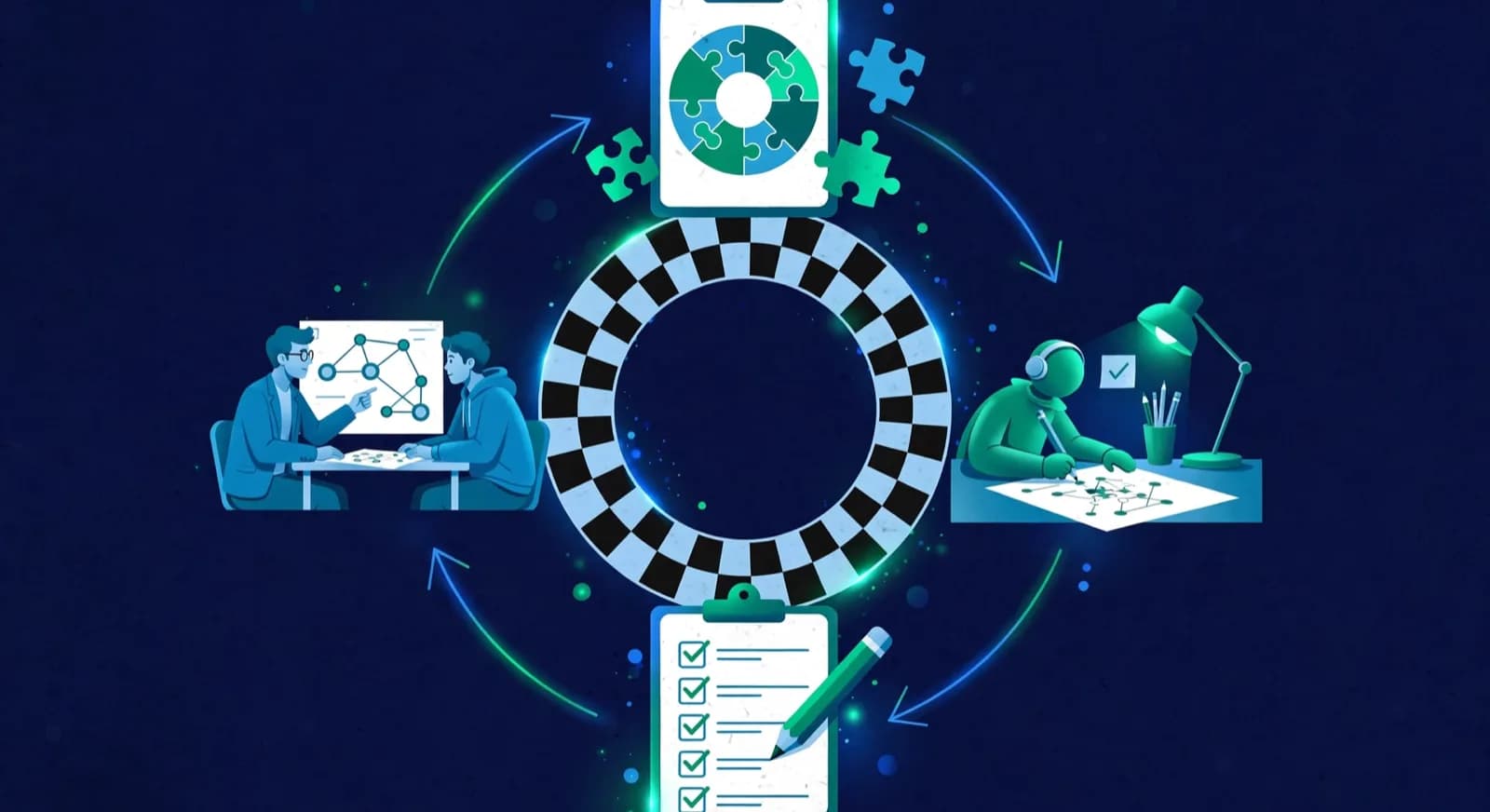
The decision rule is one sentence: write down what you must see at the start of the next lesson, then pick the cheapest tool that shows it. If a link and a two-minute spoken check are enough, Lichess Class plus private studies does the job at zero software cost [1][2]. If you need per-student attempts and errors, the tools whose own pages describe them are Chessido, Chess Nexus, Chess.Run, ERPLI and ChessCore in the table above [7][8][11][12]. Use a check-sheet like this for each assignment, and keep a blank copy in your lesson plan:
| Assignment | Attempt (who opened it, when) | Errors (which items failed, hints used) | Follow-up (what you teach or reassign) |
|---|---|---|---|
| Example with made-up numbers: 8 back-rank puzzles due Thursday | 7 of 10 students opened it before Thursday | 6 of 10 missed puzzle 5 | Open Thursday's class with puzzle 5 |
| Your assignment 1 | Write it down | Write it down | Write it down |
| Your assignment 2 | Write it down | Write it down | Write it down |
The academy-software fork comes when the stuck job is assignment results across many batches, not just a board link. Chessido (free to start, with puzzle assignment results), Chess Nexus (free forever up to 30 students) and ChessPlay.io ($99 USD a month flat, with Homework in the included list) are the academy platforms to compare first, with ERPLI and ChessCore beside them [7][8][9][12]. Chess Nexus fits a roster of 30 or fewer without a card. Chessido fits when themed puzzle assignment results are the part you will use every week. ChessPlay fits when you also want fee collection, attendance and classrooms under one invoice and accept the flat monthly price. ChessBooker is only for private coaches whose main workflow is booking and post-lesson homework, not multi-batch academies [10].
Time arithmetic you can run on a napkin, with its limits stated. Suppose one coach teaches four batches of ten students, which is 40 students, and spends forty minutes a week chasing "did you do the puzzles" messages. At an illustrative coaching rate of $40 per hour, that chase is about $27 of coach time a week, or roughly $107 across four weeks. That is a cost of time, not a saving: this page has not measured how much of it any tool removes. Keep money in its own currency. ChessPlay lists $99 USD a month [9], so compare that fee with your own measured minutes saved only after you convert it at your bank's rate on the day. The Chess Nexus free plan covers up to 30 students, so a 40-student roster is over its free limit; its paid plans raise the cap to 70 or 150 students, and you should read the current paid prices on chessnexus.in [8]. Paying a platform fee only to host a few puzzles a week is usually worse than free Lichess studies plus a two-minute check at the next lesson.
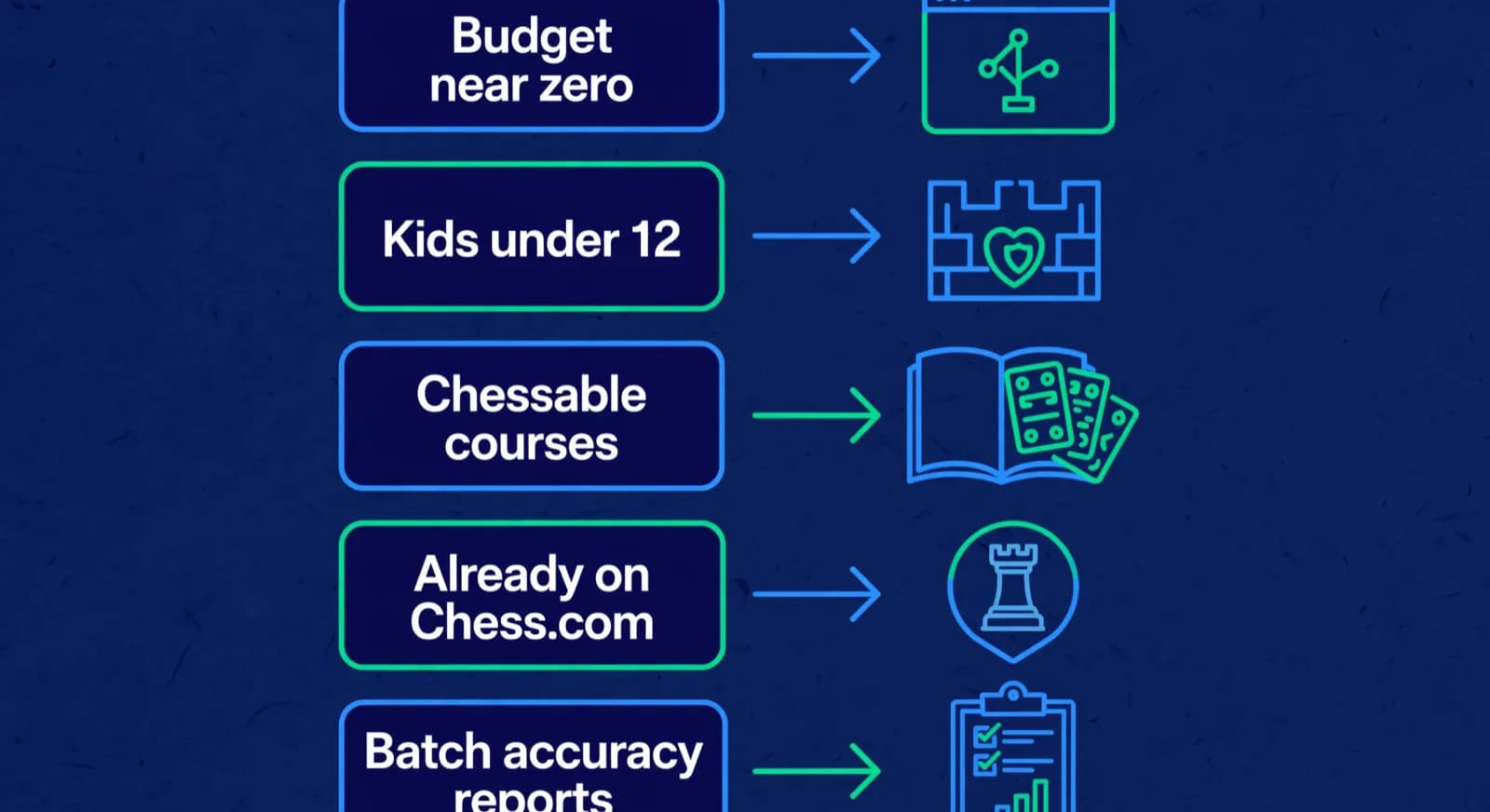
| Your constraint | Default first pick | When to pay instead | When to stop shopping |
|---|---|---|---|
| Budget near zero | Lichess Class + studies [1][2] | Chess Nexus free under 30 if you need graded assignment types [8] | After two weeks of measured completion |
| Kids under 12, parent trust | ChessKid free Basic membership [13] | ChessKid Gold after daily free use hits caps [13] | If the child will not open the free app |
| Curriculum is Chessable courses | Chessable Classroom + owned courses [3] | More course licenses or PRO only if chapters are weekly work | If students ignore MoveTrainer between lessons |
| Already on Chess.com | Basic Classroom for 1-on-1 [4][5] | Premium for group rooms and unlimited puzzles [4][5] | If students will not leave other platforms |
| Need batch results per assignment | Chessido free start or Chess Nexus free [7][8] | ChessPlay $99 when ops + homework share one bill [9] | If reports are never opened in lesson planning |
Contrarian position for academies under fifty students: most advice says buy a full teaching platform early. For homework alone, that is usually wrong. The bottleneck is almost always design and checking (a short personal set, reviewed next class), not the absence of a paid brand. Free Lichess Class already posts homework and shows game and puzzle activity [1]. Pay only after you can show two consecutive weeks where free tools blocked a real job: for example, you needed per-student accuracy on themed sets and Lichess messaging was not enough. Our Chessable alternatives guide and the Chessable vs ChessBook comparison help when the course-library question is the real fork rather than homework tracking itself.
- Write the stuck job in one sentence before any signup.
- Run Lichess Class for fourteen days with one fixed weekly format [1][2].
- Record completion on the check-sheet and which items needed re-teaching.
- Buy only the tool that removes the recorded blocker.
- Re-evaluate every term; unused paid seats are a curriculum problem, not a loyalty badge.
How do you connect homework to lesson review?
You connect homework to lesson review by treating the assignment report as the first agenda item, not as optional chat. Open the session with the one or two positions most students missed, re-teach the pattern, then only after that open new material. The app supplies the completion data; the coach supplies the correction. Without that handoff, even perfect tracking is theatre.
A practical loop works across every tool in the table. After game review, tag at most one mistake theme. Build or select a few drills in the chosen host (Lichess study chapters, Chessable lines, Chessido puzzle set, Chess Nexus assignment type, ChessKid workout, or Chess.com lesson plus puzzles). Assign with a clear due time before the next batch. Before class, skim accuracy if the tool shows it. In class, project the worst shared miss for three to five minutes, then collect boards. Close by writing next week's items while the mistakes are still warm. That is the same loop described in chess homework from games, only now the host is chosen deliberately.
Academy operators still need a separate layer for batches, attendance, and parent reporting even when homework lives in a player tool. ChessCore, which we build, is academy management software that covers those operations and assigns homework in the same place: puzzle sets ranked against each student's weak themes, quiz banks and guess-the-move tasks, each with a due date and per-assignment results. If you already rely on a player tool for homework, you can keep it and use ChessCore for the roster, attendance and reports; if you want one system, compare its assignment flow with the hosts above.
Lucas M.
Batch B2 · Thursdays · joined Aug 2025
1342
Academy rating · Lichess games synced
Won vs. 1410 · French Defense
Best gameMissed fork on move 23
Homework setFrequently asked questions
What is the best free chess homework app for students?
For most academies the best free path is Lichess Class plus Lichess studies: teachers can post homework and studies to a class bulletin board, track games and puzzles, and create student accounts without student emails, all free forever with no ads. Chessable Classroom is a free live teaching alternative if you already teach from Chessable. Chess Nexus is free forever for coaches with up to 30 students if you need seven assignment types and parent progress reports on one free coach plan.
How do I assign chess puzzles as homework online?
Pick one host, keep the set short and themed, and schedule a check at the next lesson. On Lichess, post a study or homework note in Class and message the batch. On Chessido or Chess Nexus, build a themed assignment and read the accuracy report before class. On Chess.com or ChessKid, point students at specific lessons or puzzle goals and confirm activity in the next session. The assignment channel matters less than the check.
Is Chess.com Classroom good for homework?
Chess.com Classroom is primarily a live teaching room with a shared board, not an assignment tracker. A Basic account can run a room with up to one participant; Premium members get unlimited participants. The help page does not say whether the teacher counts toward the limit. Coaches still assign lessons, puzzles, and drills as homework targets on the wider Chess.com platform. Use Classroom for live correction of homework, and use another tool if you need batch results per assignment.
Does ChessKid let teachers assign work?
ChessKid markets teacher and school tools, club setup, a classroom planner, and curriculum resources on its official teachers page, and teacher stories on that page describe monitoring progress and making assignments. Families can start free; Gold unlocks higher practice volume. Confirm the exact assignment controls for your coach or school account on ChessKid before you promise parents a specific workflow.
Is Chess Nexus really free for 30 students?
Yes, according to Chess Nexus on its official free chess coaching software page: free forever for up to 30 students, not a trial, no card required, including all seven assignment types, courses within free limits, attendance, fee tracking, parent progress reports, and a capped live classroom. A 31st student needs a paid plan, and the paid plans raise the cap to 70 or 150 students. Re-verify on chessnexus.in before you plan a larger academy around the free tier.
Sources
- [1]Lichess Class: free teacher tools, homework bulletin, student progress · accessed 2026-10-16
- [2]Lichess studies: free shared analysis boards · accessed 2026-08-10
- [3]Introducing Chessable Classroom (official Chessable blog) · accessed 2026-10-16
- [4]How do I use Classroom on Chess.com? (official support) · accessed 2026-10-16
- [5]What does each level of premium membership get me? (Chess.com support) · accessed 2026-10-16
- [6]ChessKid for teachers and schools · accessed 2026-10-16
- [7]Chessido: academy software with puzzle assignments and reports · accessed 2026-10-16
- [8]Chess Nexus free forever coaching for up to 30 students · accessed 2026-10-16
- [9]ChessPlay.io pricing: $99/month with Homework included · accessed 2026-10-16
- [10]ChessBooker official site: bookings, recurring lessons, homework and payments for chess coaches · accessed 2026-10-16
- [11]Homework progress tracking, Chess.Run · accessed 2026-10-16
- [12]Daily Tactical Puzzles and Homework, ERPLI Chess · accessed 2026-10-16
- [13]What is the difference between a Free account and a Gold Membership?, ChessKid Help Center · accessed 2026-10-16
- [14]Chessable homepage: 1000+ courses, free sign-up · accessed 2026-10-16
Written by Abhishek Tiwari
ChessCore
Drafted with AI, fact-checked and approved by a human before publishing, the same guardrail our product applies to every report it sends. Read our editorial standards.
See game review inside academy operations
If homework hosts still leave roster, attendance, and parent reporting messy, book a demo of ChessCore's academy workflow around the tools you already use.
- Roster import from the spreadsheets you already keep
- Lichess and Chess.com connections, batches, and fee plans
- First reports in week one, after your approval
- Free plan, no credit card required