
On this page8 sections, 18 min read
- Why this is an academy decision, not a player debate
- Which should an academy standardize on?
- How do game syncing and PGN export differ?
- What about child accounts and safety?
- Which platform has better classroom and club tools?
- What do the platforms cost an academy?
- How do their ratings compare?
- Can you use both?
- Frequently asked questions
Bottom line
For academies, Lichess is the better platform to standardize on when cost, group classroom admin and open PGN export matter: it is free and open source, Lichess Class lets a teacher manage student accounts, and its API exports games without a paid plan. Chess.com suits one-to-one Classroom teaching on a free account and families already in ChessKid. Many academies use both, with one platform as the system of record.
TL;DR
- The academy question is not which site is better for players; it is which platform your coaching workflow can pull games from reliably, week after week.
- Lichess wins on cost and classroom admin: the platform, its API and its Lichess Class tool for teacher-managed student accounts are all free.
- Chess.com's ChessKid is a separate children's platform with no outside links, ads or social networking between kids and adults, and parents and coaches control kid accounts; Lichess builds Kid Mode and Lichess Class into the main site.
- Both platforms use Glicko-family rating systems, and neither number is a FIDE rating, which is worth saying to parents explicitly.
- A dual-platform setup works fine if you name one platform as the system of record for ratings and reviews.
Key facts
- Lichess publishes a free, documented API that includes exporting a user's games in PGN format.[1]
- Lichess is a free, open-source chess server powered by volunteers and donations, with all play and analysis features free to every account.[5]
- Chess.com runs a freemium model: free accounts can play rated games, while paid memberships unlock unlimited lessons, puzzles, and game reviews.[3]
- ChessKid is the Chess.com family's dedicated kids platform, with no outside links, ads or social networking between kids and adults, and parents and coaches in full control of kid accounts.[4]
- Both platforms rate players with Glicko-family systems, which track a rating plus a measure of rating uncertainty; neither number is a FIDE rating.[7]
- Lichess gives free and Patron accounts the same 40 games a day of deep Stockfish 19 server analysis, plus unlimited Arena and Swiss tournaments and teams.[10]
Why this is an academy decision, not a player debate
Most Lichess vs Chess.com articles answer a different question: which site is nicer for an individual player. That debate is saturated and mostly a matter of taste. An academy's question is narrower and more consequential: which platform should every student in the academy play on, so that coaches can retrieve games, run engine analysis, track ratings, and build homework from one consistent source? Standardizing matters because a coaching workflow built on synced games breaks down when half the batch plays on one site and half on the other, under usernames nobody recorded.
So the criteria change. An individual player cares about interface polish, puzzle variety, and who their friends play on. An academy cares about programmatic access to games, the cost of putting forty students on the platform, how cleanly PGN files come out, whether eight-year-olds can use it safely, and whether the club tools support batch-level organization. This comparison scores both platforms on those academy criteria only. If you want the player-side debate, this is not that article.
Which should an academy standardize on?
Standardize on Lichess if your priority is a free, teacher-run setup: the platform and its API are free, every game exports as PGN without a paid plan, Lichess Class lets a teacher create student accounts, and Kid Mode limits messages to classmates and the class teacher [1][8][9]. Standardize on Chess.com if your priority is very young children inside the ChessKid environment, or if your students and their families are already invested in Chess.com's content and community [4]. A common setup is Lichess as the system of record with Chess.com as a secondary source.
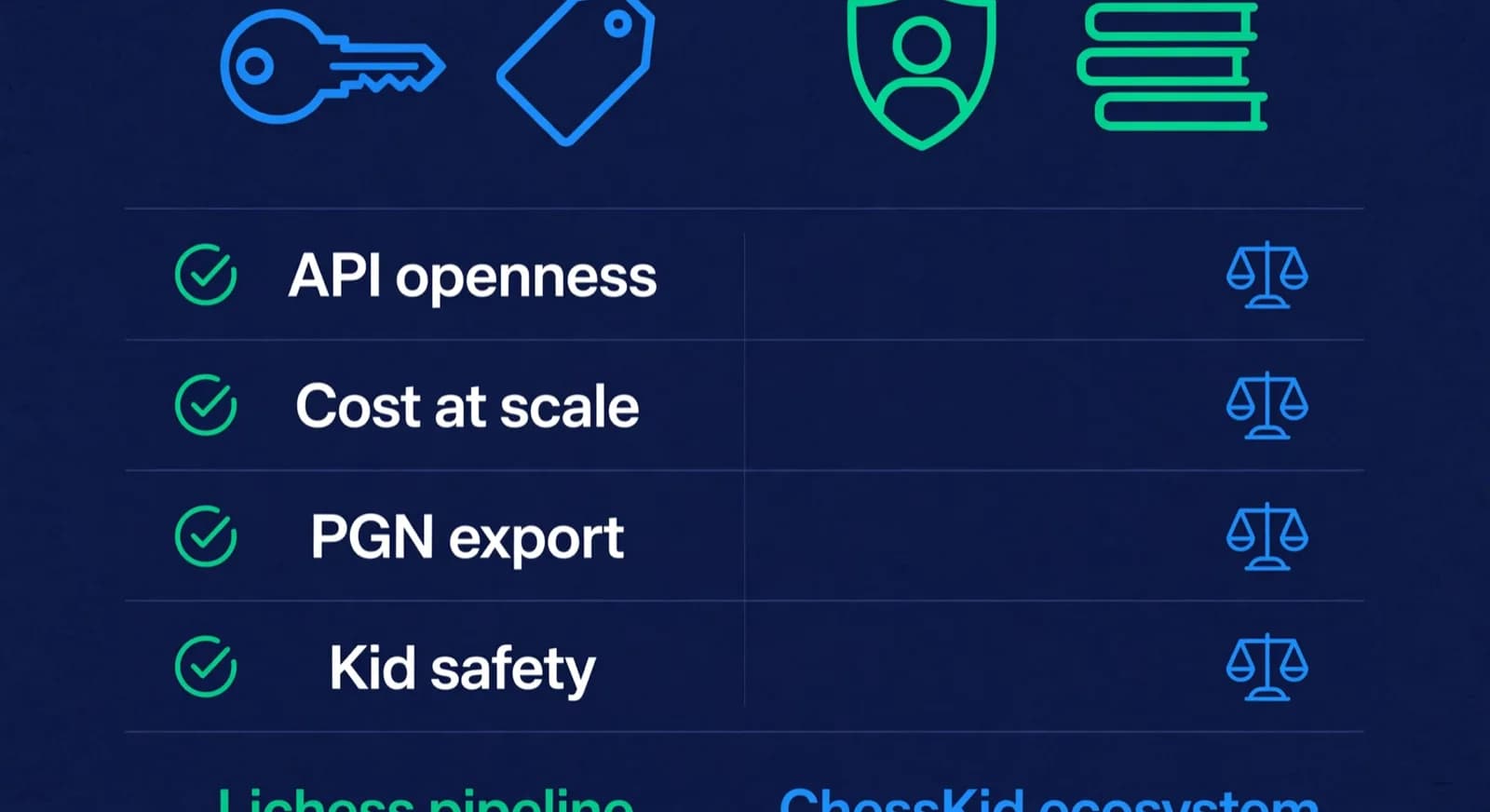
| Criterion | Lichess | Chess.com | Better for academies |
|---|---|---|---|
| API access and openness | Free, open, documented API [1] | Read-only Published-Data API for public data [2] | Lichess, narrowly |
| Cost at academy scale | Free and open source, donation funded [5] | Free tier with limits; memberships unlock training features [3] | Lichess |
| PGN export and retrieval | Bulk export of any user's games via API [1] | Monthly game archives, including a PGN download per month [2] | Lichess, narrowly |
| Kid accounts and safety | Kid Mode: messages only with classmates in the same Lichess class and the teacher [8] | ChessKid, a separate purpose-built kids platform [4] | Depends on the controls you will use and the accounts families already have |
| Classroom and club tools | Lichess Class, teams, free Arena and Swiss tournaments [9][10] | Clubs and a Classroom on a free account, limited to one participant; Premium members get unlimited participants [12]. Gold adds open enrollment [3] | Lichess for free group admin |
| Rating system | Glicko-2 [7] | Glicko family [6] | Even; neither is FIDE |
The verdict pattern that holds up in practice: Lichess is better for API access, cost, and openness; Chess.com suits one-to-one Classroom teaching and the ChessKid ecosystem; and a dual-platform setup is workable as long as one platform is named the system of record. The sections below walk through each criterion, because the table compresses real trade-offs that deserve a paragraph each.
How do game syncing and PGN export differ?
Game syncing differs in mechanics more than in reach: Lichess's free API exports a user's games as PGN with filters and streaming formats, while Chess.com's read-only Published-Data API serves public games as monthly archives, including a downloadable PGN file per month [1][2]. Neither needs a paid plan. For a coach, the difference that matters is how easily a tool can ask for just the new games, because everything downstream of syncing, from engine analysis to homework to progress reports, depends on getting the games out reliably.



On Lichess, the export endpoints are documented, free, and do not require the student to hold any paid account [1]. A coach or a tool acting for the coach can request a student's games filtered by date, time control, or opponent, and receive standard PGN, the universal text format for recording chess games. PGN matters because it is portable: the same file opens in any analysis interface, feeds any engine, and archives cleanly. The Lichess API also supports streaming formats for tools that process games continuously. On rate limits, Lichess's API tips page gives two rules, make one request at a time and wait a full minute after an HTTP 429 response, and says it cannot list exact limits per endpoint because they vary [11].
On Chess.com, the Published-Data API is read-only and re-packages public website data as JSON-LD [2]. It has six endpoints for a player's games, including the list of monthly archives, each monthly archive and a downloadable-PGN monthly archive, and it says serial access is unlimited while parallel requests can be rate limited [2]. Private data such as game chat is excluded, and nothing can be sent back to Chess.com through it [2]. In ChessCore the two platforms behave the same way for a coach: staff add the student's public username with the family's consent, and public games are imported read-only, about every hour, from either site. That automatic sync is a ChessCore feature that starts on the Pro plan and up, and it is separate from the free platform APIs described above. The real difference is granularity: Lichess lets a tool ask for games since a date, while Chess.com hands over a month at a time.
What does this mean for your weekly routine? If your review loop is manual, either platform works: ask students for PGN files and load them into your analysis tool of choice. If your review loop is automated, both platforms can feed it. An automated pipeline wants to wake up on Monday, pull every student's weekend games, queue them for Stockfish analysis, and flag the ones worth a coach's attention. The Lichess API does that with a date filter [1]; on Chess.com the tool reads the current month's archive and keeps only the games it has not seen [2]. Either way, insist that every student's username is recorded in your own records before the first lesson, because no API can recover games from an account nobody wrote down. Our pillar on engine analysis for chess coaching covers what to do with the games once you have them, and the Chess.com integration page shows how ChessCore imports Chess.com games.

Lucas M. vs. Hana K.
Rapid · synced from Lichess · Tue 7:42 PM
14...Qe6? drops the knight
Eval swings +2.1 · the move to review first
Missed fork on move 23
Same pattern as last Tuesday · drill it
Endgame conversion was clean
Won vs. 1410 · French Defense
What about child accounts and safety?
The two platforms handle child accounts differently: Lichess builds Kid Mode into the main site, while the Chess.com family runs ChessKid, a separate platform for children [4]. Choose by the controls you will use, the accounts a family needs to set up, and the accounts that already exist, not by a single age cutoff.
Lichess Kid Mode is an account setting: other players can send a Kid Mode account nothing beyond chess moves, direct messages work only with other Kid Mode accounts in the same Lichess class and with the class teacher, and forums, blogs, live streams and videos are blocked [8]. A child cannot turn it off without the account password, so Lichess recommends that parents and teachers keep the password [8]. The strength of this approach is continuity: the student plays on the same platform, with the same games and the same rating history, from age eight to eighteen, and the coach's syncing workflow never changes. The limitation is that the surrounding site is the adult site; Kid Mode restricts contact and content, not the player pool.
ChessKid takes the opposite approach: a separate world designed for children, with no outside links, ads or social networking between kids and adults, and parents and coaches in full control of kid accounts [4]. Adults register an adult account (parent, teacher or coach) that manages the kid accounts, and a kid account and an adult account cannot be converted into each other once created [14]. For an academy with many young beginners, that purpose-built environment can be the right fit, and many academies put their youngest group there even if older students play elsewhere. The trade-off is a platform change later: ChessKid ratings are specific to ChessKid and not tied to any official rating system [13], and neither ChessKid help page cited here describes moving an account, its games or its rating to another platform. Do not promise families that anything carries over, and keep your own records of the old and new usernames. For a family-side view of the same choice, our ChessKid vs Lichess for kids guide compares the two by age band.
| Question | Lichess Kid Mode and Class | ChessKid |
|---|---|---|
| Who can message the child | Only Kid Mode accounts in the same Lichess class and the class teacher [8] | No outside links, ads or social networking between kids and adults [4] |
| Who controls the account | The class teacher administers accounts made through Lichess Class; a child cannot turn Kid Mode off without the password, so teachers and parents keep it [8][9] | Parents and coaches have full control of kid accounts and can review all games and activity [4] |
| What the academy sets up | A teacher account with two-factor authentication turned on for Class [9] | An adult account (parent, teacher or coach) for the guardian, separate from the kid account [14] |
| If the family already has accounts | A student who already has a Lichess account can be added to a class directly [9] | Keep the existing kid account; a kid and an adult account cannot be converted into each other [14] |
| Rating you will see | Glicko-2 rating on Lichess [7] | A ChessKid rating, specific to ChessKid and not tied to any official rating system [13] |
Read the table as a checklist. If you want to create and administer accounts for a whole class without student email addresses, Lichess Class does that. If a family already runs a ChessKid account with an adult guardian, keep it and import its results into your own records by hand. If you teach one age group on one platform, the platform with controls your staff will actually use and document is the right one.
Which platform has better classroom and club tools?
Lichess puts more group classroom admin into a free account. Lichess Class lets a teacher generate safe usernames and passwords for students without any student email, puts those accounts in Kid Mode by default, monitors students' games and puzzles, and posts news, studies and homework to a shared class board [9]. Teams and unlimited Arena and Swiss tournaments are free on every account [10]. Chess.com works differently: a Basic account can create a club and a Classroom, but its help page says a Basic Classroom has up to one participant, while Premium members get unlimited participants [12]. That fits one-to-one lessons on a free account, and group teaching needs a Premium membership. The page does not say whether the teacher counts toward the limit, so test with your own account before you promise a group class. Gold also adds open enrollment, so you no longer invite each student one by one [3].
| Academy job | Lichess | Chess.com |
|---|---|---|
| Teacher-managed student accounts | Lichess Class generates usernames and passwords, no student email needed; teacher needs 2FA [9] | Classroom: a Basic account can add up to one participant, Premium members get unlimited participants [12] |
| Safe default for children | Class accounts start in Kid Mode; messages only with classmates and the teacher [8][9] | ChessKid, a separate kids platform with no kid-to-adult social networking [4] |
| Homework and announcements | Class board for news, studies and homework, with notifications [9] | Classroom is a live room with an analysis board, loaded games and chat for participants [12] |
| Club or team | Teams, free [10] | Create your own club on a free account [3] |
| Internal events | Unlimited Arena and Swiss tournaments, free [10] | Join tournaments on a free account [3] |
| Server analysis for batch review | 40 games a day of deep Stockfish 19 analysis, free and Patron alike [10] | 1 full game review a day free; unlimited from Platinum [3] |
The analysis cap is the line that bites a batch workflow. Say a coach wants deep server analysis on two weekend games from each of 30 students: that is 60 games, and at 40 a day on one Lichess account the job spills into a second day [10]. On Chess.com the same 60 reviews need a Platinum account, because the free tier gives one full review a day [3]. The way round both caps is to analyse the exported PGN with your own engine, which is what academy software does: ChessCore runs Stockfish on imported games, so neither platform's review allowance limits it.
What do the platforms cost an academy?
Lichess costs an academy nothing: it is a free, open-source chess server powered by volunteers and donations, and all play, analysis, and study features are available without payment [5]. There is no premium tier to evaluate because there is no premium tier. For an academy of forty students, the platform bill is zero, and the API access that powers a syncing workflow is also free [1].
Chess.com runs a freemium model. Free accounts can play rated games and use a limited slice of the training features; paid memberships remove the limits on puzzles, lessons, and game reviews [3]. For an academy, the question is not whether one membership is good value, it is who pays at scale: if your curriculum leans on Chess.com's lessons or unlimited reviews, either the academy subsidizes memberships or each family buys one, and either way it is a recurring line item that Lichess simply does not have. If your curriculum only needs students to play games that you then analyze with your own tools, free Chess.com accounts are sufficient and the cost difference shrinks to zero.
Does Chess.com need paid memberships for classroom work? Not to start, but the free route is one-to-one. The Classroom help page says a Basic account can create a classroom with up to one participant, while Premium members get unlimited participants [12]. The membership help page says a Basic/free account can create its own Classroom and invite students, and that Gold adds open enrollment [3]. It also lists other free-account limits, such as 3 puzzles and 1 full game review analysis per day; Gold adds unlimited puzzles, and unlimited game review and analysis starts at Platinum [3]. Neither page says whether the teacher counts toward the participant limit. Confirm current rules on both pages before you plan a group lesson, and do not copy dollar figures from third-party comparison blogs.
The honest framing for a budget meeting: Lichess is free at any scale; Chess.com is free if you only need the games, and a per-student subscription if you want its training content. Neither platform charges for the thing an academy needs most, which is rated games that can be exported and reviewed.
How do their ratings compare?
Both platforms use rating systems from the Glicko family, designed by Mark Glickman: Lichess uses Glicko-2 and Chess.com uses the Glicko system [7][6]. Glicko systems track not just a rating but also a rating deviation, a measure of how uncertain the number is, which is why a new account's rating swings wildly for its first games and then settles.
Two consequences matter for academies. First, the numbers are not comparable across platforms: a 1500 on Lichess and a 1500 on Chess.com are produced by different systems against different player pools, so never put them side by side in a progress report as if they were the same scale. Second, neither number is a FIDE rating. Online ratings are useful trend lines for coaching decisions, but the official over-the-board rating a parent may eventually care about comes from federation-rated tournaments, not from either website. Saying this to parents early, in plain words, prevents a predictable misunderstanding later; our guide on showing parents rating progress has the full script.
Lucas M.
Batch B2 · Thursdays · joined Aug 2025
1342
Academy rating · Lichess games synced
Won vs. 1410 · French Defense
Best gameMissed fork on move 23
Homework setCan you use both?
Yes, and many academies do, because students arrive with existing accounts and habits that are not worth fighting. The dual-platform setup fails only when nobody decides which platform is the system of record. Decide that, and the rest is bookkeeping.

- Name one platform the system of record, usually Lichess for its open API and free export [1], and run all rating tracking and weekly review from it.
- Record every student's username on both platforms in your student records, against written parent consent for minors.
- Ask students to play their serious rated games, especially slow games, on the system of record.
- Import games from the secondary platform on a fixed schedule, for example monthly, as PGN [2].
- Report one rating trend line to parents, labeled by platform, and treat the secondary platform's rating as background information only.
This setup gives you the best of each: the open pipeline and zero cost of Lichess, plus whatever a family already values on the Chess.com side, including ChessKid for younger siblings [4]. What it costs you is discipline about usernames and one import routine. The follow-up question, what to actually do with the synced games each week, is the subject of our 15-minute game review method and our guide to building chess homework from games.
What if a student changes platform or username? Treat the move as a new record beside the old one, not an edit to it. The steps below keep the history honest.
- Record the new username in the student record on the day of the switch, and keep the old one, with the platform name beside each.
- Keep each rating history separate and labelled by platform and time control. The numbers come from different rating systems and player pools [7][6], so do not merge them into one line.
- If you need a rough comparison for a parent conversation, use an approximate converter and say that it is approximate, never an official conversion.
- Do not promise a family that a ChessKid account, its games or its rating moves with the student: the ChessKid help page cited here describes the rating as specific to ChessKid and does not describe a transfer [13].
Frequently asked questions
Is Lichess or Chess.com better for coaching?
For the coaching workflow itself, Lichess is usually better: it is free at any scale, Lichess Class lets a teacher create and manage student accounts, and its API exports games as PGN without a paid plan. Chess.com is better when the coaching plan leans on its content library or when young children are best served inside ChessKid. Many coaches use Lichess as the working platform and import Chess.com games as well.
Can an academy sync games from both Lichess and Chess.com?
Yes. Both platforms publish public games through free, read-only routes: the Lichess API exports games as PGN with date filters, and Chess.com's Published-Data API serves monthly archives, including a PGN download. ChessCore imports public games from both about every hour once a student's username is linked with the family's consent; that automatic sync starts on the Pro plan and up. Keep both usernames in the student record, but track ratings and run weekly reviews from one named system of record so reports stay on a single scale.
Are Lichess and Chess.com ratings the same as FIDE ratings?
No. Both sites use Glicko-family rating systems, which are calibrated to their own player pools, and neither number is a FIDE rating. Online ratings are good trend indicators for coaching decisions, but the official rating comes only from federation-rated over-the-board tournaments. They are also not comparable to each other: a Lichess rating and a Chess.com rating for the same player will usually differ, sometimes by a lot.
Is Lichess really completely free for an academy?
Yes. Lichess is free and open-source software powered by volunteers and donations; playing, analysis, studies, and the API carry no charge and there is no premium tier. For an academy this means zero platform cost at any number of students, which is why cost-sensitive academies often standardize on it even when some students keep Chess.com accounts on the side.
Should young beginners be on ChessKid or Lichess Kid Mode?
Choose by the controls you will use and the accounts that already exist. ChessKid has no outside links, ads or social networking between kids and adults, and parents and coaches have full control of kid accounts [4]. Lichess Kid Mode allows messages only with Kid Mode accounts in the same Lichess class and the class teacher [8], and Lichess Class lets a teacher create accounts without student email [9]. If a family already has a ChessKid or Lichess account, keep it. Either way, get written parent consent and record the username.
Does Chess.com need paid memberships for classroom work?
Not to start, but a free classroom is one-to-one. Chess.com's Classroom help page says a Basic account can create a classroom with up to one participant, while Premium members get unlimited participants [12]. The membership help page says Gold adds open enrollment [3]. Free accounts also have daily caps, such as 3 puzzles and 1 full game review analysis per day, and Platinum adds unlimited game review and analysis. Neither page says whether the teacher counts toward the participant limit, so check before you schedule a large group class.
Sources
- [1]Lichess.org API documentation · accessed 2026-10-16
- [2]Published-Data API, Chess.com · accessed 2026-10-16
- [3]What does each level of membership get me?, Chess.com Help Center · accessed 2026-10-16
- [4]What's the difference between ChessKid and Chess.com?, ChessKid Help Center · accessed 2026-10-16
- [5]About lichess.org · accessed 2026-10-16
- [6]How do ratings work on Chess.com?, Chess.com Help Center · accessed 2026-10-16
- [7]Lichess FAQ: rating system · accessed 2026-10-16
- [8]Kid Mode, Lichess · accessed 2026-10-16
- [9]Lichess Class: teacher-managed student accounts · accessed 2026-10-16
- [10]Lichess features: free and Patron accounts · accessed 2026-10-16
- [11]Lichess API tips: rate limiting · accessed 2026-10-16
- [12]How do I use Classroom on Chess.com?, Chess.com Help Center · accessed 2026-10-16
- [13]How do ratings work on ChessKid?, ChessKid Help Center · accessed 2026-10-16
- [14]Getting started: register for the correct account type, ChessKid · accessed 2026-10-16
Written by Abhishek Tiwari
ChessCore
Drafted with AI, fact-checked and approved by a human before publishing, the same guardrail our product applies to every report it sends. Read our editorial standards.
See both platforms feeding one review queue
Bring two student usernames, one Lichess and one Chess.com, to a walkthrough and watch their games land in a single Stockfish review workflow with ratings tracked by source.
- Roster import from the spreadsheets you already keep
- Lichess and Chess.com connections, batches, and fee plans
- First reports in week one, after your approval
- Free plan, no credit card required