Bottom line
ChessKid is the closed default for younger children who need a kids-only platform and levelled lessons. Lichess with Kid Mode is the better free option for self-driven kids and coach-led homework once a parent controls the password. Many families use both: ChessKid for curriculum and kids-only play, Lichess for unlimited free practice under Kid Mode.
TL;DR
- ChessKid is Chess.com's kids platform: closed kids-only play, a moderated environment and a beginner curriculum, free to start with Gold from $14.00 a month on the US App Store.
- Lichess is 100% free, open source, and ad-free, and its official Kid Mode page documents chat and forum restrictions when enabled, with messages limited to same-class peers and the teacher.
- Kid Mode is not a separate kids product: it hardens a general chess server, so opponents can still be any Lichess user and parents must set passwords, time limits, and coaching direction.
- Pick ChessKid when a kids-only design and guided lessons matter most; pick Lichess Kid Mode when cost, open practice tools, and coach control matter most.
- Using both is rational: closed curriculum early, free Lichess volume later, with a human class still covering accountability.
Key facts
- Lichess Kid Mode lets a child play games while other users cannot send anything beyond chess moves, blocks forums, blogs, live streams, and videos, and keeps direct messages limited to same-class Kid Mode peers and the class teacher.[1]
- Lichess states it is free/libre, open source, 100% free, with no ads and no trackers, and that this will not change.[2]
- ChessKid is Chess.com's kid-friendly platform; ChessKid help materials call Chess.com the parent site and state there is no outside links, ads, or social networking between kids and adults.[4]
- ChessKid's homepage markets a safe environment with no chat, auto-generated usernames, child activity reports, 150+ interactive lessons, puzzles, bots, and kids-only online play.[3]
- ChessKid Gold unlocks unlimited puzzles, lessons, videos, workouts and game history; on 16 October 2026 the US App Store listed it from $14.00 a month, with regional prices shown at checkout.[9]
- Lichess Class can generate student accounts with restricted chat features by default via Kid Mode, administered by the class teacher.[5]
Are ChessKid and Lichess the same kind of kids product?
No. ChessKid is a kids-first product built as a closed kids-only learning and play environment inside the Chess.com family, while Lichess is a general free chess server with an optional Kid Mode safety layer. Treating them as interchangeable "kids apps" hides the real choice: do you want a kids-only curriculum product, or a free open platform hardened by settings?
ChessKid's own help materials call Chess.com the parent site and describe ChessKid as the safe, kid-friendly place with no outside links, ads, or social networking between kids and adults [4]. The ChessKid homepage leads with kids-only play, bots, 150+ interactive lessons, puzzles, no chat, auto-generated usernames, and child activity reports [3]. Lichess, by contrast, is a free/libre open-source server for players of all ages that offers practice, puzzles, studies, and engine analysis without charge [2][6][7]. Kid Mode is an account setting on that general platform, not a separate kids brand [1].
Is Lichess safe for kids?
Lichess can be made reasonably safe for children when Kid Mode is on and a parent holds the password, but it is not a kids-only product by default. Official Kid Mode documentation is the standard, not forum opinions: enable it, verify the smiley indicator, and understand exactly what it blocks and what it still allows [1].
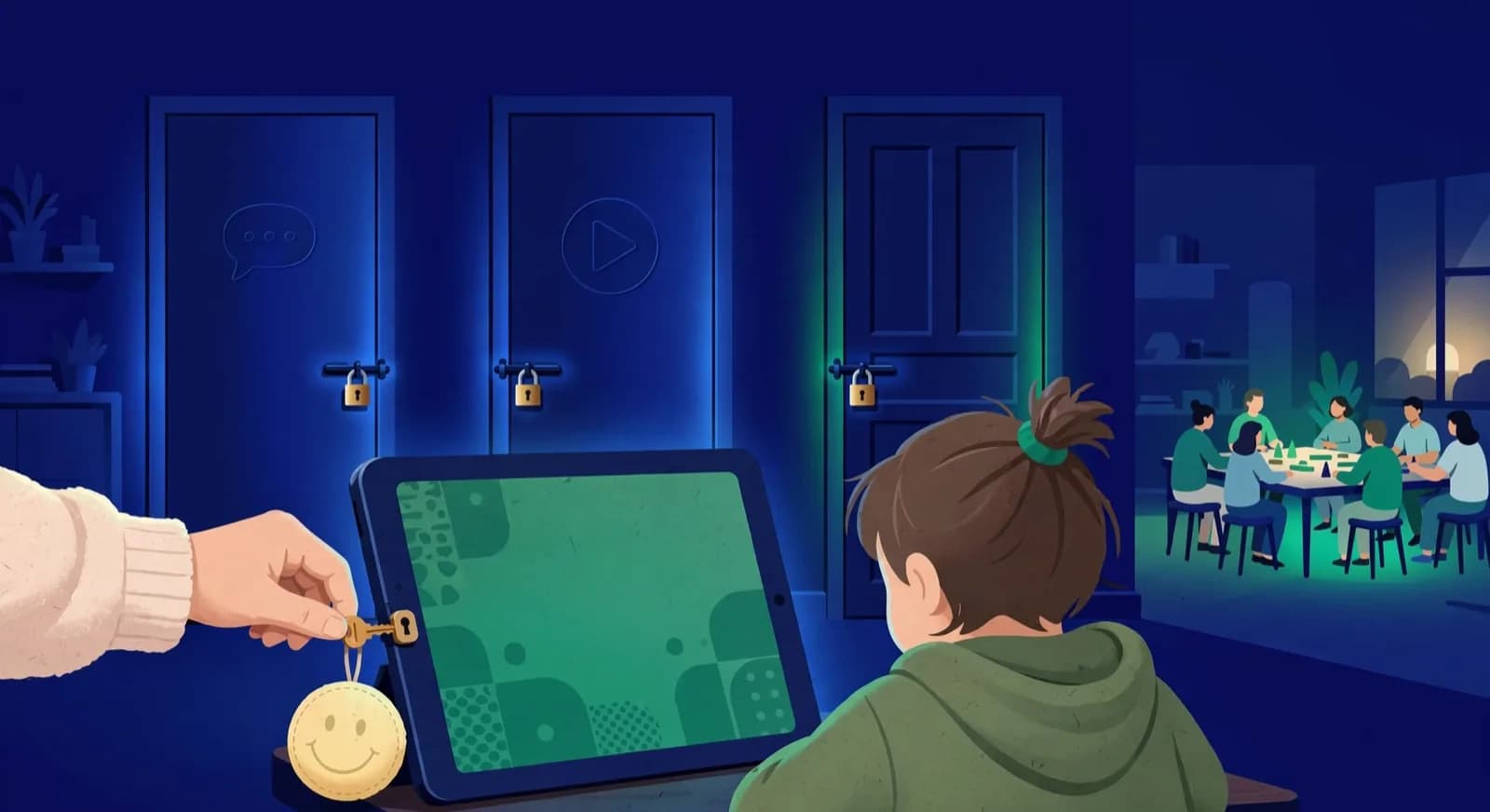
According to the Lichess Kid Mode page, a child in Kid Mode can play games against other users, but those users cannot send anything beyond chess moves [1]. Kid Mode accounts can send and receive direct messages only from other Kid Mode accounts in the same Lichess Class and from the class teacher; they cannot message anyone else [1]. Kid Mode also blocks access to forums, blogs, live streams, and videos [1]. A signature smiley face in the upper left of every Lichess page shows the mode is active [1]. The child cannot turn Kid Mode off without the account password, which is why Lichess recommends that parents and teachers keep the password and use "Keep me logged in" for the child [1].
What Kid Mode does not do is equally important. It does not create a kids-only opponent pool: games can still be against the general Lichess user base [1]. It does not replace parental time limits, device rules, or coaching direction. It does not add a built-in kids curriculum with levelled video lessons the way ChessKid markets its learning path [3]. Lichess also states that no user needs to worry about ads or trackers because the site has none and never will [1][2]. That removes commercial tracking risk, but contact and content risk still depend on settings and supervision.
- Turn Kid Mode on at account settings and confirm the smiley face on every page [1].
- Parent or teacher keeps the password so the child cannot disable the mode [1].
- For school groups, prefer Lichess Class accounts, which use restricted chat features by default under Kid Mode [5].
- Set household rules for daily minutes, even on a free site with no ads [2].
- Do not treat Kid Mode as a substitute for ChessKid's closed kids-only design if contact risk is your top fear [1][4].
What does ChessKid offer that Lichess does not?
ChessKid offers a closed kids-only product, guardian-oriented activity controls, and beginner-first curriculum packaging that Lichess does not try to match. Parents pay for (or start free inside) a space built only for children, not for a general player pool with a safety switch [3][4].
Safety model: ChessKid markets no chat, auto-generated usernames, and child activity reports on the homepage [3]. Help materials add that ChessKid has no outside links, ads, or social networking between kids and adults, and that parents and coaches have full control of kids' accounts and can review games and activity [4]. That is a closed-platform design, though no product guarantees safety on its own. Lichess Kid Mode removes messaging and social pages for one account, but the wider Lichess product remains a general open server [1][2].
Curriculum: ChessKid markets 150+ interactive lessons tailored by skill level and pace, video lessons, puzzles, bots, and kids-only online play [3]. That packaging is the main reason younger beginners stay engaged without a coach writing every homework sheet. Lichess supplies excellent free practice tools (puzzles, studies, analysis) but does not present itself as a kids curriculum product with age-coded lesson tracks [6][7]. Ownership also differs: ChessKid sits in the Chess.com family as the scholastic companion site [4], while Lichess is an independent free/libre project funded by donations [2].
Cost in brief: Lichess is free, and ChessKid is free to start with a paid Gold tier for unlimited puzzles, lessons, videos, workouts and game history [2][3][8]. On 16 October 2026 the US App Store listed ChessKid Gold from $14.00 a month [9], and ChessKid's website shows the price for your region at checkout [8]. Schools and clubs often get partner seats, so ask a coach before paying retail. For the full free-versus-Gold billing walkthrough, see ChessKid Gold and parent controls.
What does Lichess do better?
Lichess is better on cost, open practice depth, and coach-controlled class tooling. Everything the platform offers is free, there are no ads, and serious training surfaces (puzzles, studies, analysis) are not locked behind a kids membership upsell [2][6][7].
Cost and ads: Lichess about copy states the site is free/libre, open source, 100% free, powered by volunteers and donations, with no ads, no selling of user data, and no paywalls for the good tools [2]. For a family comparing monthly subscriptions, that is a hard ceiling of zero software spend if the child can work inside Lichess. ChessKid remains free to start but has a Gold ceiling for unlimited learning volume [3][8].
Practice tools: Lichess puzzles and studies are first-class free tools used by beginners through masters [6][7]. A coach can assign a study chapter, a puzzle theme, or a game review without asking parents to upgrade a kids membership. Lichess Class lets a teacher generate student accounts with Kid Mode-style restricted chat by default, post homework to a class board, and monitor games and puzzles [5]. That is often a better fit for academy homework than a consumer kids app alone. Academy-side platform choices between Lichess and Chess.com ecosystems are covered in Lichess vs Chess.com for academies.
| Parent question | ChessKid | Lichess (with Kid Mode) |
|---|---|---|
| Product category | Kids-first closed platform in Chess.com family [3][4] | General free server plus Kid Mode setting [1][2] |
| Safety model | No chat pitch, kids environment, no kid-adult social networking [3][4] | Blocks chats beyond moves, forums, blogs, streams, videos; parent holds password [1] |
| Opponent pool | Kids-oriented play and bots [3] | General Lichess users still possible in games [1] |
| Learning content | 150+ interactive lessons, videos, levelled packaging [3] | Puzzles, studies, analysis; no kids curriculum product [6][7] |
| Cost | Free with limits; Gold from $14.00 a month on the US App Store [9] | 100% free, no ads [2] |
| Coach class tools | School and classroom paths on ChessKid [3] | Lichess Class with default restricted chat / Kid Mode [5] |
| Best first fit | Younger kids needing structure and a kids-only design [3][4] | Self-driven kids or coach-led free homework [1][5] |
Which fits which age and stage?
Choose by two questions, not by age: how much adult supervision the child will actually get, and whether the child needs a guided curriculum or just free practice volume. ChessKid fits low-supervision beginners who need built-in lessons and a kids-only environment. Lichess Kid Mode fits children with a coach or an involved parent who can run free puzzles and studies and hold the password.
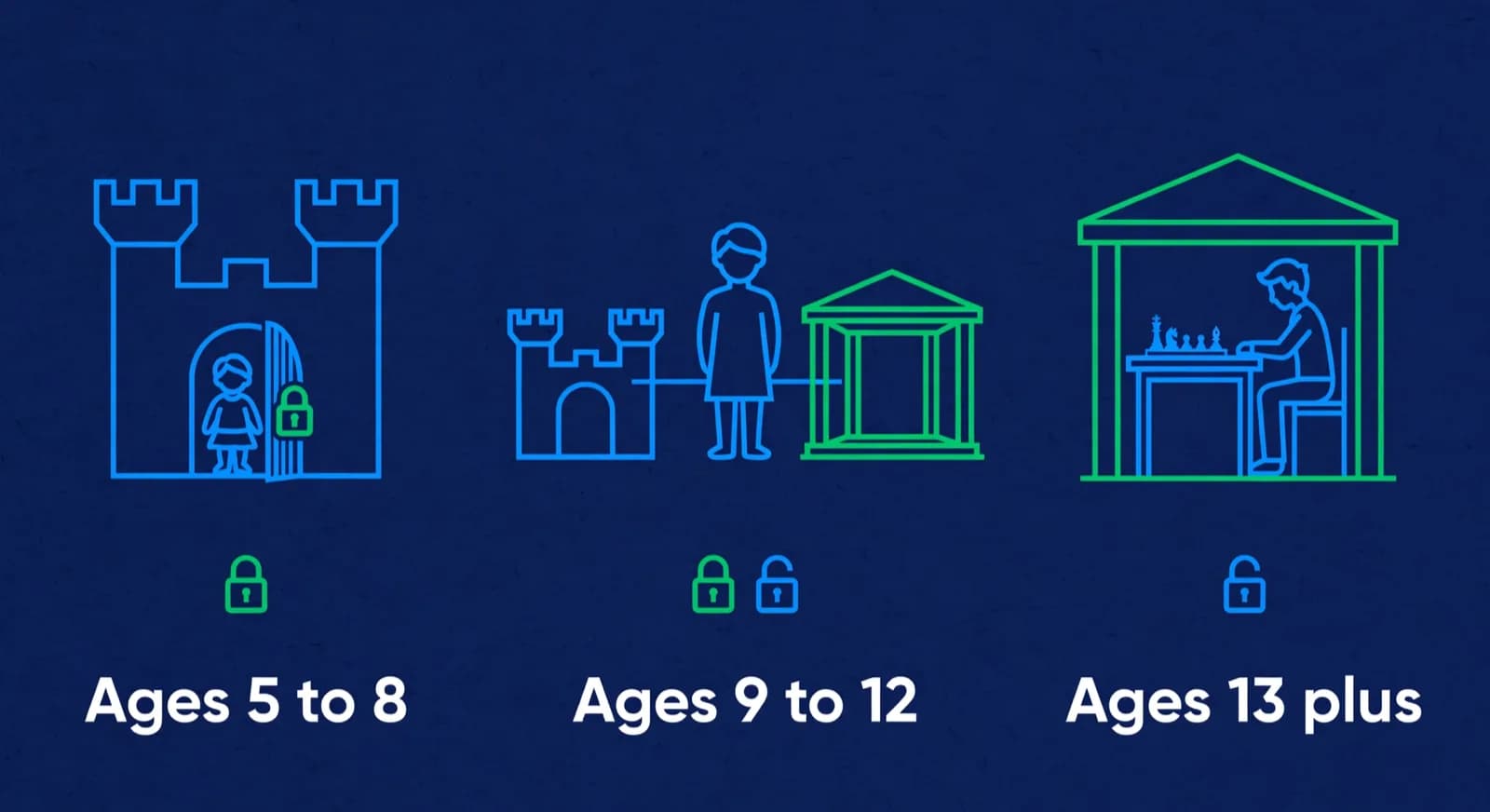
Low supervision, needs a curriculum. When no adult will sit with the child most sessions and the child cannot yet set their own practice, ChessKid is the stronger default. Its levelled lessons, bots, auto-generated usernames and no-chat kids environment mean the child has something structured to do and a smaller contact surface without an adult watching [3][4]. This is the common case for early beginners, who in practice are often five to eight, but a late-starting older beginner with no coach fits here too.
High supervision or a coach, needs volume. When a coach assigns work or a parent is closely involved, Lichess Kid Mode is usually enough and costs nothing. The coach can set puzzle themes and study chapters, and Lichess Class generates student accounts with restricted chat by default and the teacher holding administration [1][5][6][7]. Remember that even in Kid Mode the opponent pool is the general Lichess user base, not a children-only pool, so the supervising adult is doing the work the kids-only design would otherwise do [1]. Families deciding whether to graduate inside the Chess.com family instead can read when Chess.com may fit a child.
Contact risk is the deciding factor at any age. If unsupervised online contact is the real worry, favour ChessKid's kids-only design regardless of how strong the player is; a gifted younger child can get challenge from over-the-board tournaments and a coach rather than from an early move to a general server [3][4]. If cost is the binding constraint, exhaust Lichess free tools before paying for any kids membership, because Lichess documents a permanent no-ads free model [2]. For the detailed free-versus-Gold billing trade-off, see ChessKid Gold and parent controls.
| Situation | Default pick | When to reverse the default |
|---|---|---|
| Low supervision, needs a curriculum | ChessKid free first [3][4] | A coach runs Lichess Class and a parent will hold the password [1][5] |
| Coach-led or closely supervised | Lichess Kid Mode for free volume [1][6][7] | The child still wants kids packaging or free limits do not bind [3] |
| Cost is the binding constraint | Lichess Kid Mode first [1][2] | A built-in curriculum is the missing piece and worth paying for [3] |
| High contact-risk worry | ChessKid kids-only design [3][4] | Only move to Lichess with Kid Mode on and the password locked [1] |
| Already in a ChessKid classroom | Stay for continuity [3] | Add a Lichess account for coach studies alongside it [6][7] |
- Name the real constraint in one sentence: contact risk, cost, missing curriculum, or missing free volume.
- Create the free account that matches it (ChessKid or Lichess Kid Mode) and test two weeks of real use [1][3].
- If the child never hits free ChessKid limits, do not buy Gold yet [8].
- If the child needs only puzzles and coach studies, keep Lichess and skip paid kids memberships [6][7].
- Add a human class when improvement, not entertainment, is the goal; platforms supply reps, not accountability.
Can you use both ChessKid and Lichess?
Yes, and for many families that is the rational stack. ChessKid covers kids-only play and beginner curriculum; Lichess covers unlimited free puzzles, studies, and coach-assigned work under Kid Mode. Using both is not "platform confusion" if each login has a job.
A clean split looks like this. ChessKid nights: short kids games, bots, and interactive lessons when the child wants a contained environment [3]. Lichess nights: coach homework, puzzle streaks, and study chapters with Kid Mode on and the parent holding the password [1][6][7]. Do not pay Gold on ChessKid and ignore free Lichess tools that already remove the volume limit [2][8]. Do not open Lichess without Kid Mode for a young child just because a free account was easy to create [1].
Platform choice still does not create a curriculum, mark attendance, or explain progress to parents. Those remain human and operational jobs. If you are choosing a class rather than an app, start with how to choose a chess class for your child. If you run an academy and need software for batches, fees, and parent updates, that is academy management, a different category from either kids practice site. ChessCore, which we build, sits in that management category and is not a ChessKid or Lichess alternative for children's play.

Lucas M.
Batch B2 · Thursdays · joined Aug 2025
1342
Academy rating · Lichess games synced
Won vs. 1410 · French Defense
Best gameMissed fork on move 23
Homework setParent updates · this week
14 of 14 sentWeekly recap · Lucas M.
Lucas attended Thursday's class and won 2 arena games. His September report is in your portal.
Receipt · October fee
$180 received via card AutoPay. Receipt saved.
9:42 AMRecap approved by Coach Elena
Open the guardian portal
Own login · nothing to install
What is the honest ChessKid vs Lichess verdict?
ChessKid earns its place, and often its Gold money, for younger kids who need curriculum packaging and a closed kids-only environment. Lichess with Kid Mode is a serious free option for self-driven kids and coach-led settings, and it is the better pure cost answer. Pick the product that matches the child's supervision bandwidth and whether structure or free volume is the stuck problem this term.
Frequently asked questions
Is Lichess safe for kids?
It can be, when Kid Mode is enabled and a parent controls the password. Official Lichess documentation states that Kid Mode blocks other users from sending anything beyond chess moves, limits direct messages to same-class Kid Mode peers and the class teacher, and removes forums, blogs, live streams, and videos. It does not create a kids-only opponent pool, so young children who need a closed kids-only product may still fit ChessKid better. Always verify the smiley face indicator and household time rules.
Does Lichess have a kid mode?
Yes. Lichess publishes a dedicated Kid Mode page and an account setting at the Kid Mode controls. When enabled, social and media surfaces are restricted and the child cannot turn the mode off without the account password. Lichess Class student accounts also use restricted chat features by default through Kid Mode. Parents and teachers should keep the password rather than sharing full account control with a young child.
ChessKid vs Lichess for kids: which should we pick?
Pick ChessKid for younger or safety-sensitive children who need kids-only design and guided lessons. Pick Lichess Kid Mode for self-driven kids, coach-assigned homework, and families who want a permanent free, no-ads practice stack. Many households use both without conflict if each site has a clear job. Revisit the choice when free limits bind, when the child outgrows kids packaging, or when a coach standardises on one platform.
Is Lichess completely free for kids practice?
Yes on software cost. Lichess states it is free/libre, open source, 100% free, with no ads and no paywalled core tools. Puzzles, studies, analysis, and play are available without a membership upgrade. Families may still spend money on coaching, tournaments, or a separate kids platform like ChessKid if they want kids-only curriculum features Lichess does not sell.
How much does ChessKid Gold cost compared with Lichess?
Lichess software cost is zero by design. On 16 October 2026 the US App Store listed ChessKid Gold from $14.00 a month, and ChessKid's website shows the price for your region at checkout. Buy Gold only after free ChessKid use already hits limits on puzzles, lessons, videos, workouts, or game history, and ask your child's coach about partner pricing before paying retail. Our ChessKid review for parents has the full term-by-term and regional billing breakdown.
Sources
- [1]Lichess Kid Mode official documentation · accessed 2026-10-16
- [2]About Lichess: free, open source, no ads · accessed 2026-08-10
- [3]ChessKid homepage: safe free chess for kids · accessed 2026-10-16
- [4]ChessKid help: difference between ChessKid and Chess.com · accessed 2026-10-16
- [5]Lichess Class: teacher-managed student accounts and Kid Mode defaults · accessed 2026-10-16
- [6]Lichess puzzles and training · accessed 2026-08-10
- [7]Lichess studies: free shared analysis boards · accessed 2026-08-10
- [8]ChessKid Gold membership page · accessed 2026-08-10
- [9]Chess for Kids: Learn to Play (ChessKid), Apple App Store (US) · accessed 2026-10-16
Written by Abhishek Tiwari
ChessCore
Drafted with AI, fact-checked and approved by a human before publishing, the same guardrail our product applies to every report it sends. Read our editorial standards.
Apps for practice, systems for coaching
ChessCore helps academies track students, review games, and send human-approved parent updates around whatever kids platform your families already use.
- Roster import from the spreadsheets you already keep
- Lichess and Chess.com connections, batches, and fee plans
- First reports in week one, after your approval
- Free plan, no credit card required