Bottom line
On 16 October 2026 a search of the US App Store software catalogue returned no Coach Jay's Chess Academy app; the results were other publishers' chess apps. That is one storefront on one date, not proof the app is retired everywhere, and we did not confirm an install. The official store sells the belt curriculum as books and Triple Check card decks from $45, so treat the books as structured practice beside a coach.
TL;DR
- Coach Jay's Chess Academy is coach Jay Stallings's children's curriculum brand; on 16 October 2026 its official store sold belt books from $45 and a five-deck Triple Check pack at $95, advertised as screen-free.
- Historically a ChessKid review described the mobile app as a free-to-try lesson and puzzle product on iPad, iPhone and Android, built around five disciplines and belt progress.
- On 16 October 2026 a US App Store software search for the brand returned no Coach Jay title; that is a bounded observation on one storefront, not proof of retirement, and we did not check Google Play or confirm an install.
- Compared with ChessKid and Lichess Kid Mode, this brand is a structured curriculum path, not a kids social platform and not a free open server.
- No app or book set is enough on its own for most children: pair curriculum practice with a human class when improvement and accountability matter.
Key facts
- On 16 October 2026 Coach Jay's official store listed the White to Black Belt complete set at $149 (regular $196), the Starter Set at $45 (regular $56) and a five-deck Triple Check pack at $95, with coachjay@coachjayschessacademy.com for coach pricing.[1]
- Jay Stallings, known as Coach Jay, describes himself on his Chess.com profile as a coach who has taught chess to over 40,000 young players since 1994.[2]
- A ChessKid article reviewing the app described Coach Jay's Chess Academy as a beginning-to-intermediate puzzle app for iPad, iPhone, and Android with a free sample path and a paid version historically listed at $4.99.[3]
- That same ChessKid review described five disciplines (Checkmate, Defense, Endgame, Strategy, and Tactics), belt-style levels, and a paid path providing more than 150 lessons and 1250 puzzles.[3]
- ChessKid is a closed kids-only platform, free to start, with Gold from $14.00 a month on the US App Store on 16 October 2026; Lichess is free with an official Kid Mode safety setting.[9]
- A search of the US App Store on 16 October 2026 for "coach jays chess academy" returned no title from Coach Jay; the results were other chess apps.[10]
What is Coach Jay's Chess Academy and who makes it?
Coach Jay's Chess Academy is a children's chess curriculum brand created by Jay Stallings, known as Coach Jay. Its materials include belt-level lessons and a historical mobile puzzle app. For a parent or coach, the question is whether that structured practice suits the child's reading level, interests and current chess skills.
Is the app still available? Here is exactly what we checked. On 16 October 2026 we queried the US App Store software catalogue through Apple's iTunes Search API for "coach jays chess academy"; it returned 24 results, all from other publishers, and none from Coach Jay or Jay Stallings [10]. That is one storefront, one country, one date, and a name search: it does not prove the app was withdrawn, and we did not check Google Play or confirm whether an existing install still runs. What we can confirm is the official store itself: on the same date it listed no app, selling the curriculum only as printed belt books and Triple Check card decks, promoted as a screen-free way to practise, with coachjay@coachjayschessacademy.com for coach and programme pricing [1]. So the safe plan is to buy the books, not to promise a child a download.
Jay Stallings's Chess.com profile says he has coached children since January 1994 and taught more than 40,000 young players [2]. Those are his stated experience figures. The practical question for your child is how his curriculum fits the work you want to reinforce between lessons. Look at the explanation, the puzzle difficulty and the amount of reading before buying a full set or assigning a belt level.
What does the app teach and how?
When it was reviewed as a live mobile product, Coach Jay's Chess Academy taught beginner-to-intermediate ideas through short explanations followed by puzzles, not through online rated games against strangers. The method is curriculum-first: read or view a concept, solve a set, advance to the next belt step.
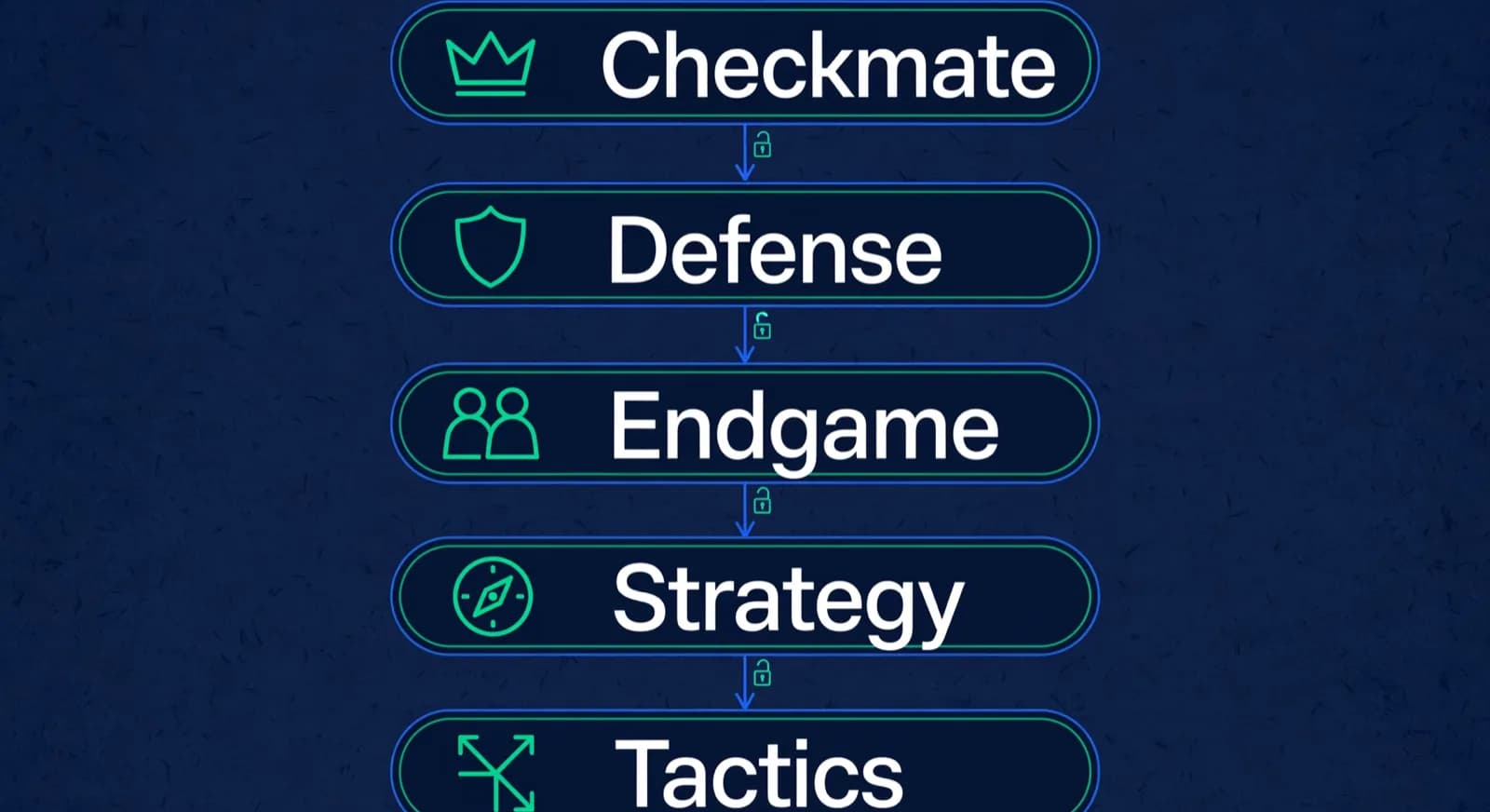
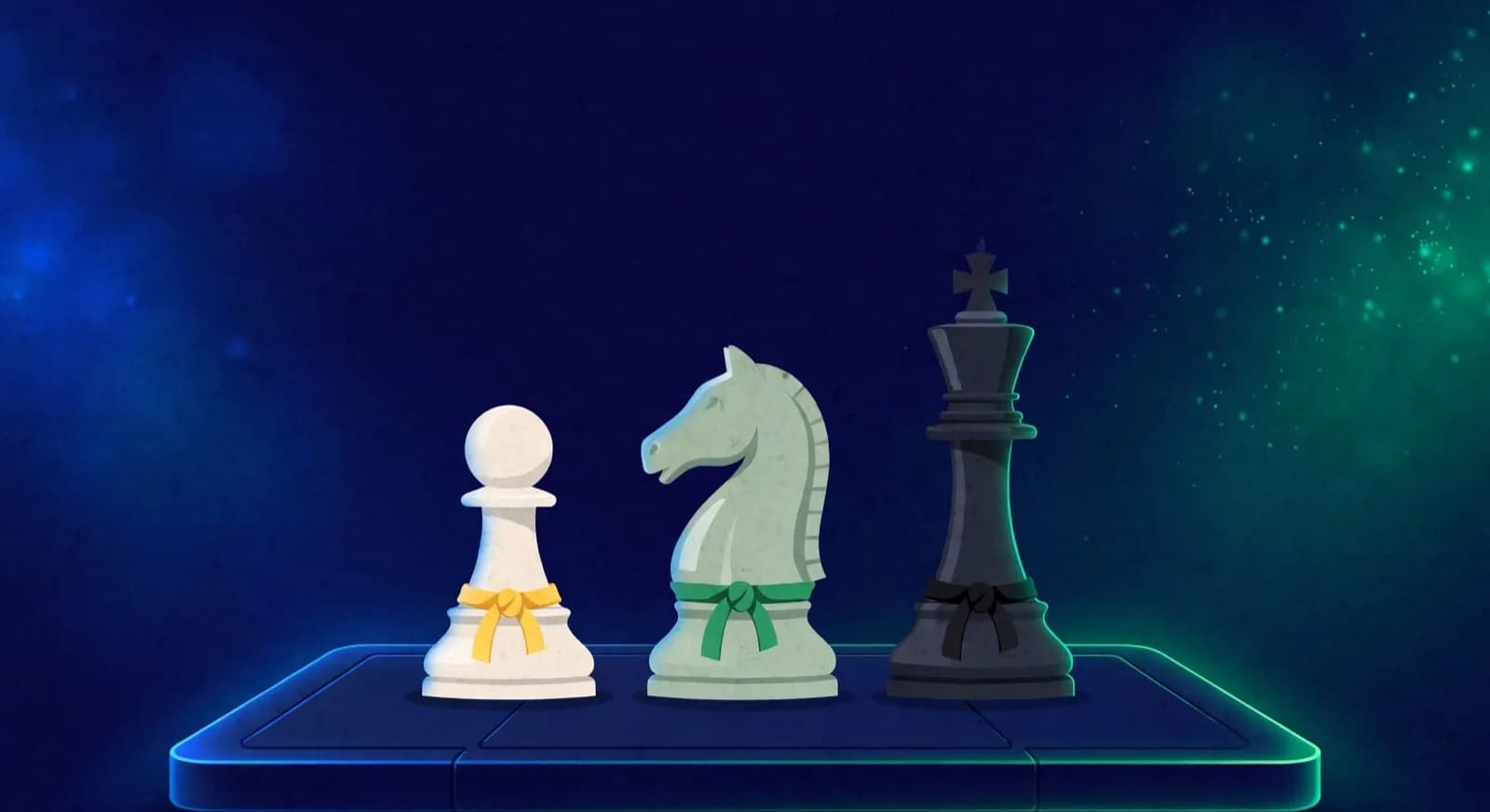
Per ChessKid's contemporaneous review of the app (a secondary source describing the product as it shipped for iPad, iPhone, and Android), students move through five disciplines: Checkmate, Defense, Endgame, Strategy, and Tactics [3]. Progress uses a martial-arts belt metaphor: solving puzzles gives access to more lessons and eventually a belt for each level [3]. The free path let families sample the White Belt Checkmate discipline and pieces of the other four; the paid version included the full library the review numbered at more than 150 lessons and 1250 puzzles [3]. That structure is closer to a portable workbook than to a social kids platform.
What the method is good for, as that review describes it: focused tactics and concept reps on a phone or tablet. What it is not: a substitute for playing full games, receiving human feedback, or joining a multiplayer kids community. ChessKid's reviewer also noted the app did not center full games or video lesson watching in the way other kids products do; the loop was concept page, then puzzles [3]. We did not test the app's chat, contact or safety settings and the publisher does not document them here, so do not assume a particular safety design. If your child needs opponents and a kids-only community, that is ChessKid's job [4]. If your child needs free open practice tools under parental controls, that is Lichess with Kid Mode [5][6].
ChessKid's historical review describes a wordy 'Learn How to Play Chess' section, static board graphics and lessons that require reading and visualisation [3]. For a child who is still learning to read, plan to sit beside them for the explanations and ask them to show the idea on a board. A confident reader may prefer to work through the puzzles alone and bring questions to class. Judge the reading load alongside the chess difficulty when choosing a practice task.
- Core loop (as reviewed): short concept explanation, then a puzzle set to lock the idea [3].
- Organisation: five disciplines covering checkmate, defense, endgame, strategy, and tactics [3].
- Motivation layer: belt-style progression rather than open online rating chasing [3].
- Audience fit claimed by the review context: beginning to intermediate students, strong for travel and short sessions [3].
- Missing jobs: live kids multiplayer community, coach billing, and parent academy reporting.
What does it cost?
The current costs are for books and cards, because the official store lists no app, only the printed curriculum. On 16 October 2026 the store listed these prices in USD [1]:
| Official store item (16 October 2026) | Sale price | Regular price |
|---|---|---|
| Starter Set: White and Yellow Belt | $45 | $56 |
| White to Green Belt Set | $99 | $112 |
| PRO Set: Purple to Black Belts | $75 | $84 |
| Orange to Black Belt UPGRADE Set | $109 | $140 |
| White to Black Belt COMPLETE Set | $149 | $196 |
| Triple Check 5 Deck Combo Pack | $95 | Not shown |
Historical mobile pricing, clearly labelled as history: ChessKid's review of the app stated a free version with sample content and a paid version at $4.99 that included the full lesson and puzzle library as a one-time purchase rather than a recurring membership [3]. That is a past price for an app we could not find listed today, not a current offer. It differs from ChessKid Gold, a membership the US App Store listed from $14.00 a month on 16 October 2026 [9], with regional web prices shown at checkout [7]. It is also different from Lichess, which states core tools are free with no ads [6].
Watch the arithmetic before assuming the bigger set saves money, because the sets are not interchangeable. The $45 Starter Set covers only the White and Yellow belts; the $149 Complete Set covers White through Black [1]. Five Starter Sets at $225 are five copies of the first two belts, enough for five beginners at that level but with no higher-belt content. One Complete Set at $149 is one copy of every belt, enough for a single reader working up the ladder, not for five children at once. So the honest comparison is one Complete Set for home against as many copies of the right belt level as a class actually has students. The store does not publish classroom or photocopy rights, so ask coachjay@coachjayschessacademy.com whether one book may be shared or copied before planning a batch, and check stock, delivery and the checkout total before promising families a start date [1].
How does it compare with ChessKid and free options?
Coach Jay's Chess Academy is a structured curriculum package; ChessKid is a closed kids-only platform; Lichess Kid Mode is a free general server with safety settings. Those are three different jobs, so the honest comparison is fit, not a single winner badge.
ChessKid wins when the child needs kids-only play, no open adult social graph, auto-generated usernames, activity reports, and levelled interactive lessons inside one account [4][8]. Free tier limits apply; Gold provides unlimited puzzles, lessons, videos, workouts, and game history, from $14.00 a month on the US App Store [9]. Lichess wins when cost must be zero and a coach or parent can run puzzles, studies, and play under Kid Mode, which blocks chats beyond moves, forums, blogs, streams, and videos when enabled [5][6]. Coach Jay's product wins only when you specifically want that belt-and-discipline curriculum and buy it as the books the official store sells today, since we could not find the app listed [1][3].
| Criterion | Coach Jay's Chess Academy | ChessKid | Lichess Kid Mode |
|---|---|---|---|
| Primary job | Lesson-and-puzzle curriculum path [3] | Kids-only play and learning platform [4] | Free general practice with safety setting [5][6] |
| Creator / owner | Coach Jay Stallings brand store [1][2] | Chess.com kids platform [8] | Independent free/libre Lichess project [6] |
| Safety model | Not documented by the publisher; do not assume a chat or contact design [3] | No chat pitch, kids environment, guardian controls [4][8] | Kid Mode restricts messages, forums, blogs, streams, videos [5] |
| Teaching method | Five disciplines, belt progression, heavy puzzles [3] | 150+ interactive lessons, videos, bots, kids games [4] | Puzzles, studies, analysis without kids curriculum packaging [6] |
| Price model | Books and card sets from $45; historical $4.99 app [1][3] | Free limits; Gold from $14.00 a month on the US App Store [9] | 100% free, no ads [6] |
| Live availability (2026-10-16) | Official store sells books and card sets; no app found in a US App Store search [1][10] | Live site and apps marketed on chesskid.com [4] | Live at lichess.org with documented Kid Mode [5] |
| Best parent fit | Wants Coach Jay's specific curriculum as books [1][3] | Younger kids needing kids-only defaults [4] | Budget and coach-led free volume [5][6] |
Our ChessKid review for parents explains the child-focused platform in more detail, while ChessKid vs Lichess for kids compares the two practice options. For a wider choice of tools, see best AI chess training apps. If you need free puzzles, consider Lichess [5][6]. If you want child-focused online play, consider ChessKid [4]. Choose Coach Jay's materials when you want the discipline-and-belt curriculum, and keep the practice task aligned with what the coach is teaching.
Is it enough on its own, or does a kid still need classes?
It is not enough on its own for most children who care about real improvement. Coach Jay's materials can supply structured reps; a class or coach still supplies diagnosis, motivation on bad days, over-the-board skills, and accountability to a parent.
Why no single product finishes the job. Curriculum books and puzzle apps teach patterns in isolation. They do not watch your child rush openings, freeze in a noisy hall, or lose the thread of a long endgame, and they do not set a term plan tied to a real goal or tell you when the child is bored rather than stuck. ChessKid and Lichess have the same limit for the same reason: products create volume, a coach creates direction.
Buying decision one: one curriculum set for home. If you want Coach Jay's method for your own child, buy the single belt set that matches where the child is now, not the largest box by default. A near-beginner is served by the $45 Starter Set (White and Yellow); a child already past those belts fits the $99 White to Green or the $149 Complete Set [1]. Before paying from India, open the checkout and read the shipping method, landed total and any customs line for your address, because the store advertised free domestic shipping for the United States, not international delivery, and we did not verify an India rate; if that total is high, the Triple Check card decks or a local book may be the better buy.
Buying decision two: enough permitted copies for a class. For a batch, do not reason from a single total. Decide how many children sit at the belt you will teach, then buy that many copies of the matching set, or one Complete Set per shared table if the children take turns [1]. The store does not publish classroom or photocopy rights, so one book is not automatically licensed for a whole class: email coachjay@coachjayschessacademy.com to confirm sharing, copying and any programme pricing, and confirm stock and a realistic delivery date to India before you promise families a start week. Do not assume answers the store has not published.
Failure pattern when parents treat the brand name as a complete academy. Buying content and skipping the human feedback loop produces a child who can solve theme puzzles yet still hangs pieces in slow games. Forcing a missing mobile app when ChessKid or Lichess already covers the week's need wastes search time and goodwill. Assuming any kids product replaces parent conversation about screen time recreates the binge problem on a safer-looking logo. The stable pattern is boring and effective: one practice channel, one human teacher when improvement matters, written time limits, and no second paid subscription until the first channel is used weekly.
- Verify installability or book availability on official channels before the child hears a promise [1].
- Name the gap: kids-only play, free volume, or structured tactics curriculum.
- Match the gap to ChessKid, Lichess Kid Mode, or Coach Jay materials, not to all three at once [4][5][3].
- Run free options for fourteen days and log actual sessions.
- Add or keep a human class when you need accountability, OTB skills, or a term plan.
- Reassess paid upgrades only after free limits or content ceilings are real.

Lucas M.
Batch B2 · Thursdays · joined Aug 2025
1342
Academy rating · Lichess games synced
Won vs. 1410 · French Defense
Best gameMissed fork on move 23
Homework setParent updates · this week
14 of 14 sentWeekly recap · Lucas M.
Lucas attended Thursday's class and won 2 arena games. His September report is in your portal.
Receipt · October fee
$180 received via card AutoPay. Receipt saved.
9:42 AMRecap approved by Coach Elena
Open the guardian portal
Own login · nothing to install
Who should still consider Coach Jay's Chess Academy?
Consider the brand if you specifically want Jay Stallings's belt-style kids curriculum and are happy to use it as books and card decks from the official store, which is where it is sold today; a US App Store search on 16 October 2026 did not find the app. Choose ChessKid instead for kids-only multiplayer and modern kids packaging. Choose Lichess Kid Mode instead for free unlimited practice under parental controls. And remember category honesty: ChessCore, which we build, is academy management software for schools and coaches, not a player-facing alternative to Coach Jay, ChessKid, or Lichess.
Frequently asked questions
Who makes Coach Jay's Chess Academy?
The brand is associated with coach Jay Stallings, known as Coach Jay. His Chess.com profile states he has coached children since 1994 and has taught over 40,000 young players. The commercial domain store.coachjayschessacademy.com is the official storefront for Coach Jay's Chess Academy curriculum products and lists coachjay@coachjayschessacademy.com for advice. It is an independent teaching brand, not a Chess.com or Lichess product.
Is the Coach Jay Chess Academy app free?
We could not find a current app to price. ChessKid's historical review describes a free sample version and a one-time $4.99 purchase for the full lesson and puzzle library, but that is a past figure for a product we could not locate today. On 16 October 2026 a US App Store software search returned no Coach Jay title; that is one storefront on one date, not proof the app is gone, and we did not check Google Play. The official store sells the curriculum as books from $45 and a five-deck Triple Check pack at $95.
Is Coach Jay's Chess Academy still available?
The curriculum is sold today; the app we could not confirm. On 16 October 2026 the official store listed belt books and Triple Check card decks, from the $45 Starter Set to the $149 Complete White to Black set, and no app. A US App Store software search for the brand that day returned no Coach Jay title, which is a bounded observation on one storefront, not proof of withdrawal; we did not check Google Play or whether an existing install still runs. Plan homework around the books, or pair them with ChessKid or Lichess for screen practice.
How does Coach Jay's app compare with ChessKid?
They solve different jobs. ChessKid is a closed kids-only platform with kids-oriented play, lessons, puzzles, and guardian-oriented safety features, plus optional Gold membership. Coach Jay's mobile product, as a single historical review described it, was a lesson-and-puzzle curriculum with belt progression, not a kids multiplayer community. If your child needs online play with other kids in a kids-only setting, ChessKid is the better default. If you specifically want Coach Jay's discipline-and-belt method, buy it as the books the official store sells today and use it as homework beside a class.
Can Coach Jay's Chess Academy replace chess classes?
Use apps and books for structured practice alongside lessons if you want a coach to diagnose mistakes and guide the next step. A child can learn from puzzles alone, but completing a level does not show how they handle a whole game, a clock or an unfamiliar opponent. We suggest asking the child to bring one difficult puzzle and one recent game to class so the coach can connect the practice to decisions on the board.
Sources
- [1]Coach Jay's Chess Academy official store · accessed 2026-10-16
- [2]Jay Stallings Chess.com profile (ChessCoachJay) · accessed 2026-08-10
- [3]ChessKid article reviewing Coach Jay's Chess Academy app · accessed 2026-10-16
- [4]ChessKid homepage: safe free chess for kids · accessed 2026-10-16
- [5]Lichess Kid Mode official documentation · accessed 2026-10-16
- [6]About Lichess: free, open source, no ads · accessed 2026-08-10
- [7]ChessKid Gold membership page · accessed 2026-08-10
- [8]ChessKid help: difference between ChessKid and Chess.com · accessed 2026-10-16
- [9]Chess for Kids: Learn to Play (ChessKid), Apple App Store (US) · accessed 2026-10-16
- [10]Apple iTunes Search API, US store, query "coach jays chess academy" · accessed 2026-10-16
Written by Abhishek Tiwari
ChessCore
Drafted with AI, fact-checked and approved by a human before publishing, the same guardrail our product applies to every report it sends. Read our editorial standards.
Practice apps are not academy systems
If you run classes and need rosters, progress records, and human-approved parent updates around whatever apps families use at home, see how ChessCore handles academy operations.
- Roster import from the spreadsheets you already keep
- Lichess and Chess.com connections, batches, and fee plans
- First reports in week one, after your approval
- Free plan, no credit card required