On this page8 sections, 16 min read
- What does AI for a chess academy mean?
- 1. Lichess: best AI for chess academy analysis on a free budget?
- 2. Stockfish: when should a coach use a local engine?
- 3. Noctie: which students need a sparring partner?
- 4. DecodeChess: who needs explanations of engine moves?
- 5. Aimchess: who benefits from practice based on past games?
- 6. ChessCore: where does academy-management AI fit?
- How should you combine the named tools into an academy stack?
- Frequently asked questions
Bottom line
Lichess and Stockfish lead our best AI for chess academy picks for free analysis; choose Noctie for sparring, DecodeChess for explanations, or Aimchess for practice from played games [1][3][5][6][7]. Add ChessCore only for academy management, where AI-written drafts wait for a person to review them, not as a player-training substitute [8].
TL;DR
- AI for a chess academy is three layers, and layer one is engine analysis, where free Lichess and Stockfish lead our picks before Noctie, DecodeChess and Aimchess cover different homework needs [1][5].
- Lichess offers free studies and puzzles; server analysis has a daily limit, while local Stockfish uses your own hardware [1][5].
- Layer two is the academy's own AI for admin and drafting: AI-written messages and report narratives should be reviewed by staff before they reach a family, and the vendor should say plainly what sends on a schedule without review.
- Layer three is player-facing training apps like Noctie, DecodeChess, and Aimchess, assigned as homework rather than adopted as the curriculum.
- Free AI tools train moves; an academy with AI-assisted human coaching trains players. Buy a tool only after your own assignment shows the job it would do, and price each job in its own currency and unit.
Key facts
- Stockfish is a free, open-source engine; local analysis requires a compatible interface and your own computing hardware [1].[1]
- Lichess offers free puzzle training and free studies, which means a zero-budget academy can run analysis and homework without paying for software.[2]
- Noctie describes itself as a human-like chess AI for practice games and training, per its official site.[6]
- DecodeChess explains engine moves in natural language on top of Stockfish analysis, per its official site.[7]
- Aimchess builds training from a player's own online games, per its official site.[3]
- In ChessCore, AI-written report narratives and message drafts wait for staff review, while class reminders, fee reminders and non-AI monthly reports send on a schedule the academy turns on; the AI never evaluates positions, Stockfish does.
What does AI for a chess academy mean?
AI for a chess academy means three different things, and most buying confusion comes from mixing them up. The first is engine analysis: software like Stockfish that evaluates positions and finds best moves [1]. The second is the academy's own operational AI: language models that draft progress reports, parent updates, and lesson summaries from your records. The third is player-facing training AI: apps students use at home, like Noctie, DecodeChess, or Aimchess. A vendor saying their product is AI for chess academies could mean any of the three, and the layers are not interchangeable.
| Layer | What it does | Who uses it | Typical cost |
|---|---|---|---|
| 1. Engine analysis | Evaluates positions, finds best lines, flags blunders | Coaches, during prep and review | Free (Stockfish, Lichess) |
| 2. Academy admin AI | Drafts reports, recaps, and parent messages from records | Coaches and admins, under approval | Free or paid depending on the platform and limits |
| 3. Player training apps | Practice games, move explanations, drills at home | Students, between classes | Free tiers and paid plans per each official site |
The numbered picks below follow those layers in order. Picks 1 and 2 are layer one, the free engine analysis every academy should start with. Picks 3 to 5 are layer three, the student apps a coach assigns as homework. Pick 6 is layer two, the academy's own administrative AI, and it comes last because it only earns its place once the teaching side works.
1. Lichess: best AI for chess academy analysis on a free budget?
Lichess is our first pick for an academy starting with free analysis and homework: its website combines Stockfish analysis, shareable studies and puzzles [5]. Choose it when the coach needs a common place to review games and assign positions, without a student subscription.
Best for: beginners practising a coach-selected theme and coaches sharing lesson material. Price: free. The official feature table lists a limit of 40 games per day for deep server analysis; the analysis board, studies and puzzles are listed as unlimited [5]. Plan batch reviews around that distinction instead of promising unlimited server processing.

Start with the assignment, not the dashboard. Ask the student to explain the idea they practised when they return to class. If a child can solve a familiar puzzle but cannot recognise the same threat in a game, change the assignment before changing the software. A shared study is useful only when the coach gives it a clear purpose.
2. Stockfish: when should a coach use a local engine?
Stockfish is our pick for coaches who want local engine analysis and control over the interface they use. It is free, open source and communicates with chess GUIs through UCI [1]. Best for: advanced preparation and checking a teaching line before presenting it.
The engine runs on Windows, macOS and Linux, among other platforms [1]. Free software does not mean unlimited computing power: the machine and the time allowed for analysis still matter. Keep the evaluation separate from the explanation a beginner needs, and ask students to calculate before revealing the engine line.
What free does not buy you is workflow. Stockfish will tell you move 23 lost the exchange; it will not collect the games of fourteen students, queue them for review before Tuesday's batch, or turn the review into a homework note a parent can read. That gap is real work, and it is where academies either spend coach hours or spend money. Our guide to engine analysis for chess coaching covers how to run the free layer well on its own, and our roundup of every free AI chess coach option maps the rest of the zero-cost landscape.
3. Noctie: which students need a sparring partner?
Noctie is our pick for students who need practice games against an adaptive, human-like opponent. Its paid plans include opening practice, move feedback and puzzles from mistakes [6]. Best for: a beginner who needs approachable games or an improving player rehearsing a chosen opening.
The official web price is EUR 14 per month or EUR 96 billed annually, with a seven-day free trial. The pricing page says the former free mode has been replaced by that trial, so do not describe it as an ongoing free training plan. It supports web, iOS and Android; app-store regional pricing may differ [6].
Try the free option first. The Maia bots on Lichess, Maia 1100, 1500 and 1900, are human-like opponents from a University of Toronto CSSLab research project, and the project thanks Lichess for hosting them [9]. They cost nothing and suit a zero-budget academy, though they come without Noctie's opening practice, move feedback and puzzles from mistakes. Our guide to Noctie alternatives compares the human-like bots in more depth, and Noctie stays the paid pick when a student needs those adaptive features.
For academy homework, tell the student what to practise before they start playing. A sparring assignment might focus on developing pieces before attacking, or on reaching a position discussed in class. Review the decisions the child can explain afterwards. Do not use a convincing game against a bot as evidence that the student is ready for a particular tournament category.
4. DecodeChess: who needs explanations of engine moves?
DecodeChess is our pick for learners who can follow moves but still ask why the engine prefers them. It explains Stockfish recommendations in language and accepts PGN or FEN input [7]. Best for: reviewing a selected position with a coach, rather than assigning unexplained variations.
The official page lists a free plan with one decoded game per day, and Unlimited at $8.25 monthly or $84 annually. These are the dollar-denominated web prices shown by the vendor, not an INR quote for India; confirm currency and tax at checkout. Its mobile-responsive website has feature limits on small screens, and the vendor recommends a larger device [7].
Use an explanation as material to discuss, not as a replacement for the lesson. Ask the learner to name the threat, find a candidate move, and describe what changes after the move. If the wording is too advanced, the coach should simplify it or choose another position. Buying more explanations will not fix an assignment that starts beyond the student’s current understanding.
5. Aimchess: who benefits from practice based on past games?
Aimchess is our pick for active online players with games to review: it builds personalised lessons from their play and analyses recurring weaknesses [3]. Best for: improving students whose coach wants to connect homework with mistakes already visible in their games.
Its Standard plan is free, with a monthly report covering 40 games and a daily core training session. Premium is listed at $7.99 billed monthly or $57.99 billed annually [3]. These are the vendor’s dollar-denominated web prices, not local Indian prices; confirm currency and applicable tax before purchase.
A new beginner with little recorded play may need guided games before a history-based report becomes useful. For an experienced student, compare the reported weakness with games the coach has watched. If the report points to time management but the child does not understand the position, work on the thinking process rather than prescribing faster moves. The tool supplies evidence; the coach decides which evidence belongs in the next lesson.
| App | What it does (per official site) | Best fit in an academy |
|---|---|---|
| Noctie [6] | Human-like AI practice games and training | Students who need more sparring than classmates provide |
| DecodeChess [7] | Natural-language explanations of engine moves | Students who ask why after every engine line |
| Aimchess [3] | Training generated from your own online games | Active online players with a games backlog to mine |
| Lichess training [2] | Free puzzles, studies, and game analysis | Every student; the default zero-cost homework platform |
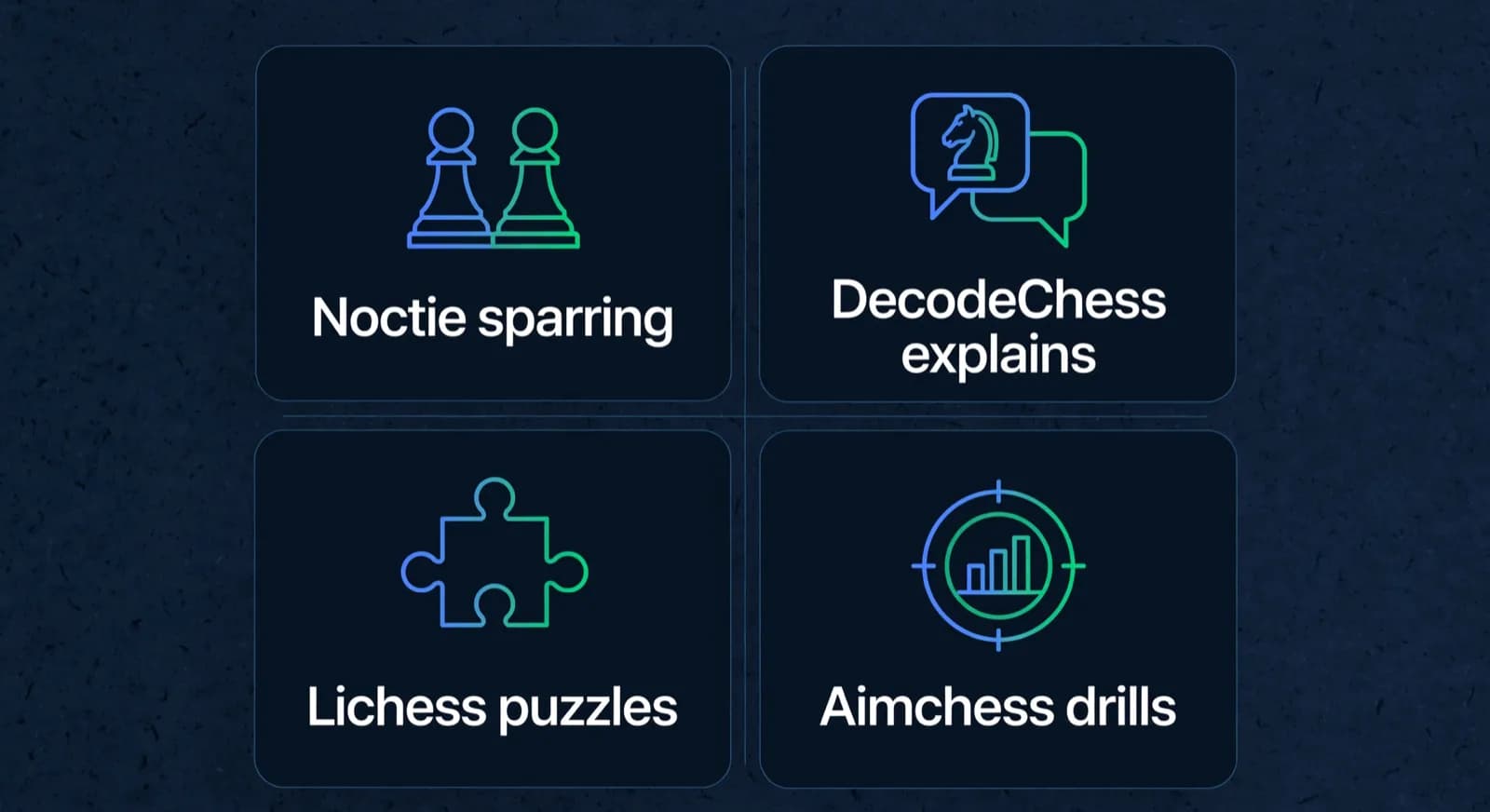
These recommendations are use-case judgements, not measured rating-gain rankings. Lichess is the free starting point; Noctie supplies sparring; DecodeChess supplies explanations; Aimchess connects practice with played games. Assign the tool that matches the current learning problem. Our Noctie review and the broader guide to AI chess training apps cover neighbouring choices without turning the app into an academy curriculum.
6. ChessCore: where does academy-management AI fit?
ChessCore, which we build, belongs only in the academy-management layer: it prepares reports and parent updates for staff to review. Best for: coaches coordinating records and communication, not students seeking a sparring app. Its pricing page lists a free plan and flat capacity tiers by roster size, not per student; Core is USD 89 monthly or USD 828 billed annually for up to 100 students, and automatic Lichess and Chess.com game sync starts on the Pro plan and up. See /pricing for current limits [8].
Start with the source records behind a draft. A report should distinguish recorded attendance, game results and payment information from the explanation written around them. In the demo academy used for product walkthroughs, Mateo R. has an academy rating of 1342, up 118 since June; those values come from the demo records, not an invented model estimate. A reviewer should be able to check the underlying record, correct the wording and withhold the message when the evidence is incomplete. That separation makes a review meaningful rather than a quick click through convincing prose.
The second guardrail is human review of anything the AI writes. In ChessCore, AI-written report narratives and message drafts wait for staff to review them, and high-stakes copilot actions such as sending parent messages through the copilot need a second approver. Three things work differently, and the difference matters when you compare vendors. Class reminders and fee reminders go out on a schedule the academy switches on. The monthly progress report can email families automatically, and it carries no AI-written text. Class summaries can publish automatically if the academy opts in. The NIST AI Risk Management Framework treats human review of consequential automated output as a core control, not an optional extra [4], and an AI-written message that shapes how a family sees their child's progress is consequential by any definition. The third guardrail concerns chess judgement. We suggest that any assessment of a position in a parent report should come from an engine, not from a language model's wording. Stockfish is a free, open-source engine that analyses chess positions [1], so a coach can check what a draft says about a game against an engine evaluation before approving the message.

October progress report · Lucas M.
1 of 14 drafts for Batch B2
Lucas attended 4 of 5 classes this period and played 18 rated games, moving from 1310 to 1342.
His endgame conversion improved clearly. Next month the focus is back-rank defense, based on the mistakes tagged in his last three games.
Highlighted numbers come from your attendance and rating records. The AI cannot change them.
Goes to the Müller family after approval
This is also where the category boundary belongs in plain words: ChessCore is academy management software with an AI copilot whose AI-written drafts a coach reviews. It is not a player-facing AI coach that chats with students, and it is not sold to individual players the way Noctie or Aimchess are; it runs the academy, and inside it students practise on coach-set puzzles, a spaced-repetition queue and games against Maia opponents and classmates. Our guide to AI guardrails in coaching software covers the failure modes and which actions need a second approver, and our pillar on AI for chess coaches maps the full layer-two workflow. If a vendor in this layer cannot show you who reviews AI-written text before it reaches a family, and which messages go out on a schedule without review, keep looking.
How should you combine the named tools into an academy stack?
Combine the layers around the weekly class, with one tool per job and the coach as the connecting thread. The risk with a stack is not cost, it is noise: a student juggling four apps, daily puzzle streaks, and engine lines they do not understand will practice less, not more. The fix is a routine in which each layer has exactly one role and the coach decides what flows between them.



- Before class, the coach reviews each student's recent games with engine analysis and picks one teaching moment per student, not ten.
- In class, the coach teaches from those moments; the engine line is evidence, the human explanation is the lesson.
- After class, the academy AI can draft the recap and homework note from what was actually covered; the coach reviews it before it goes to parents.
- At home, the student does one assigned thing on one app: a Lichess study, a set of puzzles, or practice games on a training app the coach chose for them.
- Monthly, the family gets a progress report. The automatic monthly report is built from records with no AI-written text; an AI-written narrative, if you add one, waits for staff review. The family reads one coherent document instead of four app dashboards.
Lucas M. vs. Hana K.
Rapid · synced from Lichess · Tue 7:42 PM
14...Qe6? drops the knight
Eval swings +2.1 · the move to review first
Missed fork on move 23
Same pattern as last Tuesday · drill it
Endgame conversion was clean
Won vs. 1410 · French Defense
Notice the direction of travel: data flows up from the student's play into the coach's preparation, and instruction flows down from the coach into one targeted home assignment. Set review and homework deadlines around your actual class timetable; the rhythm matters more than the tools. A student with one clear assignment from a coach who has seen their games will out-train a student with five subscriptions and no direction.
Keeping the layers separate also keeps your evaluation honest. An app that gives students brilliant sparring games does nothing for your fee collection or your monthly reports. A management platform that drafts excellent parent updates is not a training app and should not pretend to be one. When we describe ChessCore in this post, we mean layer two only: it is academy management software with an AI copilot, not a player-facing AI coach. Our comparison of an AI chess coach versus a human coach goes deeper on why that boundary matters.
Buy by job, using a procurement sheet. For each tool you are considering, write one row before you pay: the job, the tool you already have, the blocker you observed on a real assignment, the data the new tool would see, who reviews its output, and the purchase decision. A row you cannot fill in from your own assignment is a row you are not ready to buy.
| Job | Tool you have | Blocker observed on your own assignment | Data it would see | Who reviews the output | Decision (illustrative rows) |
|---|---|---|---|---|---|
| Explain why an engine move is best | Lichess analysis board with Stockfish | The student can find the engine line after two assigned positions but cannot say what it threatens | One game or position the coach picks, as PGN or FEN | The coach, in the next lesson | Run the same two positions through the DecodeChess free plan, which lists one decoded game per day [7], before paying |
| Practice from a student's own mistakes | Lichess Learn from your mistakes, listed on its features page [5] | The coach cannot see which mistakes repeat across a month | The student's public online games | The coach, against games the coach has watched | Try the Aimchess Standard plan, which lists one 40-game report a month [3], then decide on Premium |
| Sparring games between classes | Maia bots on Lichess | The student has outgrown the bots or needs feedback on openings | The student's practice games | The coach, by asking the student to explain two decisions | Use the Noctie seven-day trial [6] on one student, then decide per student |
| Weekly or monthly family report | Spreadsheet and a messaging group | Reports take the coach's evenings and counts disagree between sheets | Attendance, ratings and coach notes about minors, with consent recorded | Staff review any AI-written text; scheduled non-AI reports need a checked data source | Ask for a trial on one real batch before buying a platform; see ChessCore plans on the pricing page [8] |
Price each job in its own currency and unit, and do not subtract one from another. A student app is a per-player cost for that player's practice: ten Noctie seats at the annual web price come to EUR 960 a year (10 x EUR 96) and cover sparring and move feedback for those ten students only [6]. An academy platform is a flat capacity tier for the whole roster: ChessCore Core is USD 828 a year, billed annually, for up to 100 students [8]. Those two figures answer different questions, so the sheet never nets them against each other. Check the official limits before assigning an app to a whole batch, and review whether the assignment produced a useful discussion in class before adding another subscription.
Frequently asked questions
Which named AI chess tools should I pick for beginners versus advanced players?
Start beginners with coach-selected Lichess practice and the free Maia bots on Lichess [9], then Noctie sparring when they need adaptive feedback; use DecodeChess when the learning problem is understanding a move. Consider Aimchess for active players with games to analyse and local Stockfish for coach-led advanced preparation [1][3][5][6][7]. These are task-based recommendations, not promised rating outcomes.
How much do AI chess coaches cost?
Lichess and Stockfish are free; DecodeChess and Aimchess publish limited free plans [1][3][5][7]. Noctie lists EUR 14 monthly or EUR 96 annually after its trial [6]. Compare the individual plan details above before assigning a paid tool, and confirm billing currency and tax rather than converting a web price into an assumed India fee. An academy platform is a different job with a different unit: ChessCore prices flat capacity tiers by roster size, not per student [8].
Is there an AI for chess academy app?
Is there an AI for chess academy APK?
Can AI tools replace a human chess coach at an academy?
AI tools should support a human coach, not replace the academy’s teaching judgement. An engine can check a variation and a training app can supply practice, but the coach must decide what a child needs next, review whether the assignment worked, and explain progress to parents. Keep that responsibility explicit when adopting any of these tools.
What is the difference between ChessCore and apps like Noctie or Aimchess?
Different layers of the stack. Noctie and Aimchess are player-facing training tools students use to practice, per their official sites. ChessCore is academy management software for coaches and admins: it imports games from Lichess and Chess.com (automatic sync starts on the Pro plan and up), runs Stockfish analysis a coach requests, and drafts reports and parent updates with AI that staff review before they go out. Inside an academy, students also practise in ChessCore (puzzles on a spaced-repetition queue, games against Maia opponents and classmates), and its AI tutor gives students hints on their own reviewed positions, but it is not sold to individual players, so academies often run it alongside player apps.
Sources
- [1]Stockfish: free cross-platform UCI engine · accessed 2026-10-16
- [2]Lichess puzzle training · accessed 2026-06-10
- [3]Aimchess: personalised training and pricing · accessed 2026-10-16
- [4]NIST AI Risk Management Framework · accessed 2026-06-10
- [5]Lichess: free features and analysis limits · accessed 2026-10-16
- [6]Noctie: pricing, trial and supported devices · accessed 2026-10-16
- [7]DecodeChess: plans and mobile access · accessed 2026-10-16
- [8]ChessCore: free option and capacity plans · accessed 2026-10-16
- [9]Maia Chess (University of Toronto CSSLab) · accessed 2026-10-16
Written by Abhishek Tiwari
ChessCore
Drafted with AI, fact-checked and approved by a human before publishing, the same guardrail our product applies to every report it sends. Read our editorial standards.
See layer two running on your own academy
Bring one batch's spreadsheet to a walkthrough: watch games sync, Stockfish flag the teaching moments, and AI draft reports your coaches approve in minutes.
- Roster import from the spreadsheets you already keep
- Lichess and Chess.com connections, batches, and fee plans
- First reports in week one, after your approval
- Free plan, no credit card required