On this page7 sections, 14 min read
- How do you split students into batches?
- How do you review a timetable change before families see it?
- What is the right batch size?
- How do you build the weekly grid without coach conflicts?
- Where do make-up slots live in the timetable?
- When and how do you reshuffle batches?
- How do online batches change the grid?
- Frequently asked questions
Bottom line
Chess academy batch scheduling starts with grouping students by level and teaching needs, then checking each coach's availability, travel and room or online slot before you publish one version of the week. Treat batch sizes and buffers as planning choices to adjust after watching real lessons.
TL;DR
- Group students by rating in one named pool first, then by age and a placement task, and confirm the lesson suits the strongest and the weakest player in the room.
- Treat batch size as a planning choice: it is the number of students whose game review still fits inside the lesson, so it shrinks as the level rises.
- Build the grid in order: coach availability and travel first, then rooms or online links, then batches.
- Review every change by asking whether it covers one date or all later dates, and which coach, room, notice and published version it touches.
- Keep a missed session, a make-up credit and attendance at the replacement as three separate records, and reshuffle batches at term boundaries with notice to families.
Key facts
- The Elo rating system expresses relative playing strength, which is why a rating range is a sensible first axis for grouping students into batches.[1]
- Lichess says ratings from different servers cannot be compared directly and only compare players within the same rating pool, so each band should name one pool.[6]
- Lichess treats a game as rapid when its estimated duration, the starting seconds plus 40 times the increment in seconds, is 480 to 1,499 seconds, so 10+0 and 15+10 both count as rapid.[7]
- Lichess studies give a coach a free shared analysis board, which makes a dedicated online batch viable without extra software spend.[3]
How do you split students into batches?
Split students by rating range first and age second, then check the result with a short placement task. A rating helps you choose material; age and the task tell you whether students will be comfortable learning together. Start with a spread of roughly 300 points inside one rating pool and adjust after watching the group solve positions. Elo expresses relative playing strength [1], but a number cannot tell you whether a child needs more time to follow an explanation.
Name the rating pool and the time control for every band. Lichess says ratings from different servers cannot be compared directly and only compare players within the same pool [6], and Glicko adds a measure of uncertainty, so a brand-new account deserves extra care [2]. A practical reference is Lichess rapid, which Lichess defines by estimated duration: the starting time in seconds plus 40 times the increment, from 480 to 1,499 seconds, so 10+0 and 15+10 both count [7]. Write the pool beside each band so a parent who quotes a blitz number or an over-the-board number does not place a child by accident. For a child with no rating, use the placement task in the table instead of converting a number.
| Band | Rating in your reference pool (example) | Typical age | Placement task if unrated | Session focus |
|---|---|---|---|---|
| Foundation | Unrated to 1000 | 5 to 9 | Set up the board from memory, play a short game while the coach watches for illegal moves, solve three mate-in-one positions | Rules, board vision, basic checkmates, piece safety |
| Development | 1000 to 1400 | 8 to 12 | Solve five one-move tactics, then play a game and explain one move out loud | Tactics patterns, opening principles, simple endgames |
| Tournament prep | 1400 to 1800 | 10 to 15 | Play a 15+10 game with a scoresheet, then walk the coach through the moment the game turned | Calculation training, a small repertoire, classical endgames |
| Advanced | 1800 and above | 12 and up | Calculate a prepared position aloud for five minutes, then review one recent loss together | Deep game analysis, sparring, tournament cycle planning |
These ranges are examples to adjust, not standards. Move the cut points when your pool of students is stronger or weaker than the table assumes, and keep the placement task for anyone whose rating is missing, old or earned in a different pool.
Two students with the same rating can need different lessons. A 6-year-old rated 1100 and a 12-year-old rated 1100 may both calculate tactics well, yet the younger child may need shorter explanations, more movement and a coach who checks understanding every few minutes. Consider a junior section within a band when reading speed, attention or comfort in a group makes a shared lesson hard, and review the placement with the family after several sessions.
How do you review a timetable change before families see it?
Review each change against six questions before you tell anyone: does it cover one date or every later date, which coach is affected, which room or online link is affected, what notice families get, which version of the timetable is now the official one, and does anyone lose a session. Writing the answers down takes a few minutes and prevents the usual failure, a move that looks fine for one batch and clashes with another.
| Check | What to look at | What to record |
|---|---|---|
| One date or recurring | A holiday swap changes one date; a new weekly time changes every later date. Pick the first date the change applies from. | The date range, written as 'this Wednesday only' or 'from 4 November onward' |
| Coach | The coach's other sessions that day, the gap before and after, and travel when the sites differ | Coach name and the sessions you checked |
| Room or online link | The room's other bookings, or whether the class link and shared board are ready | The room or link, and who holds it |
| Notice | Which families are affected and how they will hear, using the channel agreed with each parent [4] | Who was told, when, and through which channel |
| Published version | Whether the change replaces the shared timetable or only one coach's copy | A version label and date on the shared timetable |
| Side effects | Students who lose a session, make-up windows affected, tournament weekends nearby | Names affected and the plan for each |
A worked example with illustrative names: Tournament-prep batch A meets on Wednesdays from 17:00 to 18:30 in Room 2 with Coach 1, and the room is needed for a school event this Wednesday. You propose Thursday 17:00 to 18:30. The coach check shows Coach 1 already teaches the Foundation batch on Thursdays from 17:30, so the proposal overlaps by an hour. The fix is Thursday 19:00, which Coach 1 can teach. That means notice to the batch's families, a line in the timetable marked 'this Wednesday only', and a note that the regular Wednesday slot returns the following week. One change, reviewed in about five minutes, and no coach is in two places.
When you move the regular time from a chosen date onward, check the later dates too, because a term break, a tournament weekend or a room booking may sit among them. Keep a short change log with the date of the change, what moved, who approved it and who was told. One person approves changes, and a second person reviews the revised week when possible, especially across sites, where two reasonable edits can leave a coach expected in two locations.
A scheduling tool can hold the recurring pattern and the one-off exceptions so nobody re-keys the week; see recurring classes in ChessCore for what that feature covers. Whatever you use, test one real reschedule on your own batch before relying on it, and check the result against the six questions above.
What is the right batch size?
Start a batch at six to ten students, then reduce headcount when the lesson needs more individual feedback. The useful definition of batch size is the number of students whose game review still fits inside the lesson. A 90-minute tournament-prep session that spends 40 minutes on a taught topic leaves 50 minutes. At 10 minutes of review per student that supports five students; at 6 minutes it supports eight. Treat the ranges below as planning starting points and adjust them to the coach, the lesson length and what students need.
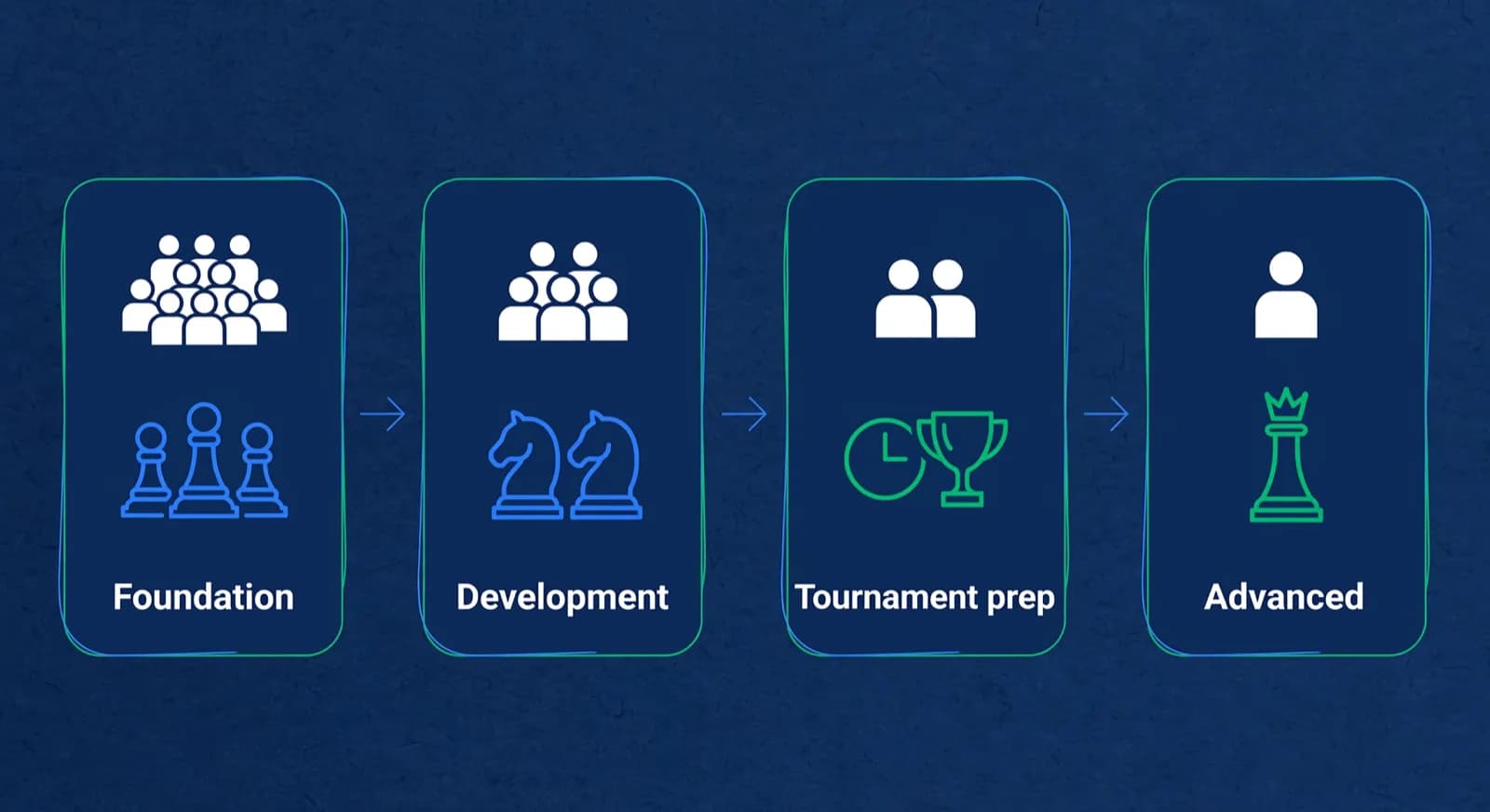
- Foundation: 8 to 12 students. Group drills and minigames carry the session, so a larger group can work.
- Development: 6 to 10 students. Enough for pair work and internal tournaments, small enough for individual feedback.
- Tournament prep: 4 to 6 students. Every student needs game review time inside the session.
- Advanced: 2 to 4 students, or one-to-one. At this level the batch is closer to a training squad than a class.
- Split point: decide in advance the size or waiting-list length at which you open a second section, so growth does not have to wait for the next term.
Set batch capacity before fees so the teaching plan and the budget agree. Compare the income from five tournament-prep students at your proposed fee with ten students at a lower fee, then subtract coach time, room costs and preparation. A smaller batch may still be workable; the answer depends on your own figures. A spare seat is a planning choice as well: one open place in a full batch leaves room for a new student or a replacement class without opening a new section. Our guide to academy fee structure covers how to turn that calculation into a clear fee table.
How do you build the weekly grid without coach conflicts?
Build the grid in this order: coach availability, rooms or online links, then batches. Record each coach's teaching windows and travel between sites before offering times to families. A room or coach can be unavailable even when a proposed slot looks convenient for parents. Keep that availability beside the timetable, so the person approving a change can check it without searching through messages.
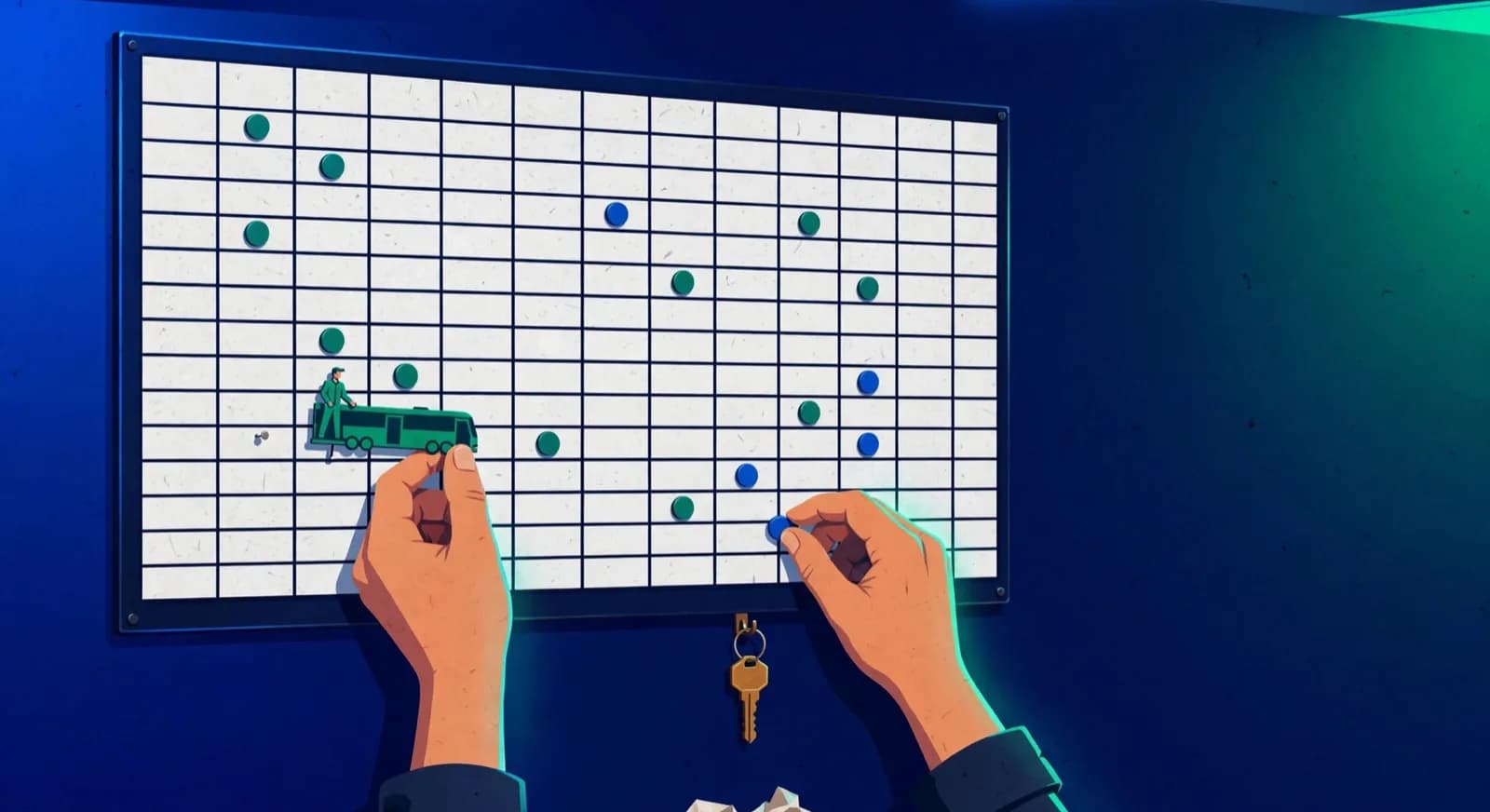
Set a weekly teaching ceiling for each coach before placing batches, based on the hours that coach has agreed and the time lessons need for preparation, game review and parent conversations. There is no universal figure. To review capacity before adding a batch, use the coach-load guide, which treats its hour bands as adjustable. Group sessions into manageable teaching blocks and try a 15-minute gap for handover and room reset. If a coach cannot prepare within the available hours, reduce the load or arrange cover before promising another batch.
| Conflict | How it happens | Prevention |
|---|---|---|
| One coach, two batches | Batch times edited separately after the grid is set | Keep one published grid; check a change against the coach's other sessions first |
| Room clash | Two batches grow and both need the big room | Assign rooms by band as a default, and check the room's other bookings before approving a change |
| Branch travel gap | Back-to-back slots at different locations | Record the real travel time for that route and hour, and mark it as unavailable in the coach's row |
| Festival weeks | Holiday seasons, exams or local festivals empty half the batches | Mark festival weeks in the grid at term start and pre-plan combined sessions |
| Tournament weekends | Coach is at the venue, weekend batches are orphaned | Add the tournament calendar to the grid and assign cover in advance |

Week of 12 October · all batches
0 conflictsMake-up credit · Mia G. · Sat 4:30 PM
Absent Thursday with notice · booked by Noor
Class reminders sent to 148 families
Timing changes update everyone at once
Use the conflict table whenever a batch opens, a coach's availability changes or a room is reserved for a camp. Check the affected coach's other sessions, the room, travel time and any tournament duties before publishing the change. If you plan on paper first, you can copy or print the weekly timetable from a free maker and run these checks on the printout. Assign one person to confirm the revised grid and another to review it when possible.
Where do make-up slots live in the timetable?
Consider reserving one or two make-up windows inside the weekly grid. Choose times families can attend, such as a Saturday morning or a weekday evening, and check coach cover before announcing them. Keep the windows visible even when no student has booked. Parents should know how to request a place, which level the session serves and when you will confirm it.

Three records are easy to blur, so keep them apart. A missed session is a class the student did not attend, recorded in the register. A credit is an entitlement to a replacement class, and it exists only if your written policy says that kind of absence earns one. Attendance at the replacement is recorded when the student actually turns up.
| Record | What it is | Who sets it | Example |
|---|---|---|---|
| Missed session | The class the student did not attend | Coach marks the register | Wednesday 5 November, absent with notice |
| Credit | An entitlement to one replacement class, if the policy says this absence earns one | Academy policy | One credit, expiring on the date your policy sets |
| Attendance at the replacement | The student attending the make-up class | Coach marks the register at the replacement | Saturday 15 November, present |
A missed class does not earn a credit by itself, a credit is not a booked seat, and a booked seat is not attendance until the coach marks it. Our guide to make-up classes covers eligibility, notice and expiry. For the timetable, the point is capacity: check coach hours and room availability before accepting a request, as you would for a regular batch. If neither window fits, explain the policy rather than promising an extra session the coach cannot prepare for.
When and how do you reshuffle batches?
Review batch placements at term boundaries on a calendar shared with parents. Keep room for an earlier change if a student is struggling or the group is clearly unsuitable. When a child outgrows the material mid-term, the coach can offer harder tasks while discussing the next placement with the family. A planned move gives you time to check capacity, fees, and the receiving coach's lesson plan.

- Two weeks before term end, pull every student's current rating and rating trend alongside their attendance.
- Mark promotion candidates: students sitting above their band's ceiling for several consecutive weeks (choose the number that suits your academy).
- Check age fit and batch capacity in the receiving band before confirming any move.
- Message each affected family individually before the new grid is published, with the reason for the move.
- Publish the new term grid at least one week before classes resume, and freeze it.
Tell each affected family about a proposed move before publishing the new grid. Explain the evidence, the new lesson focus, and any change to time or fees. WhatsApp Business is one messaging option [4]; use the contact channel agreed with the parent. For a move to an easier group, have a conversation first so the family can ask questions and understand how the placement will support the child.
Lucas M.
Batch B2 · Thursdays · joined Aug 2025
1342
Academy rating · Lichess games synced
Won vs. 1410 · French Defense
Best gameMissed fork on move 23
Homework setHow do online batches change the grid?
For online batches, review session length, equipment, and the coach's location separately from the in-person grid. Try 60 to 75 minutes online and adjust after observing the students; longer lessons may need a break. An online slot does not require a teaching room, but the coach still needs a quiet place, a reliable connection, and time to prepare. Remove travel only when the coach can actually teach from that location.
A Lichess study can provide a shared analysis board [3], and Lichess is a free, open-source chess platform [5]. Before choosing the classroom tools, check that students can join, follow the board, and ask questions. For hybrid lessons, test how the coach divides attention between the room and remote participants. Separate online batches may make that easier to manage, but check family availability before reserving an evening slot. Our guide to starting an online chess academy covers the wider teaching and operating model.
One scheduling advantage: an online slot can serve as a make-up window under your policy. A student who missed a physical Tuesday class can join an online replacement session without anyone unlocking a room, which is often the cheapest way to add a second window when the first fills up.
Frequently asked questions
How many students should be in a chess batch?
Start at six to ten students, then adjust to the lesson. The planning ranges in this guide are 8 to 12 for foundation groups and 4 to 6 for tournament preparation. Count the minutes of game review each student needs and check that they fit inside the lesson before adding another place.
How do you make a chess class timetable from scratch?
Work in a fixed order: write down each coach's real weekly availability and travel first, assign rooms or online links second, and place batches last. Leave a 15-minute buffer between sessions, consider reserving one or two make-up windows, and mark festival weeks and tournament weekends at term start so they never surprise the grid. Publish one version and label it.
Can one coach teach two batches at the same time?
Assign a coach to one live teaching batch at a time. Before approving a time change, check the coach's full weekly timetable, including travel between sites and preparation gaps. Keep one published grid so families and staff have the same version.
How often should chess batches be reshuffled?
Once per term, at the boundary, on a calendar parents already know. Review every student's rating trend and attendance about two weeks before term end, mark students who have sat above their band's ceiling for several weeks, message affected families individually, then publish the new grid at least a week before classes resume.
Should online and in-person students share one batch?
Keep separate batches when the coach cannot give remote and in-person students comparable attention. If you offer a hybrid class, test the camera, sound, shared board and question-taking routine with both groups. Set the online lesson length from how students participate rather than copying the in-person timetable.
How do you change one class without changing the whole recurring schedule?
Record the change as a single-date exception, state the date it applies to, and check that the next regular class stays where it was. For a permanent change, name the first date the new time applies from and check every later date for holidays, tournament weekends and room bookings. Either way, note which families were told and which timetable version replaced the old one.
Sources
- [1]Elo rating system (Wikipedia) · accessed 2026-06-10
- [2]The Glicko rating system · accessed 2026-06-10
- [3]Lichess studies: shared analysis boards · accessed 2026-06-10
- [4]WhatsApp Business · accessed 2026-06-10
- [5]Lichess (Wikipedia) · accessed 2026-06-10
- [6]Chess rating systems, Lichess · accessed 2026-10-16
- [7]Frequently asked questions, Lichess · accessed 2026-10-16
Written by Abhishek Tiwari
ChessCore
Drafted with AI, fact-checked and approved by a human before publishing, the same guardrail our product applies to every report it sends. Read our editorial standards.
Keep the week and the register in one place
ChessCore keeps batches, recurring classes and attendance in one place, so you can read the week and the register together. Set up your academy in an afternoon.
- Roster import from the spreadsheets you already keep
- Lichess and Chess.com connections, batches, and fee plans
- First reports in week one, after your approval
- Free plan, no credit card required