On this page9 sections, 16 min read
- Scid vs. PC: which free ChessBase alternative suits offline research?
- ChessX: is it a free ChessBase alternative for Mac and PGN files?
- En Croissant: who needs a cross-platform personal database?
- HIARCS Chess Explorer Pro: which paid alternative suits professional Mac preparation?
- Stockfish: what does a free engine replace?
- Lichess open database: how do raw game files compare with curated master games?
- Lichess studies: can shared web boards replace a desktop database?
- Can I move my PGN or ChessBase-format games to another tool?
- When is buying ChessBase still worthwhile for a coach?
- Frequently asked questions
Bottom line
Scid vs. PC, ChessX and En Croissant are free desktop ChessBase alternatives; HIARCS Chess Explorer Pro is a paid Mac option [4][5][3][6]. Use Stockfish for engine analysis, Lichess exports for game files and Lichess studies for shared lessons, rather than treating those components as interchangeable database programs [1][2][10].
TL;DR
- Start with Scid vs. PC for offline database work, ChessX for PGN collections or En Croissant for a cross-platform personal toolkit [4][5][3].
- The useful way to shop for alternatives is by job, not by brand: game database, engine analysis, and opening study are each replaceable separately.
- The free stack for a club coach is Lichess studies for prep and teaching, the CC0 Lichess open database for games, and local Stockfish for analysis.
- A free database program can combine search and engine analysis, but that does not make a downloaded game collection equivalent to curated master annotations.
- For academy operations like students, fees, and parent reports, neither ChessBase nor the free tools are the category; that is academy management software.
Key facts
- As of 2 October 2026, the Mega Database 2026 product page advertises over 11.7 million games from 1475 to 2025 and more than 114,000 annotated games [9].[9]
- The Lichess open database releases its game exports under a Creative Commons CC0 license, in PGN format, free for research, commercial purposes, and publication.[1]
- ChessX is free database software for Windows, macOS and Linux, with PGN collections and position or text search [5].[5]
- Stockfish is a free, open-source, cross-platform chess engine released under GPLv3, available on Windows, macOS, Linux, Android, and iOS.[2]
- HIARCS Chess Explorer Pro for Mac supports Apple Silicon and reads PGN plus ChessBase CBH and CBV files [6].[6]
Scid vs. PC: which free ChessBase alternative suits offline research?
Scid vs. PC is our free desktop pick for a large offline game collection, with database search and engine-analysis tools [4]. ChessX and En Croissant are other free desktop choices, while HIARCS Chess Explorer Pro serves paid Mac preparation [5][3][6]. Start with the database task you actually need.
Best for: a coach or player who wants local search and is willing to configure a desktop toolkit. The official project provides Windows downloads, Linux installation instructions and Mac builds under ScidvsMac. It is a fork of Scid, not another name for the original project; the Mac build has documented compatibility and performance caveats [4]. For a direct comparison of the two, see how to compare ChessBase with SCID.
Test the database you intend to use rather than judging from a screenshot. Search for a known player, then a position from your repertoire, and check that the result is useful enough to prepare a lesson or an opponent file. A tool that feels unfamiliar can still be the right choice if those tasks are clear after setup. Conversely, there is no benefit in adopting a complex database just to keep a small collection of teaching positions.
| Desktop option | Platform | Free or paid | Best for | Migration starting point |
|---|---|---|---|---|
| ChessBase '26, the baseline [12][13] | Windows 10 or higher; native Mac release announced for November 2026 [7] | Paid: €199.90 Single Program to €499.90 Premium Package | Curated databases and professional prep | The Single Program includes a year of Premium but no game database; Mega Database starts with the €349.90 Mega Package |
| ChessBase Reader, free viewer [14] | Not stated on the download page; check before installing | Free | Opening and playing through existing games, watching training videos | Opens .cbh, .cbf and .pgn files; the page describes viewing, not editing |
| Scid vs. PC [4] | Windows, Linux; Mac build with caveats | Free | Offline databases and engine work | Test PGN import; do not assume native ChessBase support |
| ChessX [5] | Windows, macOS, Linux | Free | PGN collection and search | PGN database operations |
| En Croissant [3][11] | Windows, macOS, Linux | Free, open source | Personal online-game collection | Verify file-import workflow for your archive |
| HIARCS Chess Explorer Pro [6] | macOS, including Apple Silicon | Paid; see vendor pricing | Mac preparation and format compatibility | Reads PGN, CBH and CBV |
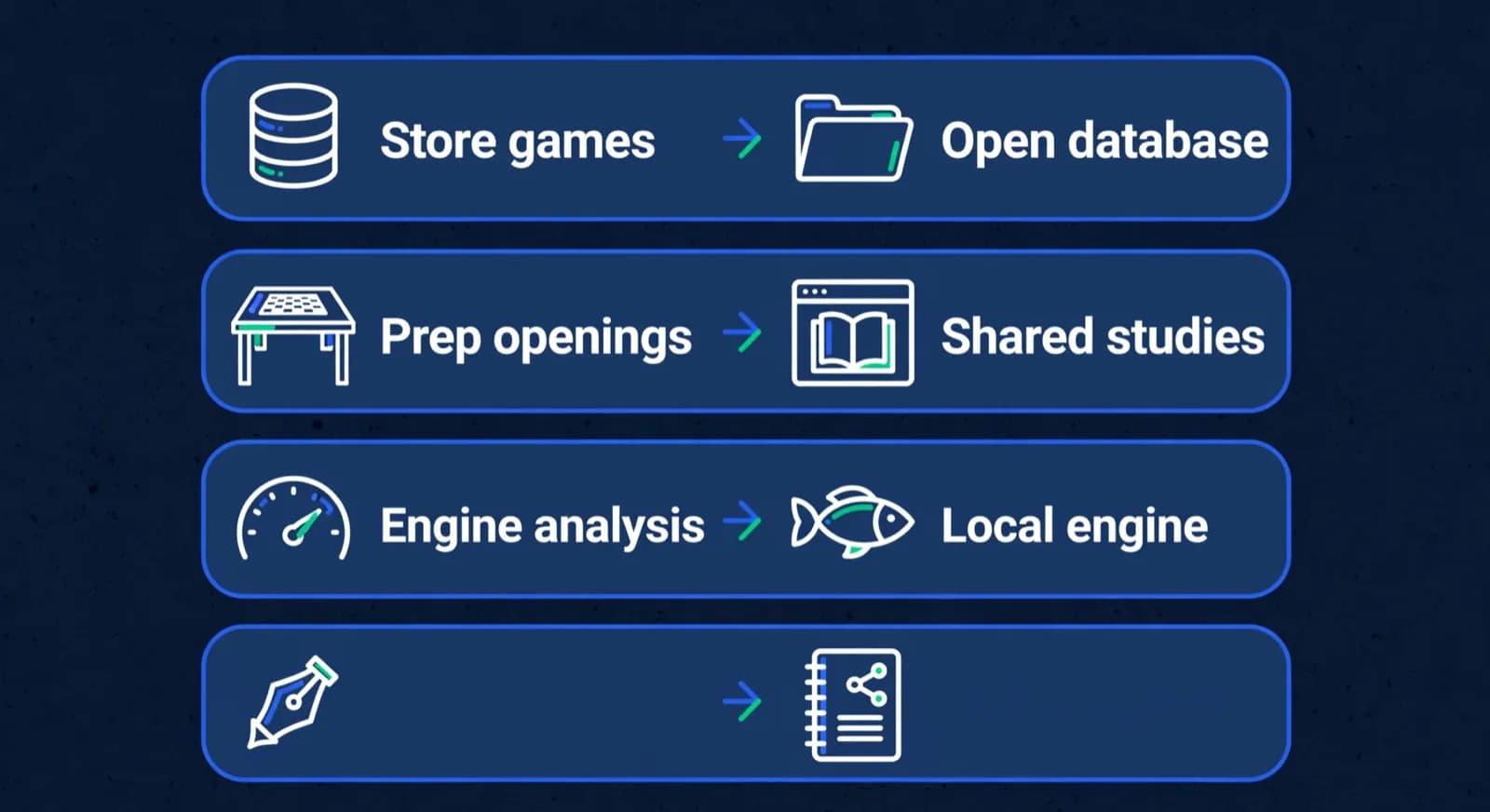
The free ChessBase Reader row is a viewer for files you already have, not a database to build or maintain, so it suits a student or assistant who only needs to open your .cbh or PGN files [14]. The table separates database programs from the components later in this guide. An engine does not supply a searchable collection, and a game download does not supply the interface that searches it. Decide which part of your current ChessBase workflow you want to keep before choosing a replacement. That prevents a free download from turning into a long, unnecessary rebuilding exercise.
ChessX: is it a free ChessBase alternative for Mac and PGN files?
ChessX is a free ChessBase alternative for Mac, Windows and Linux when you want to collect, edit and search PGN games. Its official page documents database merging, duplicate cleanup, position or text search and analysis with engines such as Stockfish [5]. Best for: a portable PGN library.
For a coach, judge it by the collection you maintain: annotated student games, model games for a recurring theme, or a repertoire you revisit. Keep source files separate from edited teaching copies so a cleanup operation cannot accidentally remove notes you still need. Use descriptive names for the working files and make a backup before merging archives. Those habits matter regardless of which database application you choose.
The important limit is the evidence for compatibility. The official page describes PGN operations; that is not a promise that every native ChessBase file, linked resource or proprietary annotation will survive a move. Begin with an exported sample that includes comments and side variations, then compare what appears after import. If you must preserve an archive in its original format, investigate that requirement before switching your daily preparation tool.

En Croissant: who needs a cross-platform personal database?
En Croissant is a free, open-source desktop toolkit for a personal game collection. It advertises game-analysis reports, imports from Lichess and Chess.com, and a built-in engine and database download manager [3]. Its download page offers Windows, macOS and Linux versions [11].
Best for: a player or coach whose source material begins with online games and who wants to organise that work locally. Test the import using the accounts and game types you actually care about. A personal collection can be enough for reviewing a student’s recurring mistakes even when it is not the reference collection you would choose for professional opponent preparation.
The limitation to test is your complete preparation task, not whether the software can draw an evaluation graph. Check how you locate a game, add teaching notes, reopen the file and pass the result to someone else. Do not assume a modern interface guarantees compatibility with an existing ChessBase archive. The migration section below treats archive preservation as a separate decision from which interface you prefer to analyse in.
HIARCS Chess Explorer Pro: which paid alternative suits professional Mac preparation?
HIARCS Chess Explorer Pro is the paid Mac option to evaluate when you need database search, preparation and engine analysis together. Its official page confirms Intel and Apple Silicon support and reading of PGN, CBH and CBV databases [6]. Best for: Mac users with existing ChessBase-format material.
The vendor offers paid Single-Core, Multi-Core and Premium editions; follow its current pricing page rather than assuming an India price or converting a regional quote [6]. Compare the edition’s engine and database inclusions against your work. Native file reading is a useful reason to shortlist it, but test representative annotations before relying on a complete migration.
ChessBase itself announced native Mac software on 27 September 2026, with release planned for November 2026 [7]. As of 16 October 2026, that is a forthcoming option, not a released download, and the shop still lists Windows 10 or higher. If you need to work now, evaluate available tools; if your existing workflow remains usable, revisit the announced release before changing hardware solely for ChessBase.
For a professional preparation task, use an actual upcoming opponent or opening line as the evaluation case. Check how quickly you can retrieve relevant games, inspect alternatives and save your conclusions. A paid option earns its place when this complete sequence is more useful to you than maintaining a free toolkit. The presence of a commercial licence alone is not evidence that the resulting preparation will be better.
Stockfish: what does a free engine replace?
Stockfish replaces the engine-analysis component, not the game database. It is free and open source, runs on Windows, macOS and Linux among other platforms, and connects to chess interfaces through UCI [2]. Best for: evaluating positions inside the database or board interface you choose.
This distinction matters when comparing costs. A database purchase may include preparation tools or curated games, so comparing its price only with the cost of a free engine misses what the buyer is purchasing. Equally, a coach who only needs to check a tactical sequence should not buy a database bundle because the word analysis appears on the box. Identify the missing component first.
For coaching, analyse the critical position and then decide what the student can learn from it. A long principal variation can settle a tactical question without becoming useful teaching material. Ask the student for candidate moves before showing the engine line, and save an explanation alongside the position. Our guide to engine analysis for chess coaching covers that transition from engine output to a lesson.
Cloud engines are another component, not desktop database replacements. The Chessify review covers that category, and the choice between database preparation or cloud analysis has its own guide. Our Chessable alternatives guide covers structured course study. Check those vendors’ current plans if either job becomes a bottleneck. Keep computing power, a searchable archive and a course subscription as separate purchasing decisions so you can stop at the smallest stack that serves your work.
Lichess open database: how do raw game files compare with curated master games?
The Lichess open database is a free game corpus: downloadable PGN exports released under CC0 [1]. It is not a Windows, Mac or Linux database program; you need a compatible tool to import and search the files. Best for: building a collection when you can manage the source data yourself.
Curated material is a different purchase. As of 2 October 2026, the Mega Database 2026 product page advertises more than 11.7 million games from 1475 to 2025 and more than 114,000 annotated games [9]. Those figures describe that edition, not the current size of every ChessBase service. The reason to pay is relevant selection and commentary, not merely a larger number.
Whether those gaps matter depends on how much your time is worth at the margin. A titled coach preparing against specific opponents every week feels the curation gap immediately. A club coach teaching the same rook endgame to four batches mostly does not. Our guide to engine analysis for chess coaching goes deeper on what coaches actually need from analysis, and the short version, in our view, is: for coaching, the engine and a way to share annotated positions cover most of the job, and both have free options [2][10].
Choose a corpus by the question you are trying to answer. Online games may be useful for showing mistakes that occur in practical play, while annotated master material can support a lesson about the reasoning behind a plan. Do not assume that downloading a larger collection improves the lesson. You still need to select instructive games, inspect their annotations and confirm the positions support the point you intend to teach.
Plan storage and import work before downloading a large archive. Start with a manageable sample, check that your chosen program can search it usefully, and keep the original download separate from the working database. If a search returns too much irrelevant material, refine the source or the filter before adding more files. The cost of a free corpus includes the time you spend turning it into something you can actually use.
Lichess studies: can shared web boards replace a desktop database?
Lichess studies are a free web option for shared lesson material and opening notes, accessible through a browser on Windows, macOS or Linux [10]. Best for: coaches sharing positions with students. They can replace the teaching-notebook job, but should not be confused with an offline database application.
Where studies stop being the answer is research scale. A study is a notebook, not a database: when the job is searching millions of games by position or player, you are back to either the raw Lichess database exports [1] or ChessBase’s curated collection [9]. Our comparison of Lichess vs Chess.com for academies covers the broader platform choice, and the practical pattern we recommend is unglamorous: studies for everything student-facing, and a database tool only if your own prep genuinely requires one.
Keep teaching and reference material separate. A student-facing study should make the question clear before showing the answer; a reference archive can hold far more detail than the student needs that week. If the same position belongs in several lessons, keep track of which version students received so later edits do not quietly change the assignment. The value of a shared board is the conversation around the position, not simply its availability online.

Lucas M. vs. Hana K.
Rapid · synced from Lichess · Tue 7:42 PM
14...Qe6? drops the knight
Eval swings +2.1 · the move to review first
Missed fork on move 23
Same pattern as last Tuesday · drill it
Endgame conversion was clean
Won vs. 1410 · French Defense
Can I move my PGN or ChessBase-format games to another tool?
PGN is the practical starting point for testing a move between tools: ChessX documents PGN database operations, while HIARCS Chess Explorer Pro additionally reads CBH and CBV [5][6]. Compatibility is specific to the format and program. Do not assume every free alternative opens native ChessBase archives.
- Back up the original database and keep that copy unchanged.
- Choose representative games with comments, side variations, evaluation marks and any diagrams you rely on.
- Export a PGN copy where the source program supports it, or test a documented native-format reader.
- Compare players, dates, results, move order, variations and comments in the destination.
- Test saving and reopening the imported material before moving the main archive.
- Keep the original software available until the teaching or preparation tasks you rely on work in the replacement.
If ordinary moves transfer but a special annotation does not, separate an acceptable display difference from lost information. A different board theme is cosmetic; a missing variation or unreadable comment changes the preparation. Record the missing element and decide whether to retain the original format for archival use, repair a teaching copy or reject that migration route. Do not delete the source because the destination opened without an error.
A large archive creates a second question: does it remain useful after import? Try the player, opening and position searches you use in real work, then inspect a result against the original. Import success is not the same as search quality. When the task involves paid game material, check the licence before sharing exported files with students or other coaches; technical export capability does not by itself grant redistribution rights.
When is buying ChessBase still worthwhile for a coach?
Buying ChessBase is worth considering when curated game research and the preparation workflow save you work you can identify. A tournament coach preparing against specific opponents has different needs from a club coach teaching a recurring endgame theme. Make the decision using your actual preparation tasks, not a blanket claim that serious coaching requires a particular licence. The price you are weighing, as listed on the ChessBase shop on 16 October 2026, runs from €199.90 for the ChessBase '26 Single Program, which includes a year of Premium membership but no game database, through €249.90 for Starter and €349.90 for Mega to €499.90 for the Premium Package, all for Windows 10 or higher [12][13].
For a club coach, begin with a named database only if you need searchable local games: Scid vs. PC, ChessX or En Croissant [4][5][3]. Use Lichess studies for material students open on the web and Stockfish for engine work [2][10]. Add curated games when you need their annotations and coverage, not just because the free tools arrived as separate downloads.
The trade-offs are curation, setup and support rather than a simple paid-versus-free ranking. Free desktop programs can combine search and analysis; they do not automatically arrive with the particular commercial game collection you want. A paid collection does not automatically supply the local workflow you prefer. Test the program and the source material separately, then judge how well they work together for your weekly preparation.
If you run an academy, a chunk of your software problem is not chess software at all, and it needs to be evaluated separately from game research. Students, batches, attendance, fees, and parent reports are operations jobs. ChessBase sells curated game material for preparation [9]; Lichess provides shared studies and analysis tools [10]. Buying or not buying ChessBase changes nothing about who chases this month's fees or how parents hear about progress. That category is academy management software, and our guide to chess academy management software covers how to evaluate it.
ChessCore, which we build, sits in that operations category: it is not a ChessBase replacement for deep database research, and it does not try to be. What it does is run the academy around the chess: rosters, scheduling, fee collection, and AI-drafted parent reports that a coach approves before the report sends, with game analysis powered by Stockfish and games synced from Lichess. We suggest a stack of two or three tools doing different jobs: the free Lichess stack (or ChessBase, if your prep earns it) for chess work, and an operations layer for everything with a parent or a payment attached. See our integrations page for how the pieces connect.
Week of 12 October · all batches
0 conflictsMake-up credit · Mia G. · Sat 4:30 PM
Absent Thursday with notice · booked by Noor
Class reminders sent to 148 families
Timing changes update everyone at once
Frequently asked questions
What is the best free ChessBase alternative?
Which ChessBase alternative for Mac should I choose?
Is ChessBase free in any form?
ChessBase Mobile has a free Android/iOS tier, distinct from an unrestricted desktop licence. Its official page limits free database-search results to 50 games and cloud storage to 10 databases totalling 10 MB [8]. The ChessBase download page also lists a free ChessBase Reader, shown as the 2017 edition, that opens .cbh, .cbf and .pgn files, plays through games and shows training videos; it describes viewing rather than editing and states no system requirements [14]. Evaluate those limits against your task rather than treating a free download as the commercial desktop program.
Can I move ChessBase-format games to a free alternative?
Is Lichess studies as good as ChessBase for coaching?
For teaching and student-facing prep, Lichess studies are a genuine alternative: free, chapter-based shared analysis boards that students open with a link, covering openings, endgames, and tactics. For large-scale database research, searching millions of curated games by position or player, ChessBase remains the stronger tool, and studies are a notebook rather than a database. Most club coaches need the notebook far more often than the database.
Is ChessCore a ChessBase alternative for a coach?
ChessCore is academy management software, not a substitute for database research. A coach may use it alongside preparation tools for rosters, scheduling, fees and human-approved parent reports. Choose the chess database for preparation and evaluate the academy-management layer separately; buying either one does not make the other category unnecessary.
Sources
- [1]Lichess open database: CC0 game exports · accessed 2026-10-02
- [2]Stockfish: free UCI chess engine · accessed 2026-10-02
- [3]En Croissant: analysis and personal database features · accessed 2026-10-02
- [4]Scid vs. PC: database features, platforms and known issues · accessed 2026-10-16
- [5]ChessX: free PGN databases on Windows, Mac and Linux · accessed 2026-10-02
- [6]HIARCS Chess Explorer Pro for Mac: features and formats · accessed 2026-10-02
- [7]ChessBase: native Mac release announced for November 2026 · accessed 2026-10-16
- [8]ChessBase Mobile: free tier and limits · accessed 2026-10-02
- [9]Mega Database 2026: curated games and annotations · accessed 2026-10-02
- [10]Lichess: free studies, analysis and PGN exchange · accessed 2026-10-02
- [11]En Croissant: Windows, macOS and Linux downloads · accessed 2026-10-02
- [12]ChessBase shop: ChessBase 26 Single Program · accessed 2026-10-16
- [13]ChessBase shop: ChessBase programs and packages · accessed 2026-10-16
- [14]Download | ChessBase · accessed 2026-10-16
Written by Abhishek Tiwari
ChessCore
Drafted with AI, fact-checked and approved by a human before publishing, the same guardrail our product applies to every report it sends. Read our editorial standards.
The operations layer beside your prep stack
Keep ChessBase or the free Lichess stack for chess work, and see how ChessCore runs the rest: batches, fees, Stockfish game reviews, and parent reports a coach approves before they send.
- Roster import from the spreadsheets you already keep
- Lichess and Chess.com connections, batches, and fee plans
- First reports in week one, after your approval
- Free plan, no credit card required