On this page11 sections, 24 min read
- What does an online chess academy actually need?
- What do you need for the first online lesson?
- How do you find the first paying students?
- How do online classes differ from in-person ones?
- What batch size and format work online?
- What does a minute-by-minute online session look like?
- How do you teach mixed levels in one online session?
- How do you run an online academy week to week once it launches?
- What payment and parent setup do you need before launch?
- What is genuinely harder online, and what do you do about it?
- What child safety and privacy basics apply?
- Frequently asked questions
Bottom line
To start an online chess academy, confirm that a lesson works on a family's own device, choose a first class format and fee, and check that a payment provider will accept your business and your families' payment methods. Find the first students through people you know and one trial lesson, and check the child-privacy rules where you and your families live.
TL;DR
- The minimum stack for online chess coaching is a video call (Zoom or Meet) plus a shared online board, and the test of readiness is a parent joining a trial call on the device the child will use.
- Online classes work best shorter and more interactive than physical ones, with smaller batches, a demo board the coach drives, and homework between sessions.
- Payment availability depends on the country of the business receiving the money, the provider account, the enabled method and the currencies, not on where the family lives.
- Parents who never visit a venue judge the academy on communication, so a weekly update and a monthly report matter more online, not less.
- Very young beginners, board vision and community feeling are harder online; each has a mitigation, and saying so up front keeps families from feeling oversold.
Key facts
- Lichess studies are a free, built-in tool for creating shared, annotated chess lessons that students can open in a browser with no installation.[1]
- UPI AutoPay, operated by NPCI, lets Indian customers authorise recurring payments such as monthly class fees from their UPI apps.[2]
- Stripe's global availability page lists the countries where a business can be supported and tags India as Preview; once a business is supported in its own country, Stripe says it can sell to customers anywhere. Page read 16 October 2026.[9]
- Stripe's currency documentation, shown for India, says domestic charges can only be in INR, and warns that a customer's bank may charge a foreign exchange fee when the charge currency differs from the payment method currency. Page read 16 October 2026.[10]
- Razorpay says an Indian business activates international payments in its dashboard after onboarding and KYC, and that an individual such as a freelancer must integrate PayPal for international payments. Page read 16 October 2026.[11]
- A shared interactive board lets every student move pieces on their own board while a screen-share leaves them passive watchers, which is the difference that holds attention in an online class.
- ChessKid's Live Classroom how-to says invited Kids must be under your guardianship or in your Enterprise group, join from a browser rather than the app, and share a room of up to 50 participants, with microphones and cameras off at the start.[13]
- A list of synced games shows play on the linked account only, so it cannot show over-the-board, paper or other-account practice.
What does an online chess academy actually need?
Starting an online chess academy means assembling a lesson setup that works on a family's own device, choosing a first class format and a fee, then finding the first paying students. This is a starting playbook, not a growth playbook. We suggest working in this order: a video link that works, a first class format, a fee, a payment check, a homework tool, then the first students. A later section covers the child-privacy questions that apply when you teach children.
- Video call: Zoom or Google Meet. Either works; pick the one your families already have installed and stop deliberating.
- Online board: Lichess is free and built for exactly this. Studies let you prepare annotated chapters in advance, and classes let you watch every student's board live during exercises [1].
- Payments: depends on where your business is registered and what your provider supports. Covered in the readiness check below.
- Parent communication: WhatsApp for the channel most families already use, plus a regular written progress report so the relationship is not only chat messages [3].
Notice what is not on the list: a custom app, a website with a booking engine, recording hardware, or a paid curriculum platform. Those can come later, funded by fee revenue. The first version of an online academy is a coach, a call link, and a Lichess study. If you are weighing online against a physical room, our guide to starting a chess academy in India covers the physical setup in that country and the general guide to starting a chess academy covers the rest. For the India-specific business setup, registrations and costs, use the India guide. The habits that keep any academy running after launch are in our guide to running a chess academy.
What do you need for the first online lesson?
For the first lesson you need a webcam, a headset, front lighting, a stable internet connection, and a video app plus a shared chess board. Zoom's own system requirements set the floor: a built-in or USB webcam, a built-in, USB or Bluetooth microphone and speakers, and about 1.2 Mbps up and down for 720p video in a one-to-one call, rising to 3.8 Mbps up for 1080p [8]. Hardware is only half of readiness. The real test is whether a family can join, hear, see and move a piece on their own device.
| Readiness check | Done when |
|---|---|
| Join on the family device | A parent has joined a test call on the phone or laptop the child will use, and the child can see the board without help from you |
| Account permissions | The child can open the shared board from their own account or a guest link, and the family knows which account belongs to whom; you never need the family's password |
| Sound | You can hear the child and the child can hear you without echo, with a headset on your side |
| Shared-board participation | The child has moved a piece on the shared board and you have seen it happen |
| Contact channel | You and a parent have exchanged a message on the channel you will use if the link fails mid-lesson |
- Webcam: 720p is enough for a face and a board. 1080p needs roughly three times the upload Zoom lists for 720p [8], so use it only if your connection has the headroom.
- Microphone: a wired USB headset removes the echo a laptop microphone picks up from the speakers, which matters more to a parent watching than picture quality does.
- Lighting: natural, even light on your face, or a desk lamp with a diffuser in front of you, never behind you.
- Internet: wired Ethernet where you can, with tested upload well above Zoom's 720p figure [8]. A group class with screen sharing uses more than a one-to-one call, so run a speed test at your class hour, not at noon.
- Software: Zoom or Google Meet plus a shared board on Lichess, Chess.com, or ChessKid [5].
Wise's 16 July 2025 guide to teaching chess online names the same pairing: a video call (Zoom or Google Meet) plus a board on Lichess, Chess.com, or ChessKid [5]. ChessPlay's first-lesson guide, retrieved 2 October 2026, lands on the same 720p floor [4]. You do not need academy software on day one. You need a picture sharp enough for a parent to watch, audio that does not echo, and a board both of you can move pieces on.
How do you find the first paying students?
Find the first paying students through people you already know, then chess forums, tutoring platforms, and one free trial lesson. As of 2 October 2026, 3veta's guide to starting an online chess teaching business lists friends and friends of friends, social media, Chess.com and Lichess forums, the Facebook group Chess Teachers and Learners, and local schools as places to look, and it suggests offering the first lesson for free so a prospective student can see your teaching before paying [6].
- Start with people who already know you can teach, then ask them for one introduction [6].
- Post in Chess.com and Lichess coach or teaching forums, and in Chess Teachers and Learners on Facebook [6].
- List on tutoring platforms. Wise's 16 July 2025 guide names SuperProf, Preply, UrbanPro, and MyPrivateTutor [5].
- Offer one free trial lesson so a parent can see the board and the teaching style before they pay [6].
- Approach local schools and ask whether they run a chess club [6].
Neither guide gives a trial-to-paid conversion rate, so do not plan around one. 3veta suggests offering the first lesson for free [6], and Wise suggests free lessons on YouTube or a blog to show credibility [5]; neither offers a percentage you can quote as a rule. Once the trial is done, state one monthly fee per batch level on that first call, and collect it through the route you confirmed in the payment readiness check below.
How do online classes differ from in-person ones?
Online classes trade venue costs for attention costs. The money you save on rent comes back as work: holding a nine year old's focus through a screen is genuinely harder than holding it across a table, and the format has to change to compensate. Coaches who teach online exactly the way they taught in a room lose students by month three and blame the medium.
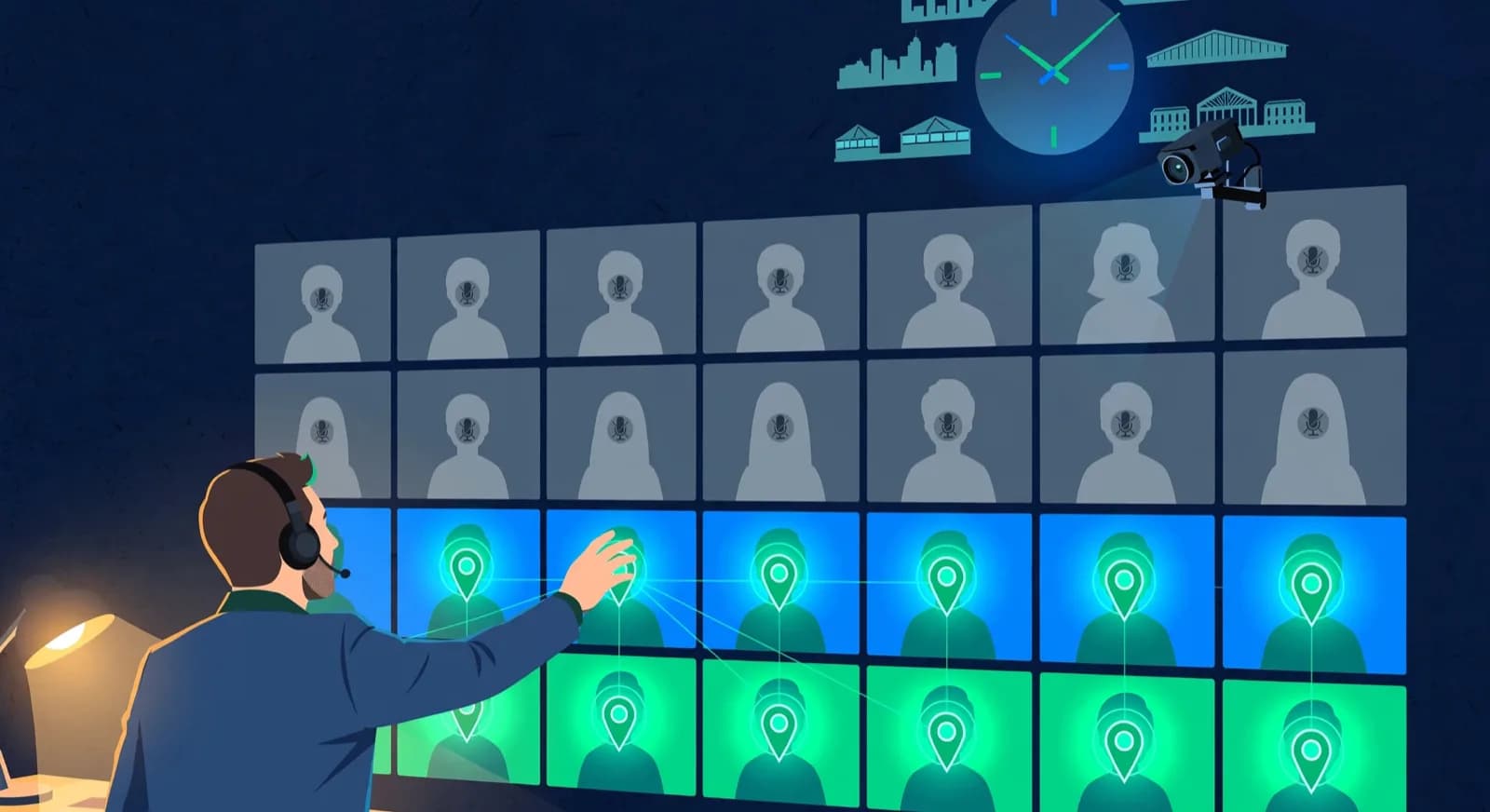
Three differences drive everything. First, you cannot read the room. In person, a coach sees the kid at the back drifting and walks over; online, a muted tile with the camera angled at the ceiling tells you nothing, so engagement has to be designed in rather than noticed and repaired. Second, the demonstration board and the student's board are now the same screen, which is an advantage if you use it: you can push a position to every student simultaneously and watch each of them attempt it live, something physically impossible in a hall [1]. Third, time zones flip from irrelevant to strategic. A coach in Istanbul can teach a 5 pm batch for local families, then a 7 pm batch for families in the Gulf, then a weekend batch for kids in Europe or the US. Geography stops limiting enrolment and starts shaping the timetable.
The honest framing for parents: online is not a worse copy of in-person teaching, it is a different format with its own strengths (no travel, access to a specific coach regardless of city, games and homework that live online) and its own costs (attention, community). Saying this plainly in the intro call builds more trust than pretending the formats are identical.
What batch size and format work online?
Smaller batches and shorter sessions than you would run in person. A physical hall can absorb twelve kids because the coach moves around; online, the same twelve becomes a wall of muted tiles. Open with a first batch of four to six students and let it grow to eight once the format runs smoothly. Keep beginner sessions to 45 to 60 minutes, which is where Wise's suggested class plan totals [5], and stretch to 60 to 75 minutes only for older, advanced players who can hold a long game review.
For launch you only need one lesson shape that runs end to end: homework review, one new idea on a prepared study, guided play on the students' own boards, and a homework link at the close. The minute-by-minute session section below gives timings for each block, and the week-to-week operating section turns that into owned weekly tasks.
Homework matters more online than in person because contact hours are shorter and screen fatigue is real. The class teaches the idea; the week between classes is where the idea becomes a habit. Coaches who set, collect, and mention homework by name retain students; coaches who treat the call as the whole product compete with every other thing on the same screen, and lose. Our guide on chess homework from games is written for exactly this loop. Teaching families in several time zones means a timetable with evening batches in each, which the batch scheduling guide treats as an ordinary planning task: list the coach's available hours first, then place each batch.

Week of 12 October · all batches
0 conflictsMake-up credit · Mia G. · Sat 4:30 PM
Absent Thursday with notice · booked by Noor
Class reminders sent to 148 families
Timing changes update everyone at once
One more format decision: mixed levels hurt more online. In a hall, a coach can quietly hand the strongest kid a harder sheet; online, differentiation is visible to everyone and dead air while you handle one student costs you the other five. Batch by playing strength more aggressively than you would in person, even if that means smaller groups at first. And protect the start time ruthlessly: an online class that begins four minutes late while the coach shares the wrong screen teaches every family that the slot is soft, and soft slots are the first thing a busy household drops when the school term gets heavy.
What does a minute-by-minute online session look like?
A good online session is a rhythm of short active blocks: a warm-up puzzle, a recap of last week, one idea taught then practised on the shared board, guided play, and a named close. Wise's teaching guide splits an hour into warm-up 5 to 10 minutes, lesson 20 to 25, play 15 to 20, and wrap about 5 [5]. Never let the class become a lecture, because online a lecture is a stream of half-attention waiting to wander.
Silver Knights describes hour-long group classes with a 20 to 25 minute lesson and about half the hour as supervised play, on its lessons page retrieved 2 October 2026 [14]. Adapt the minutes to your batch length and keep that rhythm of short, active segments. Lichess has puzzle pages organised by theme [12], which is a quick way to pull a fresh warm-up set each week without preparing one by hand. Every block should end with the students doing something, not with the coach still demonstrating.
- Minutes 0 to 8, warm-up (Wise: 5 to 10): a puzzle every student solves on their own board while you arrive and take attendance, so the class starts active rather than waiting [5].
- Minutes 8 to 12, recap: open someone's between-class game or result from a shared study, so last week's homework visibly mattered.
- Minutes 12 to 35, lesson (Wise and Silver Knights: 20 to 25): one idea, then positions every student answers on the shared board [5][14].
- Minutes 35 to 52, play (Wise: 15 to 20; Silver Knights: about half of an hour-long class): guided or paired games that apply the day's idea while you watch and prompt [5][14].
- Minutes 52 to 57, wrap (Wise: about 5): set a few puzzles and at least one game, and name one thing each student did well today [5].
Two structural choices in that template matter most. The recap after the warm-up closes the between-class loop: a child who knows their game might be opened next week has a reason to play one. The personalised close means every student leaves the call having been seen by name, a small free way to make each child feel noticed. Neither costs anything but intention, and both are the first things to get skipped under time pressure.
Which board you run this on depends on your students. A free Lichess study plus a video call is the simplest stack for mixed-age or adult batches, because studies are shared analysis where invited members can chat and invited contributors can update the position [1]. ChessKid Live Classroom is a documented option when your students already use ChessKid: as of 16 October 2026 its how-to labels the tool a Beta with built-in audio and video, a host who starts with sole board control and can hand it to a student, a raise-hand control, a 50-participant limit, and browser-only joining, and only Kid accounts under your guardianship or in your Enterprise group can be invited, with microphones and cameras off at the start [13]. Check that your students' accounts fit those rules before you plan a class around it.
How do you teach mixed levels in one online session?
Put one position on the shared board and give two or three tasks, so newer and stronger students work on the same idea at different depth. Everyone looks at the same position at the same time, the tasks differ, and a shared review brings the groups back together. This keeps the session on one idea instead of splitting the call into separate lessons running in parallel.
| Group | Task on the one position | Question in the shared review |
|---|---|---|
| Newer players | Name every legal move for one piece you choose, or find a legal capture | Is that move safe? Test one student's answer on the board. |
| Players who know the basics | Name two candidate moves and say in one sentence what each threatens or allows | Why did you reject the other move? Ask a second student to defend it. |
| Stronger players | Give a candidate move and the reply you fear most | Does the move still work after that reply? Play it out on the board. |
Then run one shared review. Play the best-supported move, ask two or three students from different groups to explain their picks, and name one thing each group did well. The aim is that nobody waits for the fastest voice and nobody is handed a task too easy or too hard to try.
If students cannot take independent turns, keep the task and change how they answer. When the board is a screen-share, or only the host controls it, ask each student to type the move or the square in chat on a count of three. When the connection is too weak for video, take a spoken answer from one student at a time. When neither works, post the position as a diagram and take answers after class. A typed move, a spoken answer and a move on the board are each a participation check, so use whichever your students can reliably do.
How do you run an online academy week to week once it launches?
Run it as a weekly cycle in which every recurring task has a named owner: the timetable, attendance, game and homework review, fees, and parent updates. LYNK's 2026 playbook suggests starting with one online batch of four to six students alongside in-person teaching, so you learn the format before scaling it [15]. Add a second batch only when the first one's weekly cycle runs without anyone having to remember it.
The reason running online is its own discipline is that the building does none of the quiet work for you. A physical centre takes attendance by looking at the room, shows parents the lights are on, and collects fees at the desk. Online, each of those jobs has to be done on purpose through tools, automated payments and explicit messages, or the academy feels disorganised to parents even when the coaching is excellent. A handful of rules set early keep the weekly load to minutes.
- Stable batches: keep the same students together each week so peer familiarity builds, which it never does if membership churns session to session.
- Camera rules agreed at enrolment: ask about bandwidth, shared devices and privacy, and name a participation alternative such as a typed move or a spoken answer.
- One record per student for attendance, synced games and rating, so a weekly drift check is a glance rather than an investigation across three apps.
- A defined make-up rule for the inevitable missed online class, decided in advance rather than negotiated each time it happens.
- A parent update on a fixed cadence, because for an online family the update is the only window they have into the class.
The situations that actually test an online academy are the live-session failures that never happen in a physical room, and each is far easier to hold if you decide the response before it happens rather than improvising while a dozen children wait on the call.
- A student's connection drops: separate a lost connection from an absence. If they took part in the opening segment, mark them present with a note, drop the study link and the target position into the chat so they can rejoin or finish later, and decide in advance whether a technical fault earns a make-up.
- A camera stays off: ask privately about bandwidth, a shared device or privacy before reading it as disengagement, and offer another way to take part. If a student stops responding by every route for two sessions running, it becomes a parent conversation.
- One confident student answers every position out loud: switch that segment to everyone answering on their own board or in chat, then call on a quieter student by name for the next position.
- A young child loses the position: keep a coach-owned reset chapter with the clean starting position one click away, and treat resetting as a normal, blameless action.
- A student did not play the assigned game: synced games show what was played on the linked account, not practice on another account, over the board or on paper, so ask before you conclude, then adjust with a short guided game in the applied-play block.
The single biggest operational lever is consolidation. An academy run across a video tool, a spreadsheet of attendance, the game platform and several chat threads forces the coach to assemble a picture of each student by hand every week, which is the work that gets dropped when a term gets busy. Keeping attendance, synced games and parent updates on one student record makes the weekly scan sustainable. ChessCore, which we build, keeps those on one record, and an AI-drafted update waits for a coach to approve it before it goes to a family, while fixed class and fee reminders and the monthly report send on schedule. Whatever tool you use, report only what the records show, and send on the channel your families already use.
What payment and parent setup do you need before launch?
Before the first paid class, check that a payment provider will take your business and your families' payment method, and decide what a parent will receive from you every week. Where a family lives does not settle either question. What settles it is the country where your business is registered, your provider account, the payment method enabled on it, and the currencies involved.
| Readiness check | What to confirm | What the provider documentation says |
|---|---|---|
| Legal country of the business | The country where the business or person receiving the money is registered | Stripe's availability page lists supported countries by business location and tags India as Preview (read 16 October 2026); once a business is supported, Stripe says it can sell to customers anywhere [9] |
| Eligible provider account | That your business type can open the account you need | Razorpay says Indian businesses activate international payments after onboarding and KYC, and that an individual such as a freelancer must integrate PayPal for international payments [11] |
| Enabled payment method | That the method works for the family's bank or card and can charge them again | UPI AutoPay lets Indian customers authorise recurring payments from a UPI app [2]; a card or other method depends on what the provider enables for your account |
| Invoice and settlement currencies | The currency you invoice in, the currency your bank receives, and who pays any conversion | Stripe's currency page, shown for India, says domestic charges can only be in INR, and says a customer's bank may add a foreign exchange fee when the charge currency differs from the payment method currency [10] |
| Consent and refunds | Parent agreement to recurring charges, plus your cancellation and refund terms, written before the first charge | Your own policy; our guide to the tuition policy shows how to write it |
This is what the providers document, not a promise about any one academy. A provider's capability does not prove that a particular tool is set up for it: ChessCore's billing page says which countries, currencies and card types you can use depends on your Stripe account, its country and how the connection is set up for your academy, so check payment connections and limits before you plan around them. Recurring payment also differs from a one-off link. A subscription invoice is not a successful charge, and a retry needs a saved, authorised payment method.

State one monthly fee per batch level on the first call, in the currency the family thinks in only if your provider account can invoice in it. For a launch that is the whole fee decision; siblings, annual plans and pauses can wait, and our guide to chess academy fee structure helps you write the tuition policy when they arrive.
Parents who never visit a venue judge an online academy on what arrives on their phone, so fix the weekly touch before launch: what the batch covered and the homework link, every week, plus a structured monthly report. How to run that loop week to week once classes start is in the operating section below. What goes in the report is in the pillar on chess progress reports.
Parent updates · this week
14 of 14 sentWeekly recap · Lucas M.
Lucas attended Thursday's class and won 2 arena games. His September report is in your portal.
Receipt · October fee
$180 received via card AutoPay. Receipt saved.
9:42 AMRecap approved by Coach Elena
Open the guardian portal
Own login · nothing to install
What is genuinely harder online, and what do you do about it?
Three things, honestly: very young beginners, board vision, and community. Each has a mitigation, none has a full fix, and saying so to parents up front costs you a few enrolments while saving you the worse outcome of families who churn at month two feeling oversold.
- Very young beginners: a screen plus a chessboard plus an hour can exceed a young child's attention, and the right age differs from child to child. Mitigation: shorter sessions, a parent nearby for the first month, and a trial lesson that shows whether the child can follow a short exercise before any fee is taken. If not, tell the family to try again later; the refusal builds more trust than the fee is worth.
- Board vision for beginners: learning pieces and squares purely on a 2D screen leaves some kids unable to play over a real board. Mitigation: ask families to keep a physical set next to the laptop and mirror key positions on it during the first months.
- Community: kids in a hall make friends; kids in a call see tiles. Mitigation: internal online leagues with standings, occasional weekend blitz events, and where students cluster in one city, a once-a-term physical meetup or tournament outing.
- Exam-season churn: online classes are the easiest thing to pause when school pressure rises. Mitigation: a clear pause policy beats silent disappearance, so offer it before families invent it.
What is not harder online, despite the reputation, is seriousness. Homework positions are links with a due date, and games a student plays on an online platform can be reviewed later, so a coach who runs the habits in this post can keep clear notes on each child's chess. The format is not the constraint; the routines are.
What child safety and privacy basics apply?
Four decisions cover the basics before you teach children online: which child-privacy rules apply where you and the family live, how accounts are set up, how you keep parents in contact, and whether you record lessons. This section is a checklist, not legal advice, and it does not promise compliance with any law.
| Decision | What to settle before the first lesson |
|---|---|
| Jurisdiction | Which child-privacy law applies where you operate and where each family lives. COPPA is a US rule; its text covers an operator of a website or online service directed to children, or an operator with actual knowledge that it collects personal information from a child [7]. Ask a local adviser what applies to you. |
| Account setup | Who creates and owns each account, whether the platform's own age rules are met, and that you never ask a family for a password |
| Parent contact | One agreed channel with a parent for bookings, schedule changes and messages, so a child is not messaged separately |
| Recording | Whether you record lessons at all. If you do, tell families before the first lesson, say how long you keep recordings, and record nothing by default |
Frequently asked questions
What do I need to start an online chess coaching business?
A video call tool (Zoom or Google Meet), a free Lichess account for studies and classes, a payment provider that accepts your business and your families' payment method, and a parent communication routine. The tools cost little, so the real startup work is designing the class format, checking payment eligibility and setting the weekly update rhythm.
Can you really teach chess online to beginners?
Yes, with adjustments. Beginners can learn online when sessions are shorter, batches are small, and a physical board sits next to the screen so board vision develops off the 2D interface too. A trial lesson shows whether a particular child can follow a short exercise on a screen; if not, say so and suggest trying again later.
How many students should be in an online chess class?
Four to six in a first batch, growing to eight once the format runs smoothly. Online classes cannot rely on a coach physically circulating, so every student needs to speak and move pieces every session, and that gets hard much past eight. Keep beginner sessions to 45 to 60 minutes, and run longer 60 to 75 minute sessions only for advanced players [5].
How do online chess academies collect fees from other countries?
It depends on the country of the business receiving the money, the provider account, the payment method enabled and the currencies. Stripe says a business supported in its own country can sell to customers anywhere [9], while its currency page for India says domestic charges can only be in INR [10]. Razorpay lets Indian businesses activate international payments after onboarding [11]. Confirm eligibility with the provider before you promise a family a payment option.
How do you run an online chess academy week to week?
Run it as a weekly cycle with a named owner for each task: the timetable, attendance, game and homework review, fees, and parent updates. Mark attendance in the same record as each student's games, review recent games on a shared board before you conclude anything about homework, act only on the few late payments, and send a short weekly note plus a monthly report because a remote parent sees nothing else. LYNK's 2026 playbook suggests starting with one batch of four to six students alongside in-person teaching before scaling [15].
Does COPPA apply if I teach children under 13 online?
It can. The COPPA Rule (16 CFR Part 312) applies to an operator of a website or online service directed to children, or an operator with actual knowledge that it collects personal information from a child [7]. Whether it covers a coach who uses Zoom and Lichess depends on the facts, and COPPA is a US rule, so check the child-privacy law where you and your families live. Ask an adviser; this guide cannot confirm compliance.
Sources
- [1]Lichess studies: shared, annotated chess lessons · accessed 2026-06-10
- [2]UPI Autopay for Recurring Payments | NPCI · accessed 2026-10-16
- [3]WhatsApp Business · accessed 2026-06-10
- [4]How to Set Up Your First Online Chess Lesson: A Step-by-Step Guide for Coaches, ChessPlay · accessed 2026-10-02
- [5]How to Teach Chess Online: Step-by-Step Guide for Tutors, Wise · accessed 2026-10-02
- [6]Chess Coaching: How to Start Providing Online Chess Lessons, 3veta · accessed 2026-10-02
- [7]16 CFR Part 312, Children's Online Privacy Protection Rule, eCFR · accessed 2026-10-16
- [8]Zoom system requirements: bandwidth, audio and video · accessed 2026-10-16
- [9]Stripe global availability · accessed 2026-10-16
- [10]Supported currencies, Stripe documentation · accessed 2026-10-16
- [11]About International Payments, Razorpay documentation · accessed 2026-10-16
- [12]Lichess Puzzle Training · accessed 2026-10-16
- [13]How to use the ChessKid Live Classroom tool · accessed 2026-10-16
- [14]How do online group chess lessons work, Silver Knights Chess Academy · accessed 2026-10-02
- [15]LYNK: how to start a chess academy, a 2026 playbook · accessed 2026-10-16
Written by Abhishek Tiwari
ChessCore
Drafted with AI, fact-checked and approved by a human before publishing, the same guardrail our product applies to every report it sends. Read our editorial standards.
Run your online academy from one place
ChessCore keeps batches, attendance, fee collection on Grow and above, and parent updates together, so the habits in this post have one home. AI-drafted messages wait for a person to send them.
- Roster import from the spreadsheets you already keep
- Lichess and Chess.com connections, batches, and fee plans
- First reports in week one, after your approval
- Free plan, no credit card required