Bottom line
ChessKid is the kids chess platform in the Chess.com family, and this review's verdict for parents is straightforward: a contained practice environment for young players whose homepage leads with the promise '100% Safe and Free'. Treat that as the company's claim and check the controls yourself. The honest limit is the category: ChessKid supplies practice volume, not coaching, so it works best alongside a coach.
TL;DR
- ChessKid is run by Chess.com as the kids platform for players under the main site's minimum age, which is exactly why a separate kids environment exists.
- Safety is the platform's headline promise, and the rules behind it are published: no chat, auto-generated usernames, child activity reports and no social networking between kids and adults.
- ChessKid is strong at what a platform can do: a kids-only environment, beginner study materials, and a national online championship recognised by US Chess.
- A platform supplies practice, not accountability: a practice site does not answer to you for whether a month was progress, which is the job of a coach, a different category from practice software.
- The practical setup for most families is a practice platform for volume plus a coach or academy for direction, not one instead of the other.
Key facts
- ChessKid's official homepage describes the platform as chess online for kids, 100% safe and free.[1]
- Chess.com runs ChessKid as a subsidiary site for chess players under the minimum age requirement of the main Chess.com platform.[2]
- ChessKid has hosted CONIC, the ChessKid Online National Invitational Championship, yearly since 2012, and the event is recognised by the United States Chess Federation.[2]
- ChessKid has a long-term partnership with the North Texas Chess Academy that gives children access to online instructors.[2]
- Lichess, a free alternative parents often weigh against ChessKid, is a free and open-source chess server run by a non-profit organisation.[4]
What is ChessKid?
ChessKid is the kids chess platform in the Chess.com family. Chess.com, the main adult site [3], runs ChessKid as a subsidiary specifically for players who are under the minimum age requirement of the main site [2]. That minimum age is country-specific (Chess.com lists 13 in the United States, the United Kingdom and the UAE, 15 in France, and 18 in India [13]), and because it decides when a child can move to the main site at all, the graduation section below sets out the exact thresholds and the consent process. That origin explains the whole product: it exists because the open chess internet, with its public chat and adult player pool, is not built for an eight year old, so the company built a separate walled garden that is.
The official homepage states the positioning in one line: chess online for kids, 100% safe and free [1]. Its learning section describes itself as study materials for beginners [1], and the platform runs real competitive structure for children, including CONIC, the ChessKid Online National Invitational Championship, held yearly since 2012 and recognised by the United States Chess Federation [2]. For a parent, that combination is the pitch: a place where a child can play, learn the basics, and even compete, without sharing a lobby with anonymous adults.
One framing matters before anything else in this review: ChessKid is a player platform, not coaching software and not a coaching service. Judging it as a parent means asking two separate questions. Is it a safe, useful place for my child to practise? And is practice on a platform the same thing as my child being coached? The answers, as the rest of this review argues, are mostly yes and definitely no.
How safe is ChessKid for children?
Safety is the claim ChessKid leads with, not a footnote: the official homepage puts 100% safe before it mentions anything about chess [1]. Read that as the company's marketing line and judge it against the published controls rather than taking the slogan at face value. The structural case for it is at least coherent. The platform exists because Chess.com restricts its main site by age and points younger children to ChessKid [2], so the kids environment is the product, not a mode bolted onto an adult site. A children-only player pool removes one major risk on general platforms, unsupervised contact between children and unknown adults.
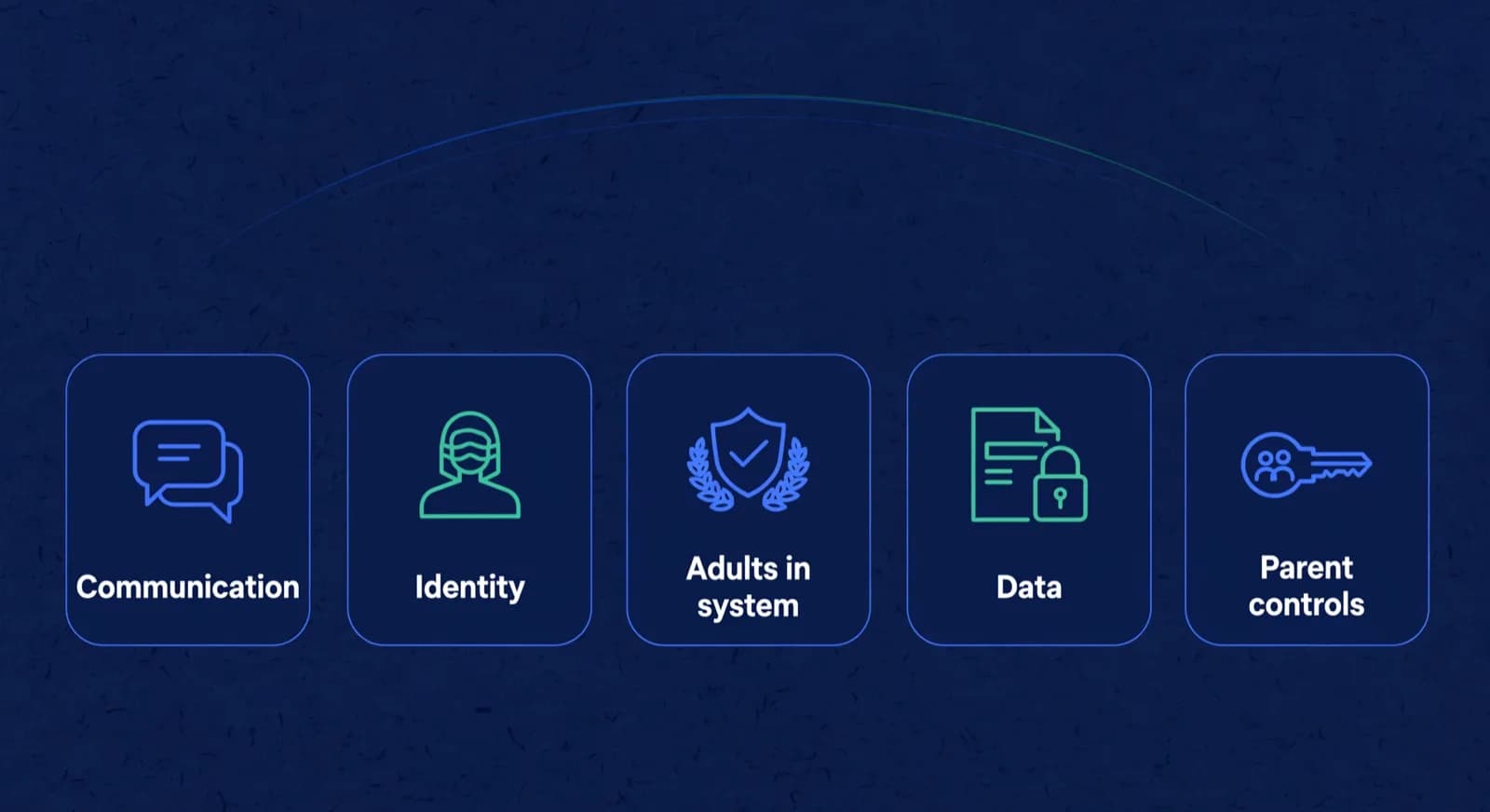
The specifics are published, so a parent does not have to guess. ChessKid's homepage lists three safety features: no chat, auto-generated usernames and child activity reports [1]. Its help centre adds that there are no outside links, no ads and no social networking between kids and adults, and that parents and coaches can review every game and activity on a kid account [10]. Here is how those published rules answer the five questions we would put to any kids platform.
- Communication: can my child message other users? ChessKid's homepage lists no chat as a safety feature, and the help pages state there is no social networking between kids and adults [1][10]. The documented channels where kids do interact are games, clubs and kid tournaments among kids [11], so treat no chat as no open messaging rather than no contact of any kind.
- Identity: what does a profile expose? New accounts get an auto-generated username, and a custom username needs approval, which can take up to 24 hours [1][11].
- Adults in the system: who can reach my child? Adult accounts cannot play, friend or connect with kid accounts unless the adult is a primary or additional guardian, linked through the guardian's email address [11].
- Data: what is collected and shared? The help centre says ChessKid carries no ads and no outside links [10]; for what is collected at signup and how it is used, read ChessKid's privacy policy before you create the account.
- Parent controls: what can I see? Guardians manage kid accounts from a My Kids page, can request username changes, and can review all games and activity [11][10].
The guardian model is easier to use correctly if you treat it as a short setup sequence rather than a feature list. ChessKid's getting-started guidance sets out who owns what: the adult account comes first, the child is linked under it, and the adult who creates the kid account becomes the primary guardian with the controls [11]. Here is that sequence, including where a school-created account changes the owner and where the purchasing account sits.
- Create the adult account first. The guardian signs up, then adds the child, which makes the guardian the primary guardian of that kid account [11].
- Link the child to the guardian's email. Adult accounts cannot play, friend or connect with a kid account unless they are linked as a primary or additional guardian through the guardian's email [11].
- Confirm who is the primary guardian. Only the primary guardian can add other adults as additional guardians, so check that the right parent holds that role rather than a coach or sibling [11].
- Use My Kids to review activity. From the My Kids page the guardian can see all games and activity and request username changes [11][10].
- Know the purchasing account. Any Gold membership is tied to the account that bought it, so if a coach or one parent paid, that is the login that manages or cancels it [7][8].
- School or academy case: when a teacher or coach creates the accounts, that adult becomes the primary guardian; if the child already has an account, the parent adds the coach as an additional guardian instead [11].
Two practical notes beyond the controls themselves. First, safety online is also about time and content, not only contact: a kids-only pool still allows an unsupervised three-hour blitz binge, so the family rules around the account matter as much as the account's settings. Second, if your child joins through a school or academy programme, ask who holds guardian rights so you know which adults can see and manage the account. The summary: ChessKid's documented controls are the strongest reason to prefer it over a general platform, and the checks left to you are the privacy policy and the guardian list.
What does ChessKid do well?
ChessKid does the platform job well: it gives a young player a contained place to get their practice volume. The site's learning section positions itself as study materials for beginners [1], which matches the audience: children meeting the board for the first time need patient, age-appropriate material, not a database front-end. And because every opponent is another kid, losses sting less and games happen at a pace and level that keeps a beginner playing.
The competitive layer is more substantial than parents expect from a kids product. CONIC has run yearly since 2012 with recognition from the United States Chess Federation [2], which means a motivated child can go from first lessons to a real national online championship without leaving the environment. The platform also plugs into structured instruction: the long-term North Texas Chess Academy partnership connects children with online instructors through the platform [2], a signal that ChessKid sees itself as infrastructure for coaching programmes, not a replacement for them.
Is ChessKid free?
ChessKid's own homepage answers this in its headline: the platform describes itself as 100% safe and free [1]. So yes, a family can start on ChessKid without paying, on the platform's own words. That makes it an easy first step: create the account, watch how your child uses it for a couple of weeks, and only then decide whether anything more is needed.
Gold is the paid upgrade, and its current prices are in the next section. The practical advice holds whatever the price: exhaust the free experience first. A child who is using the free tier daily has made the case for an upgrade or for proper coaching; a child who logs in twice a month has not, and no membership fixes that.
Is ChessKid Gold worth it, or is the free plan enough?
For most parents, the free plan is enough to decide whether ChessKid fits the child; Gold is worth it only after the free tier is already in daily use and the child is hitting limits on puzzles, lessons, videos, workouts, or game history. ChessKid's own homepage still markets the platform as free to start, and positions Gold as the unlock for unlimited puzzles, lessons, videos, workouts, and game history [1]. That is a usage decision, not a status purchase.
ChessKid sells Gold as Yearly, Quarterly and Monthly plans [8]. On 16 October 2026 the US App Store listing for ChessKid's app, sold by Chess.com, LLC, showed Gold at $14.00 a month, $29.00 for 3 months, $27.99 for 6 months and $59.00 a year [9]. ChessKid's website shows the price for your region at checkout; in India on 2 October 2026 that was about INR 588.82 a month, INR 1,414.82 a quarter and INR 3,538.82 a year [6]. A membership bought through Apple is managed and cancelled in the App Store, not by ChessKid [7].
| Question for parents | Free plan | Gold membership |
|---|---|---|
| What does the official site lead with? | Platform marketed as free to start [1] | Gold sold as Yearly, Quarterly and Monthly plans [8] |
| What does Gold unlock, per ChessKid? | Free practice tools with limits parents must test live | Unlimited puzzles, lessons, videos, workouts, and game history [1] |
| What does it cost? | $0 to start [1] | US App Store, 16 October 2026: $14.00 a month, $29.00 for 3 months, $59.00 a year [9]; web prices vary by region [6] |
| When is this enough? | Child plays a few games a week and is still exploring | Child is daily and clearly capped by free limits |
A simple parent rule of thumb. Week one and two: stay free and watch whether your child returns without nagging. Week three: note which feature they hit a wall on (puzzles, lessons, history). Only then buy Gold, and prefer monthly until a full term of use is proven. Gold does not replace a coach. It only removes platform caps on practice volume. If the real problem is direction or accountability, spend the coaching budget first and keep the free plan as the practice layer. To cancel Gold later, log into the account that bought it, open Settings, choose Subscription then billing info, and cancel the renewal; a membership bought through Apple or Google Play is cancelled in that store, not by ChessKid [7].
What are the alternatives to ChessKid?
The alternatives question is really a category question, because the things parents compare against ChessKid do different jobs. The closest like-for-like alternative is Lichess, a free and open-source chess server run by a non-profit organisation [4], with free tactics training included [5]. Lichess serves a general audience rather than children specifically; its Kid Mode setting lets other players send nothing beyond chess moves, allows direct messages only with Kid Mode classmates in the same Lichess class and the class teacher, and blocks forums, blogs, streams and videos [12]. Our comparison of Lichess vs Chess.com for academies covers the two ecosystems in more depth.
| What your family needs | ChessKid | Lichess | A coach or academy |
|---|---|---|---|
| A kids-only environment | Yes, this is the product [1] | No, general audience with a kid mode setting | Depends on the programme |
| Free practice and puzzles | Free per the official homepage [1] | Free and open source, non-profit [4][5] | Usually paid, priced by the coach or academy |
| Beginner learning material | Study materials for beginners [1] | Free training tools, not kid-specific [5] | A curriculum, adapted per child |
| Someone accountable for progress | No, a platform does not answer to you | No, a platform does not answer to you | Yes, this is the job |
The third column is the one this page exists to make explicit: the real alternative to more platform time is usually a human coach or an academy programme, because that is the only option in the table where someone is answerable for your child's progress. Platforms and coaching are complements, not substitutes. If you are also curious how AI tools fit into that picture, our guide to the best AI chess training apps and our comparison of an AI chess coach vs a human coach cover that decision; the DecodeChess review, Aimchess review, and Noctie AI review look at individual tools.
Should your child move from ChessKid to Chess.com, and when?
Move only when three conditions are true at once: the child meets Chess.com's minimum age for your country or a guardian has completed the consent form Chess.com requires below that age, the child has outgrown ChessKid's beginner content or kids-only competition, and a parent is ready to supervise a general platform [13]. ChessKid and Chess.com are the same company, not rival brands, so this is an access and fit decision rather than a switch of loyalty. Chess.com's own help pages describe ChessKid as its kid-friendly platform for young learners and point under-age children there [13].
The age rule is country-specific, not a single under-13 line. Chess.com lists 13 for the United States, the United Kingdom and the UAE, 15 for France, 16 for Germany, and 18 for India, and below the local threshold it mutes the account and disables social features until a guardian completes the parental consent form [13]. Treat that as Chess.com's platform policy rather than legal advice, and read it against your own country's row. For a child under the local minimum age, Chess.com's materials send families to ChessKid, which is why the kids site is the safer first home.
The reason a motivated child eventually feels capped is content depth. ChessKid's getting-started material recommends lessons and videos from absolute beginners up to about a 1600 rating [11], and its competitive layer stays inside the kids pool. Chess.com goes further once age rules allow: free accounts include unlimited live play with limited puzzles, lessons and bots, Gold adds unlimited puzzles and lessons, all bots and unlimited Coach games, and higher Platinum and Diamond tiers add unlimited game review, coach explanations and advanced stats [14]. Use age for the access rule and use boredom or frustration with kids content, not a rating number, for the graduation timing.
| Signal | Stay on ChessKid | Graduate or add Chess.com |
|---|---|---|
| Age and policy | Under the local Chess.com minimum age [13] | Meets age rules or guardian completed consent [13] |
| Content fit | Still learning from kids lessons, bots and kid events [11] | Needs main-site analysis depth or the adult pool [14] |
| Safety bandwidth | Family wants kids-only defaults | Family will supervise general-platform features [13] |
| Spending signal | Free ChessKid still unused at its limits | Free Chess.com limits block weekly training already done [14] |
Treat the move as four separate checks, because the two products run as separate accounts: login, membership, games and ratings each behave differently. Ratings do not convert. ChessKid's own chess and puzzle ratings start at 800 and are not tied to any official system, while Chess.com uses Glicko, so the old number does not map onto the new site and you should place the child from recent games instead [16][17]. On membership, Chess.com Premium does not include ChessKid Gold, though ChessKid's help centre offers Chess.com Premium members 40 percent off a yearly Gold plan if they contact support with their Chess.com username [18]. For login and game history, the published help pages do not describe a transfer between the two accounts, so plan to create a fresh Chess.com account rather than assume the ChessKid profile moves across [13].
Is ChessKid enough on its own, or do you also need a coach?
It depends on what you want from it. For independent practice, ChessKid can be enough on its own: it supplies games, puzzles and lessons, and its own getting-started material describes personalized learning with lessons tailored to a child's skill level and pace up to about a 1600 rating [1][11]. If your child is self-driven and you mainly want a safe place to put in volume, the free tier may be all you need. The reason to add a coach is accountability: a platform does not answer to you for whether a given month was progress or just activity, and it cannot sit with your child to explain a recurring mistake the way a person can. If personalised feedback and someone responsible for the plan matter to you, that is the signal to assess coaching alongside the platform, and our guide to choosing a chess class for your child covers how to pick one.
The gap shows most at the plateau. The first year of a kids platform often looks great because beginners improve on volume alone. Then improvement slows and the child cannot always say why. Adaptive lessons can nudge difficulty, but tying a run of losses to one recurring idea and setting work against it is what a coach who reviews the actual games is for. The platform then becomes the place that assigned work gets done. Coach sets direction and platform supplies reps is one workable split of the two jobs.

Lucas M.
Batch B2 · Thursdays · joined Aug 2025
1342
Academy rating · Lichess games synced
Won vs. 1410 · French Defense
Best gameMissed fork on move 23
Homework setParent updates · this week
14 of 14 sentWeekly recap · Lucas M.
Lucas attended Thursday's class and won 2 arena games. His September report is in your portal.
Receipt · October fee
$180 received via card AutoPay. Receipt saved.
9:42 AMRecap approved by Coach Elena
Open the guardian portal
Own login · nothing to install
Frequently asked questions
Is ChessKid safe for kids?
The controls are built for it, which is the honest way to put it rather than guaranteeing safety. ChessKid's homepage lists no chat, auto-generated usernames and child activity reports, and its help pages say there are no outside links, ads or social networking between kids and adults. Adult accounts cannot play or friend a kid account unless they are linked as a guardian. The checks left to you are the privacy policy, for what data is collected at signup, and the family rules on screen time.
Is ChessKid free to use?
Yes. ChessKid's homepage describes the platform as 100% safe and free, so a family can start without paying. Gold is the paid upgrade for unlimited puzzles, lessons, videos, workouts and game history. Exhaust the free experience first, and let your child's actual usage make the case for spending anything.
How much does ChessKid Gold cost?
On 16 October 2026 the US App Store listing for ChessKid's app, sold by Chess.com, LLC, showed Gold at $14.00 a month, $29.00 for 3 months, $27.99 for 6 months and $59.00 a year. ChessKid's website shows the price for your region at checkout; in India on 2 October 2026 that was about INR 588.82 a month, INR 1,414.82 a quarter and INR 3,538.82 a year.
What are the best alternatives to ChessKid?
For a like-for-like free platform, Lichess is the main alternative: it is free, open source, and run by a non-profit, with free training tools, though it serves a general audience rather than children, and its Kid Mode limits messages to classmates and the class teacher in a Lichess class. The other alternative is a different category entirely: a human coach or chess academy, which is the only option that gives your child a tailored plan and someone accountable for progress.
When should my child move from ChessKid to Chess.com?
Move when the child meets Chess.com's minimum age for your country, or a guardian has completed the required consent form below that age, has outgrown ChessKid's beginner content or kids-only competition, and your household can supervise a general platform. The threshold is country-specific: 13 in the United States, the United Kingdom and the UAE, and 18 in India, with the account muted until consent is in place. ChessKid and Chess.com are the same company, so do not move only because a rating looks higher elsewhere. Ratings do not convert, and the help pages do not describe an account transfer, so expect a fresh Chess.com account placed from recent games.
Can ChessKid replace a chess coach?
Not on the accountability side. ChessKid is a practice platform: it supplies games, puzzles, and beginner study materials, and markets adaptive lessons that adjust to a child's level, which is valuable volume. What it does not do is answer to you for progress or sit with your child to explain a recurring mistake across their real games the way a person can. The strongest setup for most families is both: a coach or academy sets direction, and the platform is where the assigned practice happens.
Sources
- [1]ChessKid: chess online for kids, 100% safe and free · accessed 2026-10-16
- [2]ChessKid, Wikipedia · accessed 2026-06-10
- [3]Chess.com: play chess online · accessed 2026-06-10
- [4]Lichess, Wikipedia · accessed 2026-06-10
- [5]Lichess tactics training · accessed 2026-06-10
- [6]ChessKid Gold membership pricing · accessed 2026-10-02
- [7]How do I cancel my Gold Membership, ChessKid Help Center · accessed 2026-10-16
- [8]How do I purchase a Gold Membership?, ChessKid Help Center · accessed 2026-10-02
- [9]Chess for Kids: Learn to Play (ChessKid), Apple App Store (US) · accessed 2026-10-16
- [10]What's the difference between ChessKid and Chess.com?, ChessKid Help Center · accessed 2026-10-16
- [11]Getting started with ChessKid, ChessKid · accessed 2026-10-16
- [12]Kid Mode, Lichess · accessed 2026-10-16
- [13]Chess.com support: parental consent and ChessKid recommendation · accessed 2026-10-16
- [14]Chess.com support: membership levels and feature matrix · accessed 2026-08-10
- [15]Chess.com membership plans · accessed 2026-10-02
- [16]ChessKid help: chess and puzzle ratings · accessed 2026-10-02
- [17]Chess.com help: how ratings work · accessed 2026-10-02
- [18]I have a premium Chess.com membership. Do Chess.com benefits apply to ChessKid too? | ChessKid Help Center · accessed 2026-10-16
Written by Abhishek Tiwari
ChessCore
Drafted with AI, fact-checked and approved by a human before publishing, the same guardrail our product applies to every report it sends. Read our editorial standards.
Practice platform plus real coaching oversight
See how an academy on ChessCore turns a child's platform games into reviewed lessons, tracked progress, and AI-drafted parent updates a coach edits before sending. Bring your own questions to a walkthrough.
- Roster import from the spreadsheets you already keep
- Lichess and Chess.com connections, batches, and fee plans
- First reports in week one, after your approval
- Free plan, no credit card required